
 View on Asset Store (opens in new tab)
Package details
- Latest version
- 1.1
- Last updated
- First released
- Unity version
- 2022.3.11 or later
- Package size
- 29.4 MB
- Files
- 87
- Favorites
- 8
- Views in the past week
- 7
Price tracking
- Last checked
- Tracked since
- Lowest recorded
- $15.00 on
Keywords
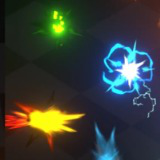
VFX Graph - Hit VFX
Some effects made with VFX Graph. Includes shaders made in Shader Graph.
Affiliate link · Purchases support this site
Price history
Last 6 months
USDAsset preview
1 / 9

VFX Graph - Hit VFX screenshot 1


About this asset
This effects made with VFX Graph, which will lead to better visuals and performance.
All color parameters have been opened, creating your own Color effect.
HDRP is not adapted, you can try tweaking ShaderGraph to make it work properly on HDRP.
"com.unity.render-pipelines.core"
"com.unity.render-pipelines.universal"
"com.unity.shadergraph"
"com.unity.visualeffectgraph"
Install the latest version in unity's Package Manager yourself.
Requires Unity 2021.3 or newer with Visual Effect Graph and Shader Graph. Install those via Package Manager before installing this Pack. If you just installed them, restart the editor before installing the VFX pack.
Works in URP. Visual Effect Graph has limited compatibility with mobile devices (including WebGL platform).
If the VFX doesn't show up, it needs to be recompiled. This can be easily fixed by opening the VFX assets in TwoUncleVFX\_Effect\_VfxGraph. When opened in the Visual Effects Graph, the assets are forced to recompile. This should be fixed in Unity 2022.3.6 and newer.
Warn! Please create a new created project or back up your project files before you test it!
If the project doesn't look normal,please check the following points:
1.Click Edit->Project Setting->Graphics,then check the Sciptable Render Pipeline Settings if is none, try select TwoUncleVFX_URP-Balanced to fix it.
2.Click Edit->Project Setting->Quality,then check the Render Pipeline Asset if is none, try select TwoUncleVFX_URP-Balanced to fix it.
3.Fix your Universal RP and Visual Effect Graph version to your ever used version or update it to last version In Package Manager.
if it is ok,try change the settings to your self settings,make sure your have a right URP Settings.
If you want to know more details, add our discord to communicate.
From the publisher's Asset Store listing.
Technical details
The following prefabs are included:
_Hit 00,_Hit 01,_Hit 01 Pink,_Hit 02,_Hit 02 Big,_Hit 02 Mini,_Hit 02 Tiny,_Hit 03,_Hit 03 Big,_Hit 04,_Hit 04 Big,_Hit 05,_Hit 06 ChiWave,_Hit 06 Kikoken,_Hit 06 LastBreath,_Hit 07,_Hit 07 Less,_Hit 07 RedSpark,_Hit 07 Tiny,_Hit 08,_Hit 09,_Hit Magic General
All of them can change color.
Compatibility
| Unity version | Built-in | URP | HDRP |
|---|---|---|---|
| 2022.3.11f1 | Not listed | Compatible | Not listed |
- Requires Visual Effect Graph and Shader Graph. You can install those via Package Manager. These packages must be installed before this VFX.
- It is recommended to use the Unity version close to Unity 2022.3.11, which is the version we developed and used to ensure that the version of URP will not be too different.
- If the VFX doesn't show up properly, it needs to be recompiled.
As listed on the Asset Store.