
 View on Asset Store (opens in new tab)
Package details
- Latest version
- 1.1
- Last updated
- First released
- Unity version
- 6000.3.9 or later
- Package size
- 922 KB
- Files
- 8
- Favorites
- 5
- Views in the past week
- 8
Price tracking
- Last checked
- Tracked since
- Lowest recorded
- $4.99 on
Keywords

PlayerPrefs Inspector
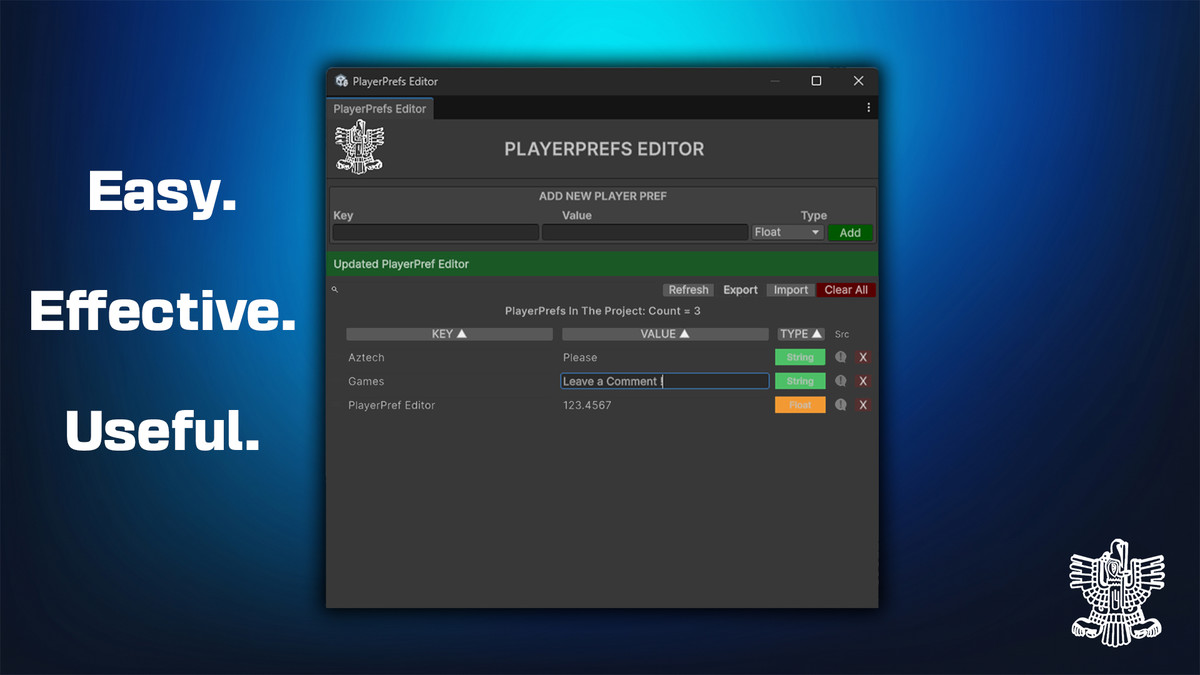
A powerful PlayerPrefs editor window for Unity. View, edit, add, delete, rename, sort, search, and track which script set each key — with JSON export/import.
Affiliate link · Purchases support this site
Price history
Last 6 months
USDAsset preview
1 / 5
PlayerPrefs Inspector screenshot 1

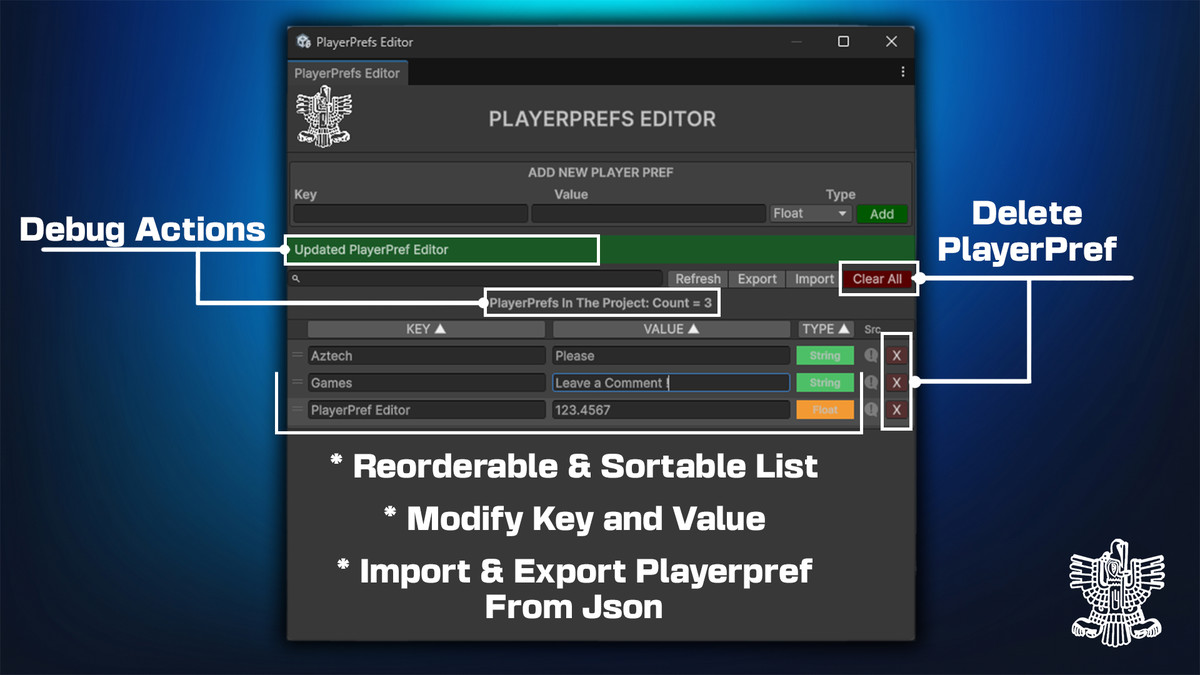
About this asset
PlayerPrefs Editor is a professional Unity Editor tool that gives you complete visibility and control over every PlayerPrefs key in your project — all from a clean, intuitive window without writing a single line of debug code.
Stop guessing at key names. Stop hunting through code to find where a value was set. Open the window and everything is right there.
----------------------------------------------------------------------------------
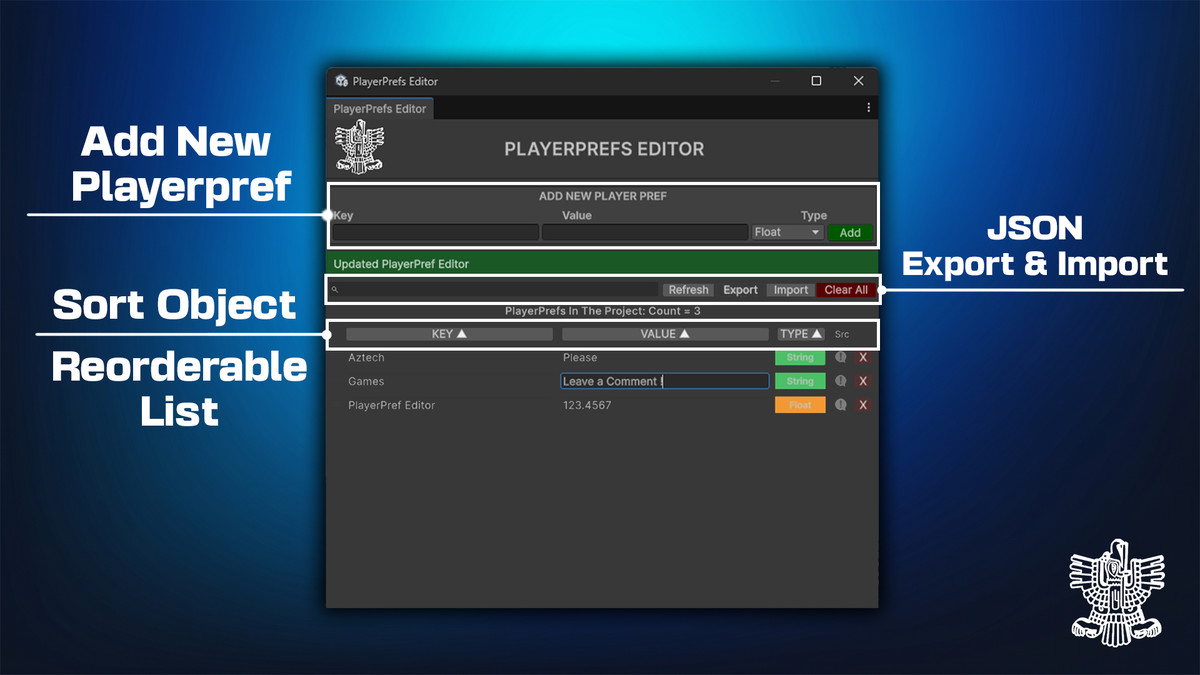
- 🔍 Full Visibility: Automatically displays all saved and runtime PlayerPrefs with key, value, and color-coded type badges (Int, Float, String).
- ✏️ Inline Editing: Edit keys and values directly in the list with staged changes to prevent accidental overwrites. Renaming automatically cleans up old entries.
- 📌 Source Tracking: Track the exact script and line number that last updated any key, with one-click jump to your IDE and zero build overhead.
- 🔎 Search & Organize: Instant real-time filtering, column sorting, and persistent drag-and-drop reordering.
- 💾 JSON Import & Export: One-click snapshot backups to easily share test states across teams or restore save data during QA.
- 🖥️ Native Cross-Platform Storage: Directly reads Windows Registry, macOS plist, and Linux binary prefs for instant, accurate type detection.
----------------------------------------------------------------------------------
Follow us for updates, previews, tutorials & more:
From the publisher's Asset Store listing.
Technical details
- Unity version: 2021.3 LTS or newer
- Platform: Editor only — zero runtime cost, nothing included in builds
- Assembly separation: PlayerPrefsTracker lives in the runtime assembly and writes type and source metadata directly to EditorPrefs using the same JSON format as the editor-side cache, so the two sides communicate without any cross-assembly dependency
- Type resolution: Two-stage — platform storage type is read first, then the editor type cache takes precedence, ensuring types set through the editor window or the tracker are always preserved correctly
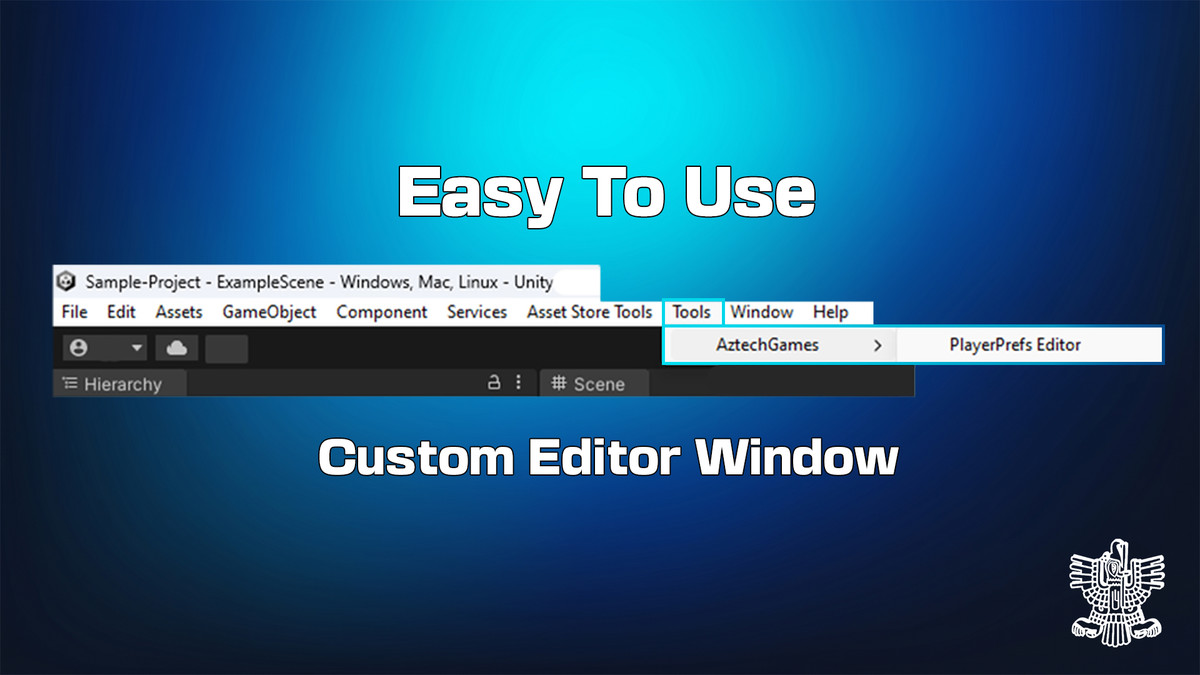
- Open via: Tools → AztechGames → PlayerPrefs Editor
- No third-party dependencies
- Full C# source code included
📦 WHAT'S INCLUDED
PlayerPrefEditor.cs Editor window UI
PlayerPrefsRepository.cs All data read/write/cache operations
PlayerPrefsReader.cs Cross-platform native storage reader
PlayerPrefEntry.cs Data modelPlayer
PlayerPrefsTracker.cs Runtime drop-in replacement for PlayerPrefs.Set
Compatibility
| Unity version | Built-in | URP | HDRP |
|---|---|---|---|
| 6000.3.9f1 | Compatible | Compatible | Compatible |
As listed on the Asset Store.