
 View on Asset Store (opens in new tab)
Package details
- Latest version
- 1.4
- Last updated
- First released
- Unity version
- 2022.3.62 or later
- Package size
- 797 KB
- Files
- 5
- Favorites
- 9
- Views in the past week
- 7
Price tracking
- Last checked
- Tracked since
- Lowest recorded
- $9.99 on
Keywords
- Search for bookmarks
- Search for quick selection
- Search for asset management
- Search for Tool
- Search for addon
- Search for easy access
- Search for Unity
- Search for Scene Management
- Search for productivity
- Search for Organizing Unity objects
- Search for Quick access in Unity
- Search for Unity project organization
BookmarkTool
- Price drop
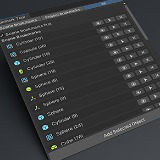
The package allows you to organize frequently used objects into lists and quickly select them among other objects.
Lowest recorded price
Get 33% off on Asset Store (opens in new tab)Affiliate link · Purchases support this site
Price history
Last 6 months
USDAsset preview
1 / 5

BookmarkTool screenshot 1


About this asset
Are you tired of constantly searching through large projects and scenes to find the same objects over and over? With the Unity Bookmark Tool, you can now create quick bookmarks for both scene objects and project assets, making it easier than ever to stay organized and streamline your workflow.
Key Features:
- Scene, Project, All Bookmarks. Organize your bookmarks into three tabs: one for Scene Bookmarks (for objects in the scene), another for Project Bookmarks (for assets in your project), and a third for All Bookmarks. No more endless searching—just click and go!
- Add Any Selected Object. Simply select any object from the Scene or Project window, hit the "Add" button/use drag-n-drop, and it will automatically be added to the appropriate tab. Whether it’s a scene object or a project asset, Bookmark Tool makes it simple to organize.
- Quick Select & Focus. Each bookmark includes a "Select" button that allows you to instantly focus on the bookmarked object or asset in the Hierarchy or Project window. Need to jump to that important prefab or GameObject? One click and you're there!
- Easy Removal. Not using a bookmark anymore? No problem! You can remove it just as easily by hitting the "Remove" button. The bookmark list is kept clean and relevant.
- Saves Bookmarks Automatically. Your bookmarks are saved automatically to a JSON file in the script folder, so your preferences are never lost between sessions. Close the Unity Editor, and when you return, all your bookmarks are right where you left them.
- Bookmark Renaming. You can now give your bookmarks custom titles. No more relying on messy website URLs - name them exactly how you want.
- Easy Reordering. Take control of your list. Drag and drop or sort your bookmarks to keep your most-used links at the very top.
- Color Tags. Bring visual clarity to your collection. Assign a specific color to each bookmark to categorize your links (e.g., Red for "Urgent," Blue for "Resources").
How It Works:
1. Open the Bookmark Tool: navigate to Roobico> Bookmark Tool to open the tool window.
2. Add Bookmarks: select any object from the Scene or Project, and click Add Selected Object or drag it in The tool will automatically place the object into either the Scene Bookmarks or Project Bookmarks tab based on the object's origin.
3. Select and Focus: once added, each bookmark comes with a Select button. Clicking it will immediately focus the Unity Editor on that object or asset.
4. Manage Your Bookmarks: use the Remove button to clean up any bookmarks you no longer need. The list is automatically updated and saved.
Why You’ll Love It:
- Boost Productivity: No more wasting time searching for the same objects repeatedly.
- Stay Organized: Keep all your important objects and assets neatly bookmarked in tabs.
- Effortless Navigation: Quickly navigate through large projects and scenes with one click.
- Save and Restore Bookmarks: Your bookmark lists persist across Unity sessions, so you don’t lose track of what’s important.
From the publisher's Asset Store listing.
Technical details
How to Install:
- Open the tool from Roobico> Bookmark Tool.
- Start bookmarking and enjoy smoother, faster project navigation!
Requirements:
- Unity 2019.1 or newer
- Editor scripting knowledge is not required—just drop the tool into your project and you're ready to go!
Compatibility
| Unity version | Built-in | URP | HDRP | Custom |
|---|---|---|---|---|
| 6000.3.9f1 | Compatible | Compatible | Compatible | Compatible |
| 2022.3.62f1 | Compatible | Compatible | Compatible | Compatible |
As listed on the Asset Store.