
 View on Asset Store (opens in new tab)
Package details
- Latest version
- 1.1
- Last updated
- First released
- Unity version
- 6000.3.9 or later
- Package size
- 1.5 MB
- Files
- 11
- Favorites
- 6
- Views in the past week
- 10
Price tracking
- Last checked
- Tracked since
- Lowest recorded
- $4.99 on
Keywords
Texture To Model (Voxel)
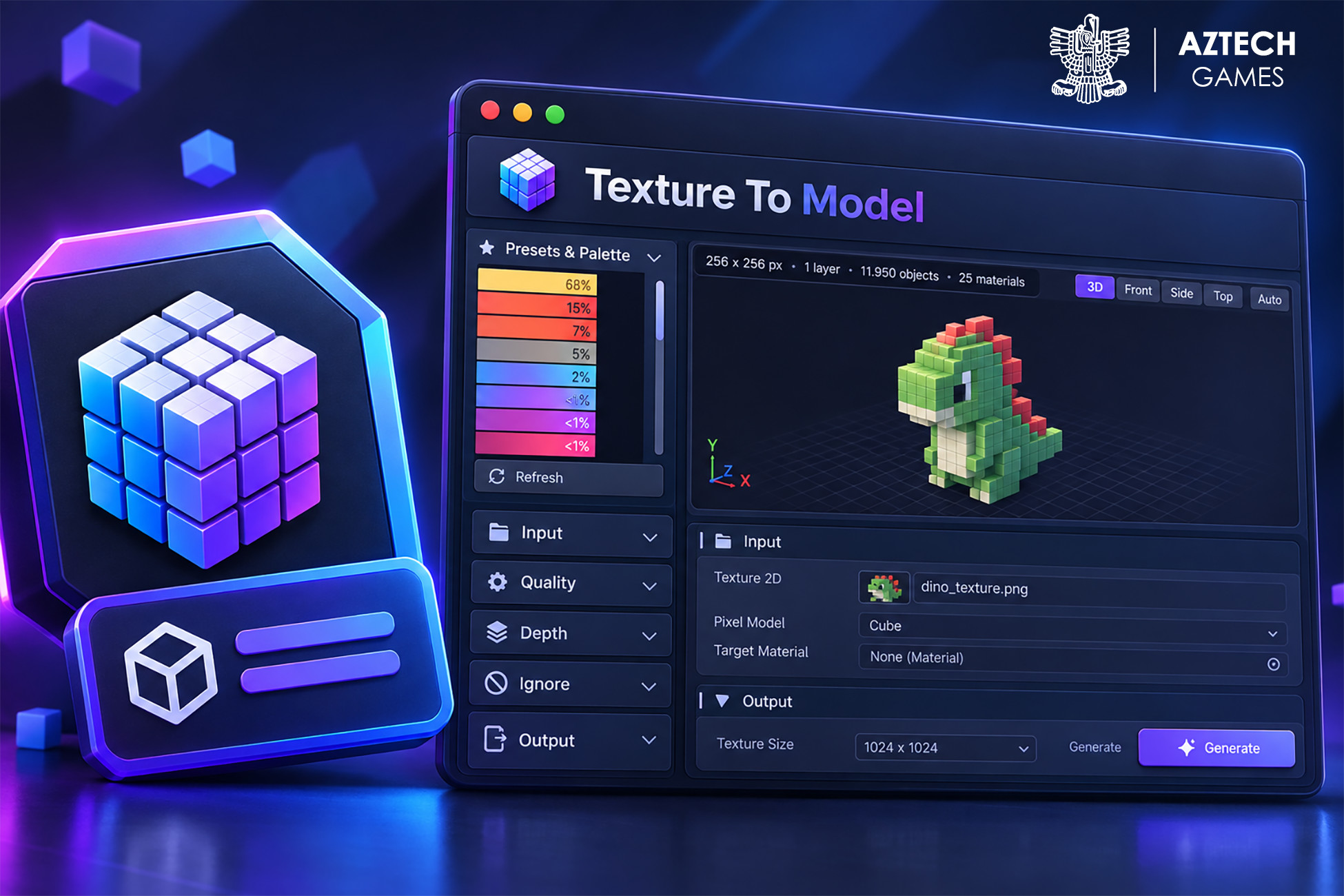
Turn any 2D texture or sprite into a voxel-style 3D model. Live 3D preview, color control, depth, sprite sheets, presets and one-click generation. Built-in, URP and HDRP.
Affiliate link · Purchases support this site
Price history
Last 6 months
USDAsset preview
1 / 4
Texture To Model (Voxel) screenshot 1

About this asset
Turn any image into a voxel-style 3D model, right inside the Unity Editor.
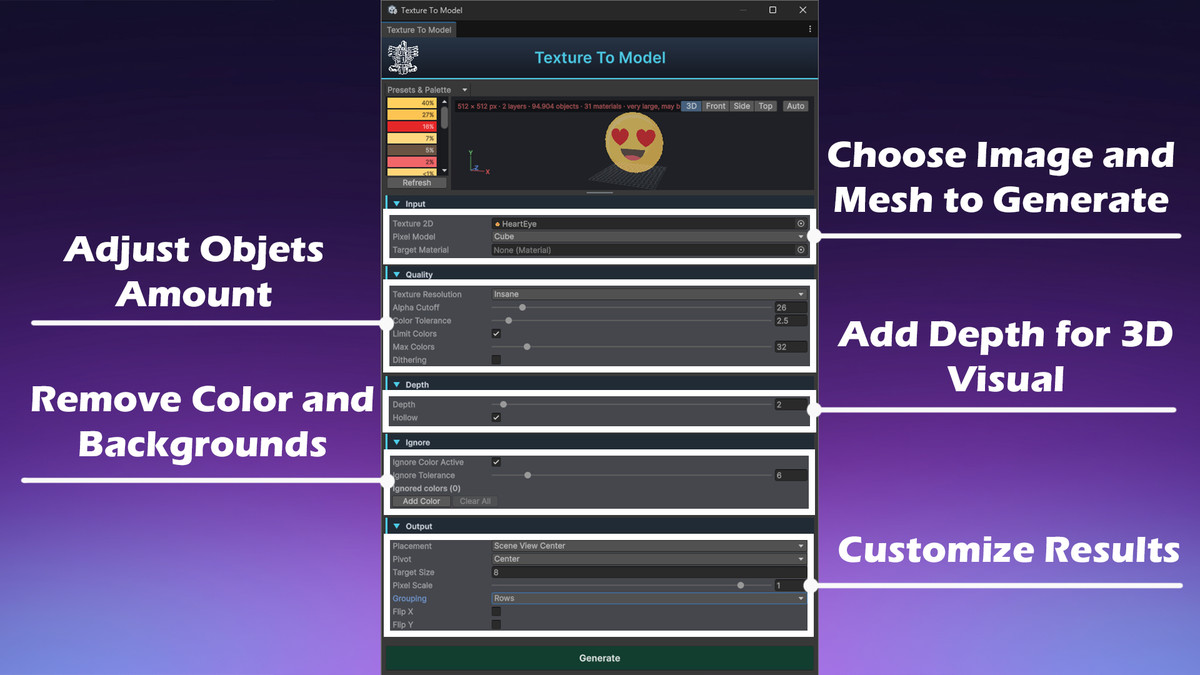
Texture To Model converts 2D textures, logos, pixel art and sprite sheets into 3D models made of one object per pixel. You see the result in a live 3D preview before anything is added to your scene, then press Generate.
Key features
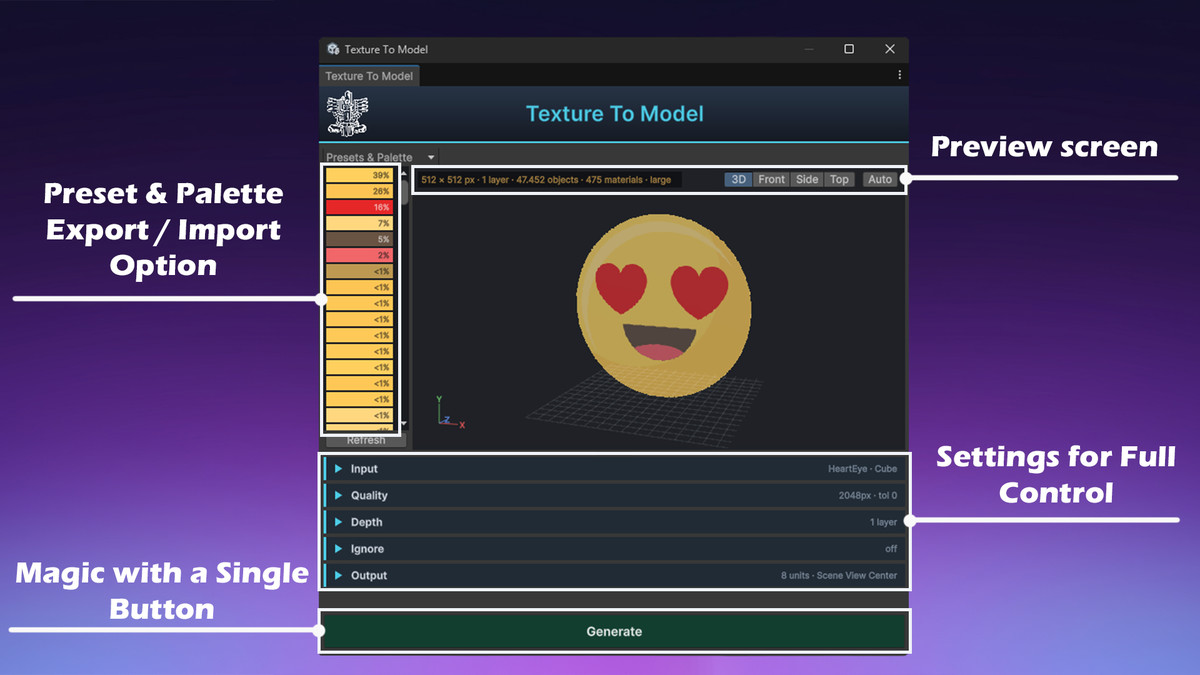
- Live 3D preview with orbit, zoom, pan, and front, side and top views
- Resolutions from 32×32 up to 4096×4096
- Color tools: merge similar colors, limit the palette, dithering, or import your own palette
- Click a color or a pixel to ignore it, which removes backgrounds in one click
- Depth: give flat images up to 32 layers of thickness, with Hollow mode to skip hidden objects
- Sprite sheet support: whole sheet, all frames side by side, or a single frame
- Choose a cube, sphere, capsule, cylinder, quad, or your own MeshRenderer prefab for every pixel
- Target Size, Pixel Scale (gaps between pixels), pivot, flip and grouping options
- Presets for your settings, and PNG export/import for color palettes
- Background processing keeps the window responsive on large textures
- Full undo support, and generation can be cancelled at any time
How it works
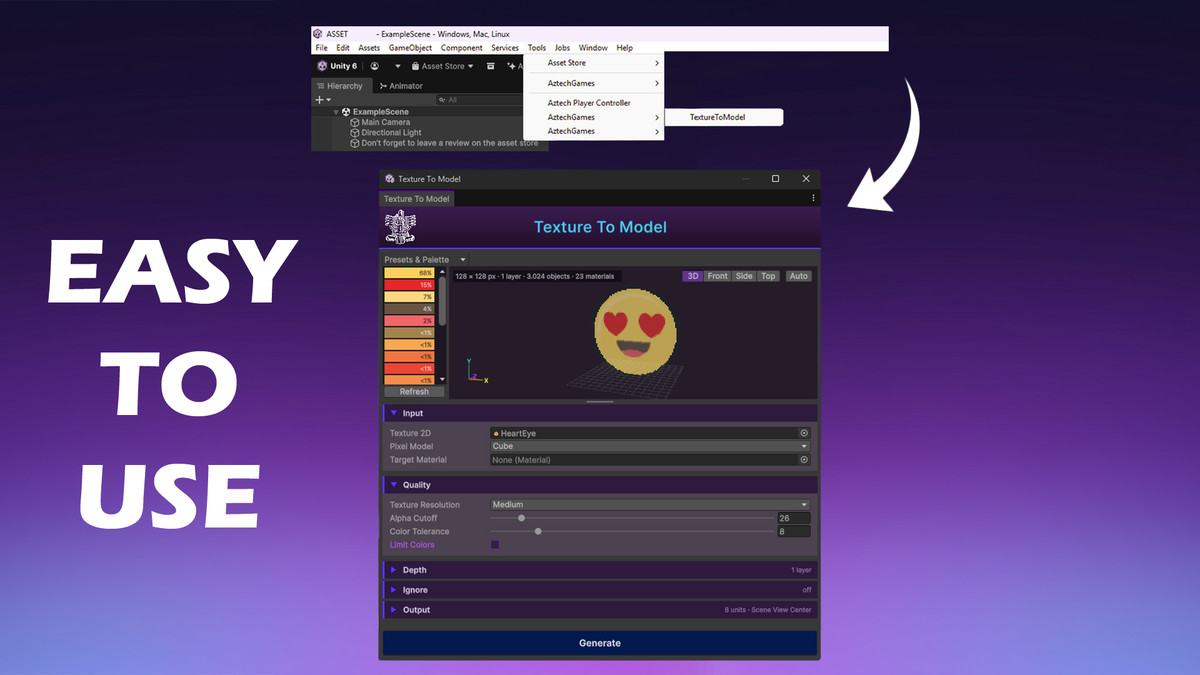
- Open Tools > AztechGames > TextureToModel and drop in a texture.
- Adjust resolution, colors and depth while watching the preview.
- Press Generate to create the model in your scene.
Great for
Pixel-art and voxel-style games, retro and 8-bit looks, logos and signs in 3D, props and decorations, game jams and fast prototyping, and turning sprite animations into 3D frames.
Compatibility
Works with the Built-in Render Pipeline, URP and HDRP. It is an editor tool, so nothing is added to your build and no extra packages are required. The source code is included.
Follow us for updates, previews, tutorials & more:
From the publisher's Asset Store listing.
Technical details
- Unity versions: 2021.3 LTS and newer
- Render pipelines: Built-in, URP, HDRP
- Type: Editor tool (Windows, macOS and Linux editors)
- Menu: Tools > AztechGames > TextureToModel
- Input: Texture2D (Read/Write not required), sprite sheets; resolutions 32 to 4096
- Output: GameObjects with MeshRenderers and materials, optional Rows/Chunks grouping
- Limits: depth 1 to 32 layers, up to 256 colors when limiting, no hard limit on object count (warning above 60,000)
- Dependencies: none
- Source code: included (C#, namespace AztechGames)
- Documentation: included
- Support: [email protected]
Compatibility
| Unity version | Built-in | URP | HDRP |
|---|---|---|---|
| 6000.3.9f1 | Compatible | Compatible | Compatible |
You can use any materials which have editable color.
As listed on the Asset Store.