
 View on Asset Store (opens in new tab)
Package details
- Latest version
- 1.0.1
- Last updated
- First released
- Unity version
- 2023.1.5 or later
- Package size
- 1.0 MB
- Files
- 5
- Favorites
- 12
- Views in the past week
- 4
Price tracking
- Last checked
- Tracked since
- Lowest recorded
- Free on
Keywords

File Excluder
Used to exclude files from build export.
Affiliate link · Purchases support this site
Price history
Last 6 months
USDAsset preview
1 / 3
File Excluder screenshot 1
About this asset
The File Excluder is an easy to use package that excludes files you don't want to be included in your exported build.
What can it exclude?
- Audio.
- Scripts.
- Folders.
- And any other type of file.
What can it not exclude?
- Unity scenes.
- Folders containing Unity scenes.
- Anything in the Packages folder.
How To use:
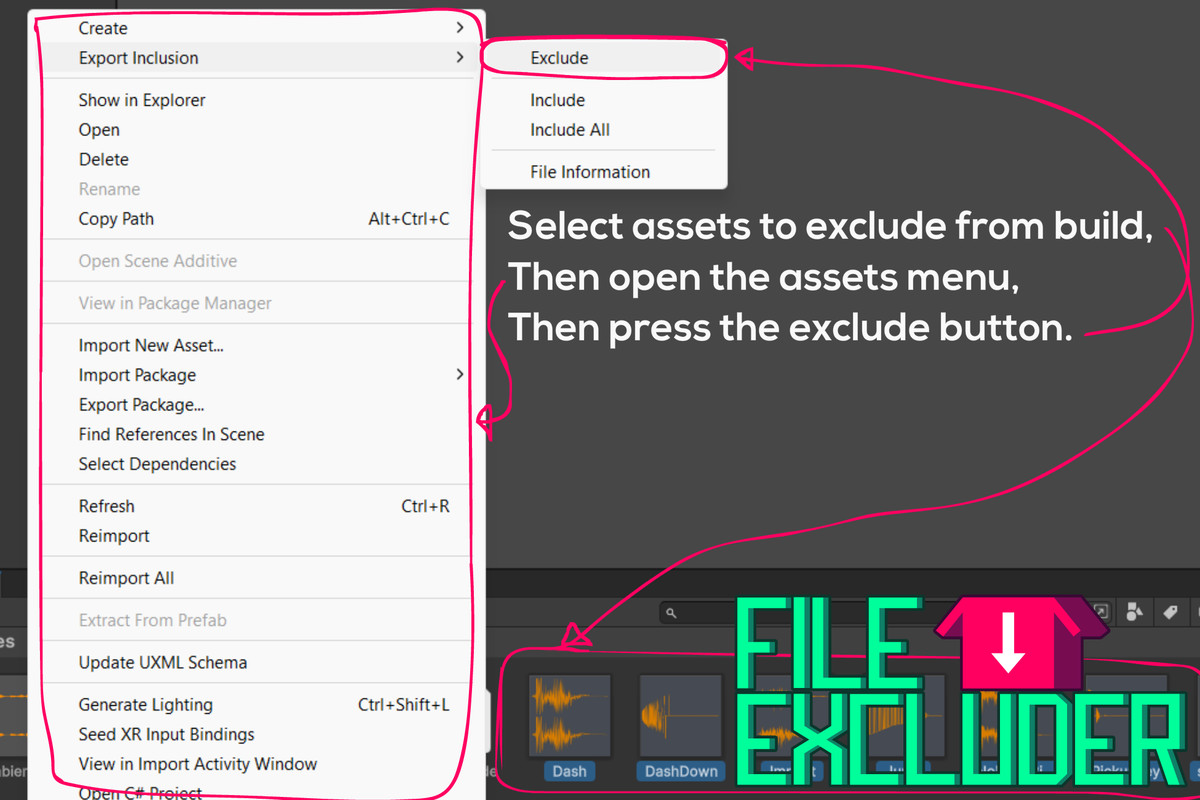
- Select assets.
- Open assets menu.
- Press the Export Exclusion button.
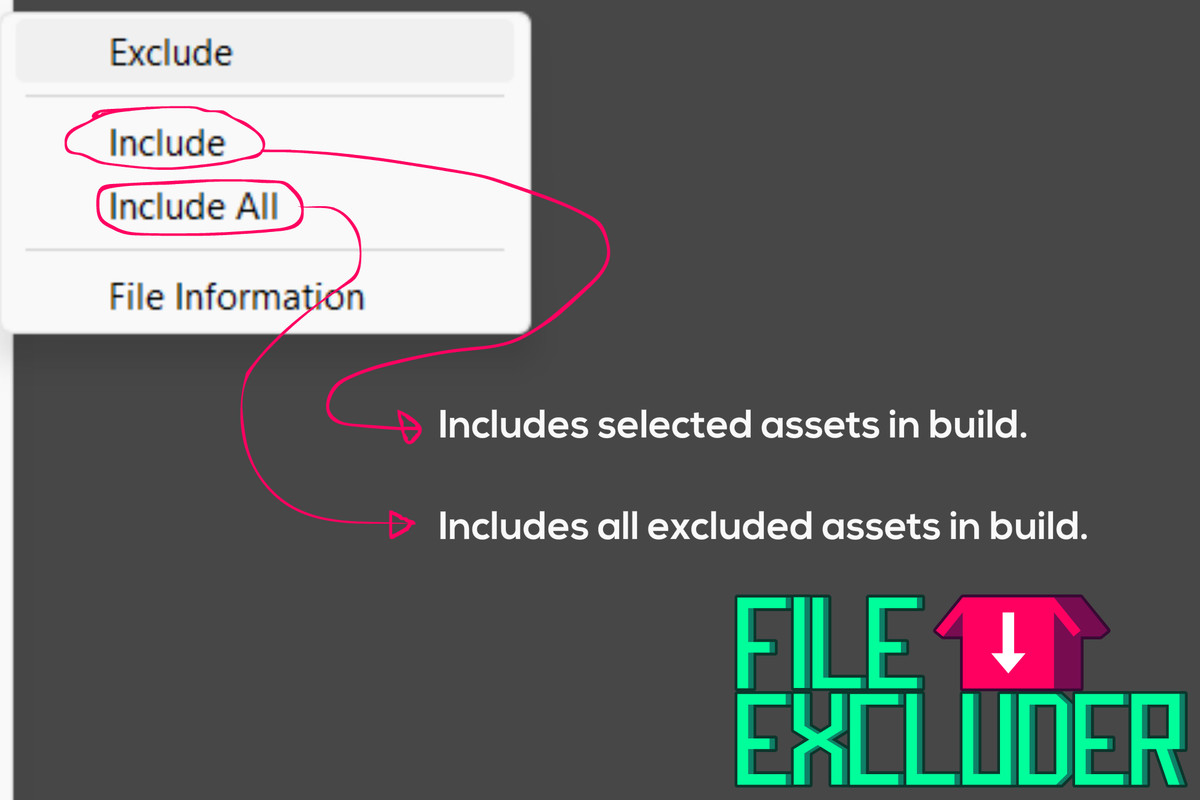
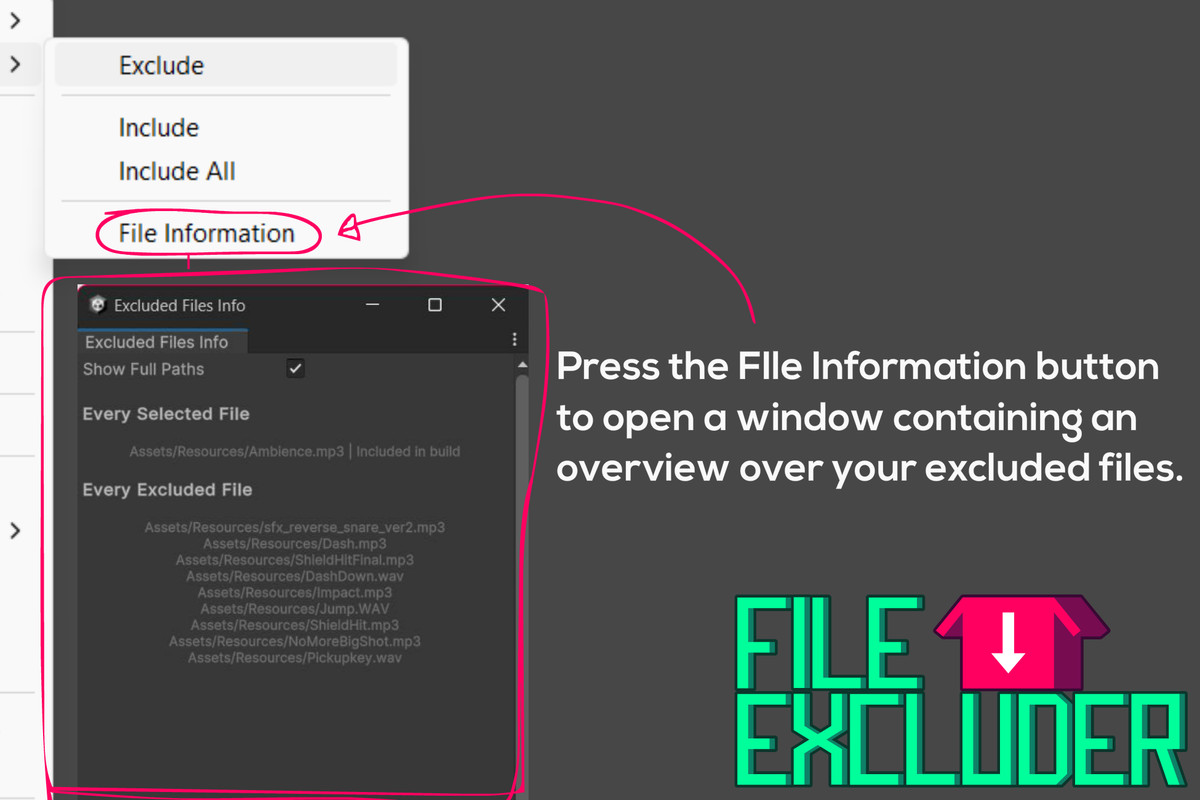
- Include/Exclude your selected assets.
Disclaimer!
Never close the engine during the export process, or else the excluded files will get stuck in the exclusion folder until you move them back.
From the publisher's Asset Store listing.
Technical details
If you select a folder for exclusion, the build will also exclude subfiles and subfolders.
The package works by copying the files selected for exclusion to a seperate folder that Unity doesn't see, and then removing the original files when it starts building the project, it will move the files back to their regular positions when the building of the project has stopped.
The exclusion folder gets created at "Assets/.Excluded" when the export starts, and is then removed again when the export stops.
Compatibility
| Unity version | Built-in | URP | HDRP | Custom |
|---|---|---|---|---|
| 2023.1.5f1 | Compatible | Compatible | Compatible | Compatible |
Should work on any Unity version, though it has not been tested.
As listed on the Asset Store.