
 View on Asset Store (opens in new tab)
Package details
- Latest version
- 1.1
- Last updated
- First released
- Unity version
- 2021.3.38 or later
- Package size
- 277 KB
- Files
- 6
- Favorites
- 9
- Views in the past week
- 1
Price tracking
- Last checked
- Tracked since
- Lowest recorded
- Free on
Keywords
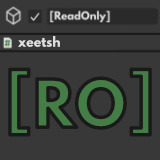
ReadOnly Inspector Attribute Kit
- Price drop
ReadOnly Inspector Attribute Kit makes Unity Inspector fields read-only. Supports various types including Vector3, Color, AnimationCurve, GameObject and Components.
Affiliate link · Purchases support this site
Price history
Last 6 months
USDAsset preview
1 / 3

ReadOnly Inspector Attribute Kit screenshot 1


About this asset
Enhance your Unity development workflow with the ReadOnly Inspector Attribute Kit, a tool designed to make fields in the Unity Inspector read-only. This asset ensures that certain values cannot be altered during runtime, perfect for debugging purposes and to prevent accidental modifications.
📑Docs ✉️Contact 🌐Website 💖Support me 🎮My Game Garbage Crew!
Key Features:
- Read-Only Fields: Apply the [ReadOnly] attribute to any field in your MonoBehaviour or ScriptableObject scripts to lock them in the Inspector.
- Extensive Type Support: The kit supports a broad range of data types, including: Integer, Float, Boolean, String, Color, Vector2, Vector3, Vector4, Vector2Int, Vector3Int, Rect, RectInt, Quaternion, Bounds, BoundsInt, AnimationCurve, Gradient (Unity 6), LayerMask, Enum, GameObject, Prefabs, Components and Object References
- Enhanced Display: Custom styling is applied to special data types like Color, AnimationCurve, and GameObject to improve their visibility and representation in the Inspector.
- Clickable References: For GameObject and Component types, clicking the field will show their reference in the scene or project view.
Installation & Usage:
- Import the ReadOnly Inspector Attribute Kit from the Unity Asset Store.
- Import the extension to your script using xeetsh.ReadOnlyInspectorAttributeKit;
- Add the [ReadOnly] attribute to fields in your scripts. To display private fields, use [SerializeField] alongside [ReadOnly].
Limitations:
- Arrays cannot be fully locked; while values are read-only, array size and order can be adjusted in newer Unity versions.
If you wan't to support me, feel free to buy me a Club Mate 🥤and check out my game Garbage Crew!
For support, contact us at [email protected]. Published under Unity Asset Store Terms of Service and EULA.
League Spartan font (Used for AssetStore Graphics) licensed under SLI Open Fonts License
From the publisher's Asset Store listing.
Technical details
- Unity Version Compatibility: Unity 2019.4 and later
- Supported Data Types: Integer, Float, Boolean, String, Color, Vector2, Vector3, Vector4, Vector2Int, Vector3Int, Rect, RectInt, Quaternion, Bounds, BoundsInt, AnimationCurve, Gradient (Unity 6), LayerMask, Enum, GameObject, Prefabs, Components, Object References
- Installation: Import package and add using xeetsh.ReadOnlyInspectorAttributeKit on top of your script. Use [ReadOnly] to make fields read-only
- Known Limitations: Arrays cannot be fully read-only; size and order may still be adjustable in the Inspector.
Compatibility
| Unity version | Built-in | URP | HDRP | Custom |
|---|---|---|---|---|
| 2021.3.38f1 | Compatible | Compatible | Compatible | Compatible |
Supported Unity Versions
- Oldest known working version: Unity 2019.4.40f1 LTS
- The extension was tested on every LTS release after 2019
- The extension was tested with Unity 6
As listed on the Asset Store.