
 View on Asset Store (opens in new tab)
Package details
- Latest version
- 1.0
- Last updated
- First released
- Unity version
- 2022.3.5 or later
- Package size
- 413.7 MB
- Files
- 76
- Favorites
- 5
- Views in the past week
- 8
Price tracking
- Last checked
- Tracked since
- Lowest recorded
- $10.50 on
Keywords

LavaShader
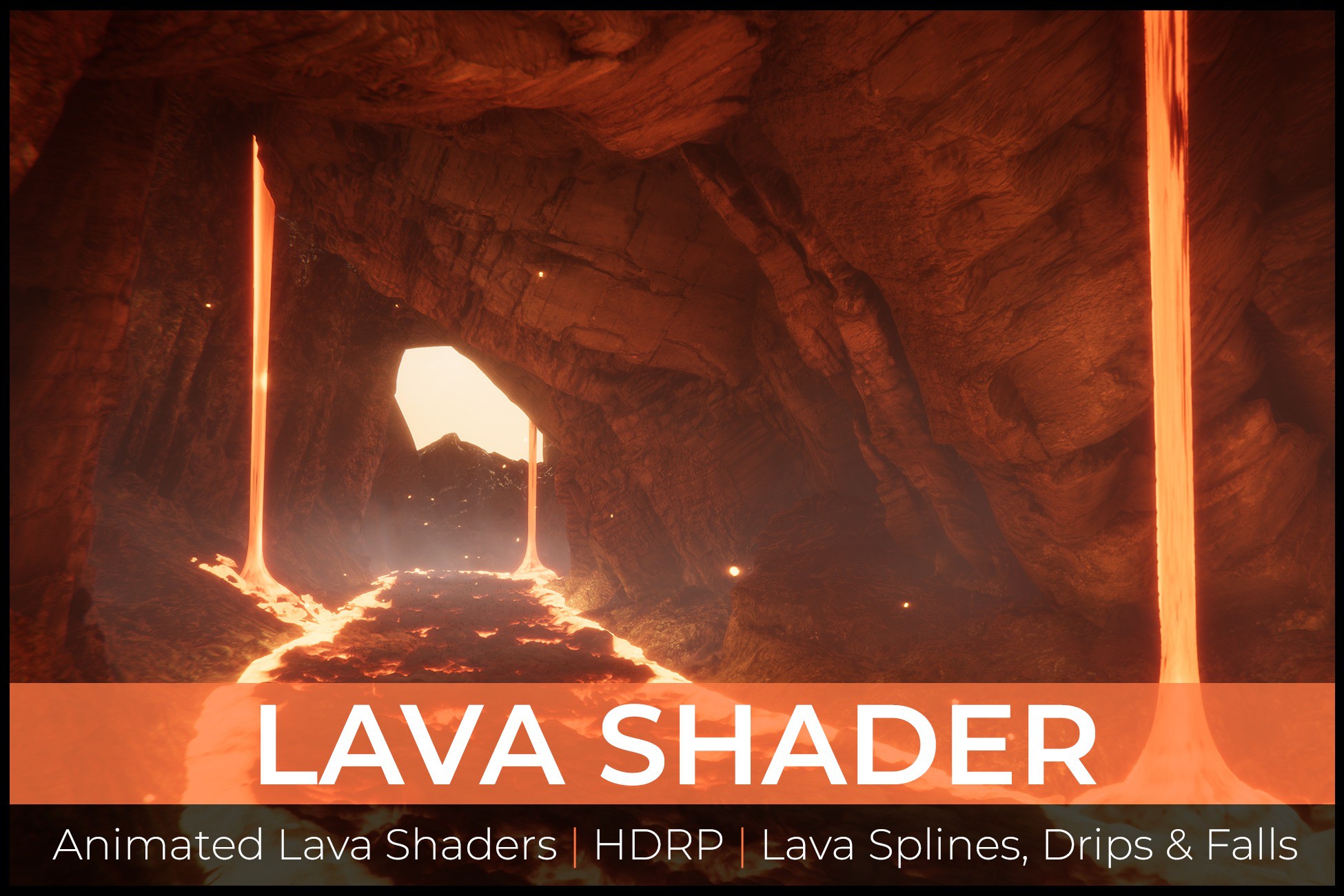
Create stunning, realistic lava flows with animated shaders and VFX. From lava falls to spline-based lava rivers that conforms to terrain, this pack has everything to satisfy your lava needs.
Affiliate link · Purchases support this site
Price history
Last 6 months
USDAsset preview
1 / 13

LavaShader screenshot 1



About this asset
Demo Cave map used in the showcase images is not included in the Shader pack.
To be used with HDRP.
Features:
- Realistic Lava Animation
- Lava meshes, falls,
- Realistic Lava Materialders
- VFX Graph Splashes abd Embers
- Spline Lava flows
- Spline Terrain conforming
- Tesselation and Displacement
The Lava Shader is for projects that require high quality and realistic lava. It is fairly performance heavy, mostly due to the high Tesselation and Displacement. This drives a lot of the effect alongside the scrolling UVs and Flowmap for the movement. However lowering the tesselation it should be perfect for all sorts of low to high performance applications.
The Lava master materials have a wide range of parameters from colour, lava glow, UV tiling, lava speed to Flow map controls so you can breakup the lava's movement. The lava edge glow can be controlled to vary the contrast, distance and amount.
*The Lava Shader blends between the Molten Lava and the Edge Glow. Its based on Vertex Colours, you can either import a mesh with them already or you can download a tool to paint them in editor.
*This pack also comes with the SplineMeshBuilder.cs script which is used to create the Spline based Lava.
Create a lava spline:
- Place a Unity Spline Component
- Add SplineMeshBuilder.cs and assign a lava mesh
- Adjust parameters
- Generate Mesh & Remove Script
- Use vertex colors or editorools to paint lava edge glow
*Please read the Documentation that explains the shader pack*
📝 Read Documentation
From the publisher's Asset Store listing.
Technical details
Packages requires to function properly:
- Unity 2022.3+
- Unity Splines 2.3+
- Shader Graph 14+
- HDRP 14+
- VFX Graph 14+
Please make sure to add these packages to your project if you dont have them.
Meshes: 7
- Triangle Counts: 308 - 2136 (without tesselation)
Particle Systems: 3 (VFX Graph)
Shaders: 4
Materials: 10
Textures: 28
Texture Resolutions:
- 2K for Lava Textures
- 1K and lower for Particles and shader textures
Scripts: 1
Compatibility
| Unity version | Built-in | URP | HDRP |
|---|---|---|---|
| 6000.0.33f1 | Not listed | Not listed | Compatible |
| 2022.3.5f1 | Not listed | Not listed | Compatible |
As listed on the Asset Store.