
 View on Asset Store (opens in new tab)
Package details
- Latest version
- 1.1
- Last updated
- First released
- Unity version
- 2021.3.40 or later
- Package size
- 1.0 GB
- Files
- 884
- Favorites
- 44
- Views in the past week
- 12
Price tracking
- Last checked
- Tracked since
- Lowest recorded
- $59.00 on
Keywords
ShintoShrine
- Price drop
The Shinto Shrine Package is a model set that reproduces traditional Japanese shrines in photo-realistic detail.
Discount -26%
Previous price
$79.99
Price $59.00
Lowest recorded price
Get 26% off on Asset Store (opens in new tab)Affiliate link · Purchases support this site
Price history
Last 6 months
USDAsset preview
1 / 11

ShintoShrine screenshot 1




About this asset
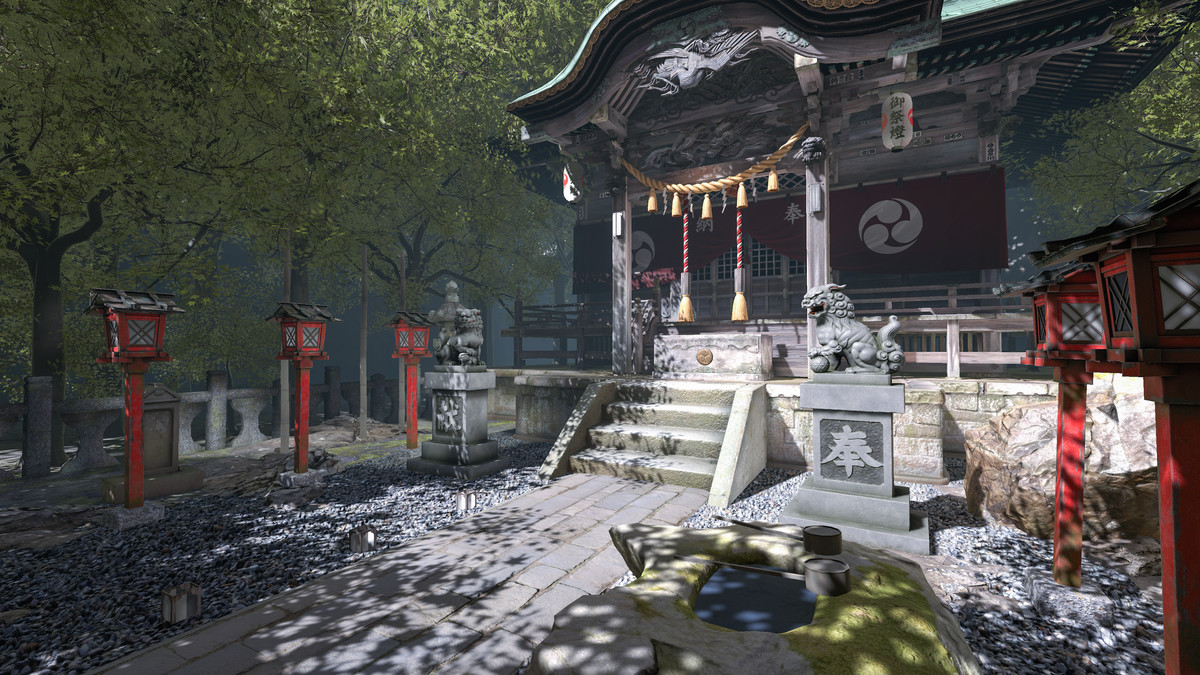
This package includes a very detailed Japanese shrine model and other supporting assets.
- Samples of daytime and nighttime illuminated scenes are included.
- The size of the worship hall can be changed.
- Includes the hall of worship, money box, lanterns, guardian dogs, torii gate, water bowls, trees, stones, etc.
- The inside of the hall of worship is not included.
From the publisher's Asset Store listing.
Technical details
- Number of textures : 159
- Texture dimensions : big:2048,middle:1024,small:512
- Total Polygon count of BP_ShintoShrine : 150371
- Maximum Polygon Count: 46248 in file: SM_ShrineKomainuPillar.FBX
- Minimum Polygon Count: 1 in file: SM_ShrineGround.FBX
- Number of meshes/prefabs 89
- Rigging: No
- Animation count : 0
- Animation type list : nothing
- UV mapping: Yes
- LOD information : No
- Types of materials and texture maps : PBR
Compatibility
| Unity version | Built-in | URP | HDRP |
|---|---|---|---|
| 2021.3.40f1 | Not listed | Compatible | Compatible |
This package includes assets for both URP and HDRP. Please assign the appropriate RenderPipelineAsset in the Project Settings to switch to your desired Render Pipeline.
As listed on the Asset Store.