
 View on Asset Store (opens in new tab)
Package details
- Latest version
- 2.0.0
- Last updated
- First released
- Unity version
- 2021.3.2 or later
- Package size
- 68 KB
- Files
- 3
- Favorites
- 16
- Views in the past week
- 3
Price tracking
- Last checked
- Tracked since
- Lowest recorded
- Free on
Keywords

W Screenshot Tool
Free Unity Editor extension for advanced screenshot capture, with multi-camera support, batch processing, transparency, and social media exports
Affiliate link · Purchases support this site
Price history
Last 6 months
USDAsset preview
1 / 3
W Screenshot Tool screenshot 1
About this asset
CONNECT WITH US:
wiskered.com | Phil Twitter | Discord | YouTube | Instagram | Reddit | Twitter | Itch.io
-----------------------------------------------------------------------
❗ ONLINE DOCUMENTATION ❗
ㅤAll additional information can be found in our online documentation (FAQs, сhangelog, installation, Scripting API, roadmap, support and a lot of other things)!
-----------------------------------------------------------------------
W Screenshot Tool is a powerful, free Unity Editor extension designed to elevate your screenshot capture workflow. Developed by Wiskered, this tool offers a comprehensive set of features for developers, artists, and content creators, enabling high-quality captures with ease. Whether you're capturing game visuals, UI elements, or preparing assets for marketing, this tool provides an intuitive tab-based interface, advanced functionality.
Key Features
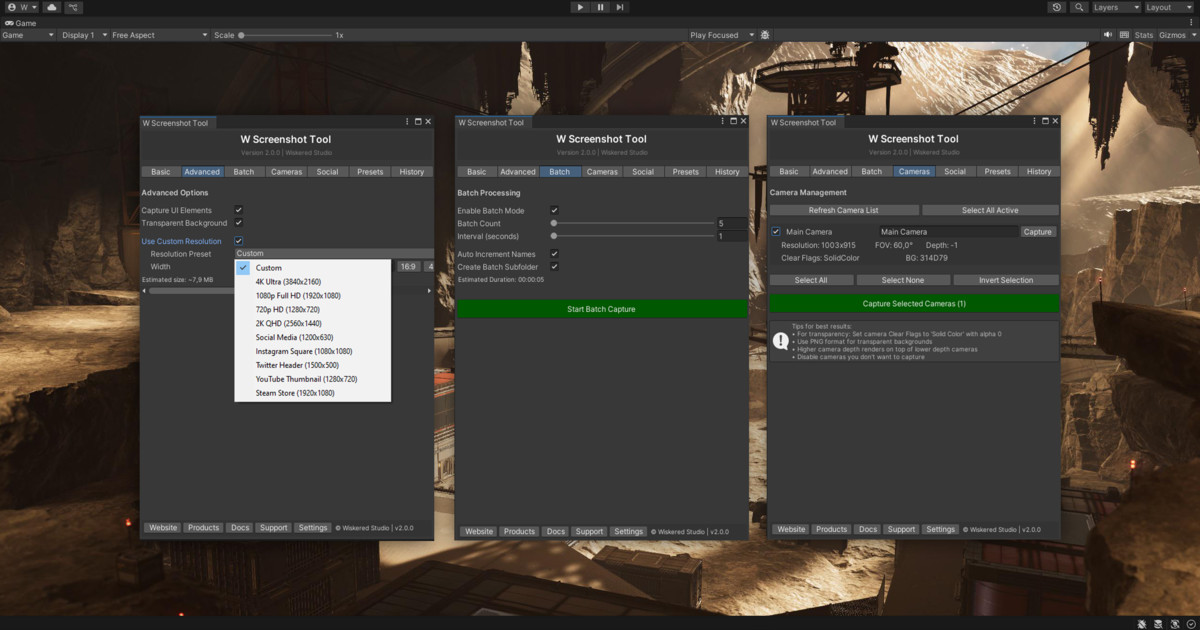
- Multi-Camera Capture: Capture screenshots from multiple scene cameras with customizable settings for each.
- Batch Processing: Automate captures with configurable counts (1–1000) and intervals (0.1–300 seconds), including auto-increment naming and subfolder creation.
- Transparency Support: Capture transparent backgrounds for UI or overlays (PNG only, requires camera with solid color clear flags and alpha 0).
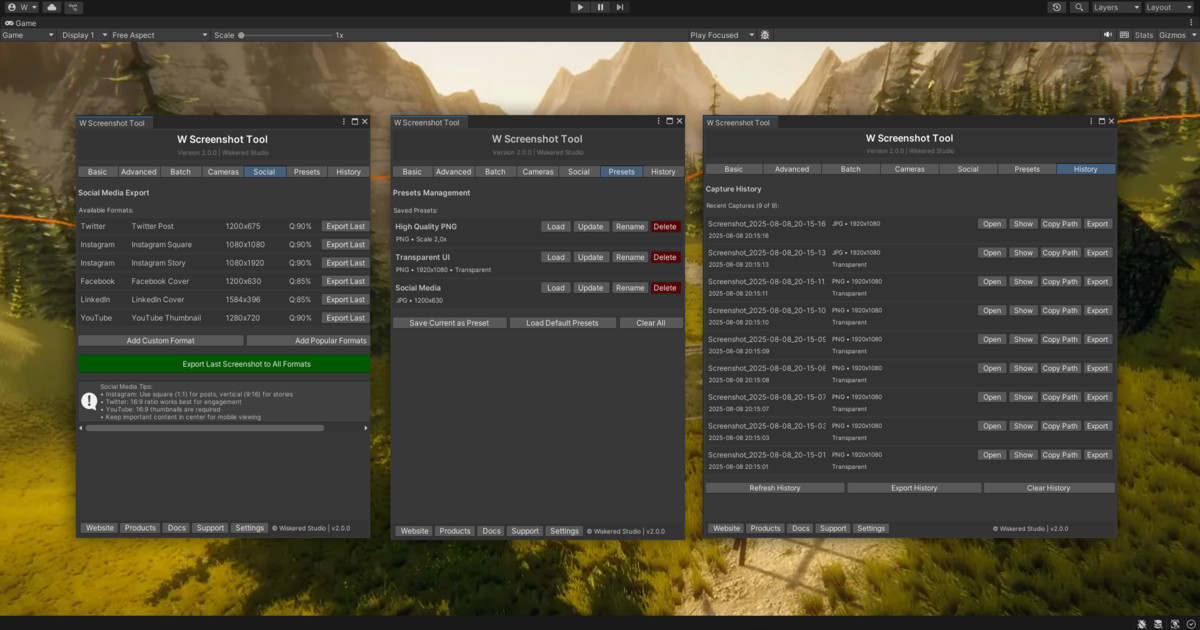
- Social Media Exports: Export screenshots optimized for platforms like Twitter (1200x675), Instagram (1080x1080), and YouTube (2560x1440).
- Resolution Presets: Choose from predefined resolutions (e.g., 4K, 1080p, Instagram Square) or set custom dimensions (64–8192 pixels).
- Preset Management: Save, load, update, and delete capture settings for quick reuse.
- Capture History: Track up to 1000 recent captures with details (file name, resolution, timestamp) and actions like open, export, or copy path.
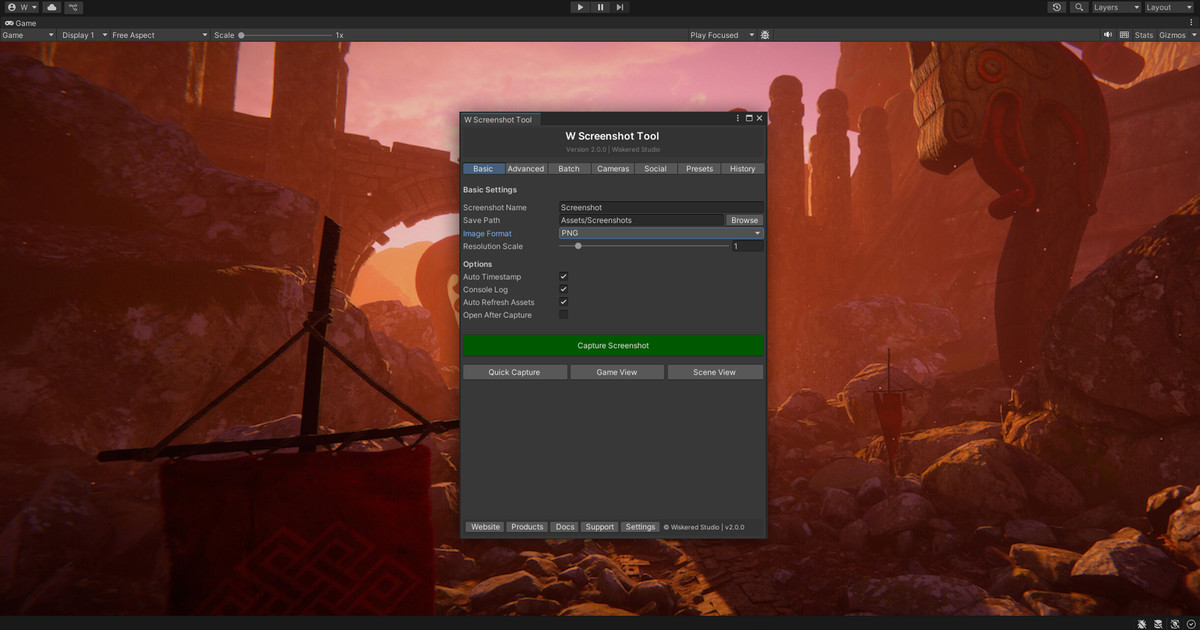
- Advanced Options: Toggle UI capture, adjust JPEG quality (1–100), enable auto-timestamp, console logging, and Asset Database refresh.
- API Support: Scriptable captures for automation with methods like CaptureScreenshotAPI and StartBatchCaptureAPI.
- Performance Optimizations: Thread-safe capture queue and GPU acceleration for efficient processing.
-----------------------------------------------------------------------
Why Choose W Screenshot Tool?
Version 2.0.0 builds on the simplicity of v1.0.0, introducing a robust feature set while maintaining an intuitive interface. From batch captures for time-lapses to transparent UI shots and social media-ready exports, this tool streamlines your workflow. It’s been trusted in projects like TREEGEN, TerraForge 2, and ROCKGEN, proving its reliability across diverse Unity workflows. The tool is free under the MIT License with attribution
-----------------------------------------------------------------------
Technical Details
- Supported Unity Versions: 2019.4 LTS, 2020.x, 2021.x, 2022.x, 2023.x, Unity 6 (2024.x).
- Render Pipelines: Compatible with Built-in Render Pipeline, URP, and HDRP
- License: Free with MIT License and attribution requirement.
- Latest Version: 2.0.0
-----------------------------------------------------------------------
🔸 OTHER ASSETS 🔸
From the publisher's Asset Store listing.
Technical details
The tool consists of a single script!
Compatibility
| Unity version | Built-in | URP | HDRP | Custom |
|---|---|---|---|---|
| 2021.3.2f1 | Compatible | Compatible | Compatible | Compatible |
As listed on the Asset Store.