
 View on Asset Store (opens in new tab)
Package details
- Latest version
- 1.1
- Last updated
- First released
- Unity version
- 2022.3.18 or later
- Package size
- 16 KB
- Files
- 10
- Favorites
- 57
- Views in the past week
- 11
Price tracking
- Last checked
- Tracked since
- Lowest recorded
- Free on
Keywords
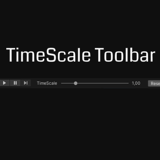
TimeScale Toolbar
Adds a slider to change the timescale the to the main toolbar.
Affiliate link · Purchases support this site
Price history
Last 6 months
USDAbout this asset
Make your game faster or slow it down really quickly with this slider.
- You can slightly customize the toolbar [Edit > Project Settings > TimeScale Toolbar]
- Any modifications to the TimeScale made from the game's logic will take over this toolbar, unless the Forced TimeScale Override toggle is checked
This is based on marijnz's Toolbar Extender, his scripts are included in the package, you may need to remove them from this asset if you already have them in your project !
Also, as the author stated:
it's quite hacky as the code is relying on reflection to access Unity's internal code. It might not work anymore with a new Unity update but is proven to work up to (at least) Unity 2021.2.
Works up to unity 2022.3, didin't test it on newer versions.
I needed something like and i guess it can be useful to others, enjoy.
From the publisher's Asset Store listing.
Technical details
- Change the TimeScale with a slider
- Change the position and TimeScale range of the slider via settings
Compatibility
| Unity version | Built-in | URP | HDRP | Custom |
|---|---|---|---|---|
| 2022.3.18f1 | Compatible | Compatible | Compatible | Compatible |
As listed on the Asset Store.