
 View on Asset Store (opens in new tab)
Package details
- Latest version
- 0.12.21
- Last updated
- First released
- Unity version
- 2022.3.32 or later
- Package size
- 14.0 MB
- Files
- 278
- Favorites
- 776
- Views in the past week
- 470
Price tracking
- Last checked
- Tracked since
- Lowest recorded
- $64.00 on
Keywords

GPU Instancer Pro
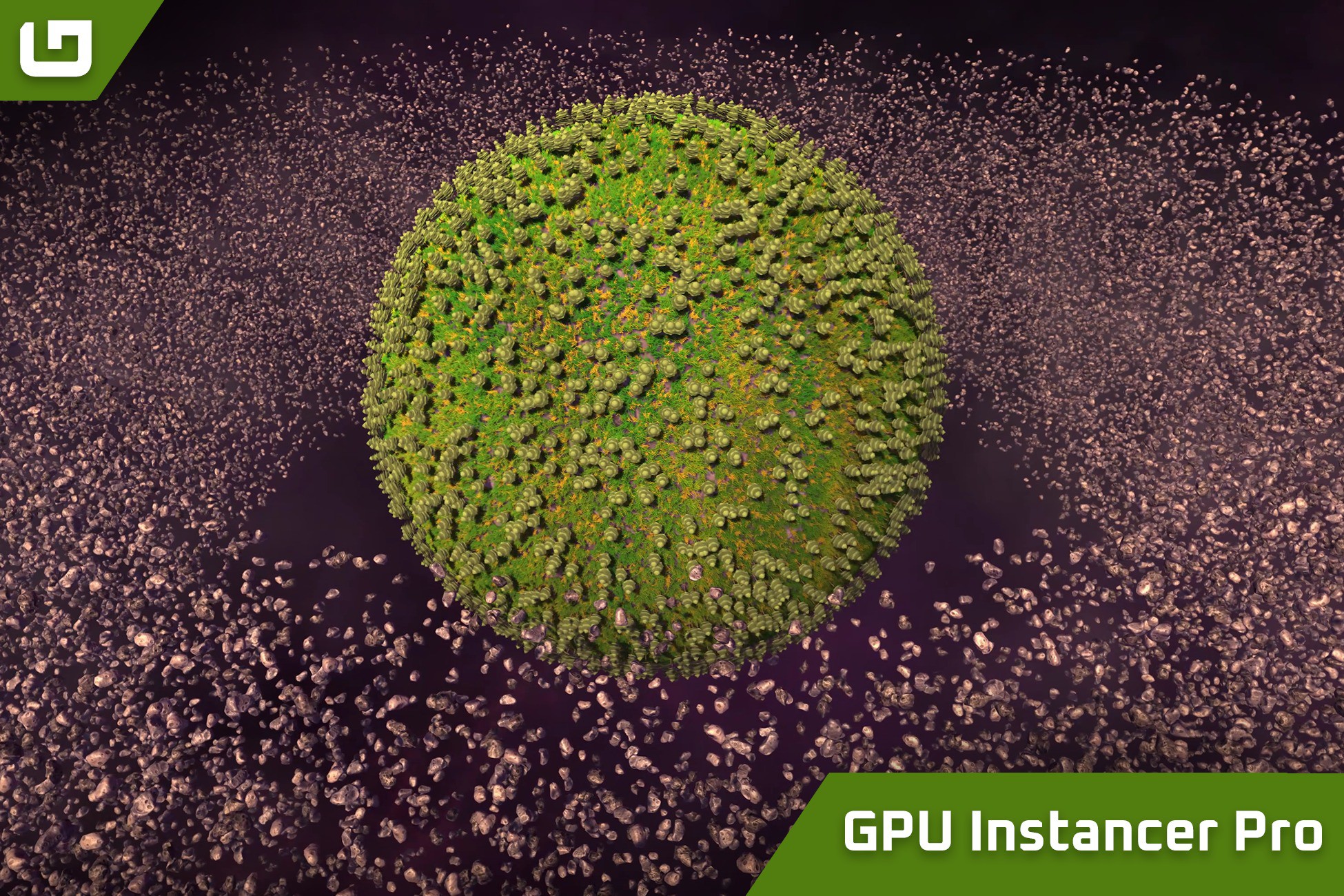
Using GPU instancing and Compute Shaders, GPU Instancer Pro helps users efficiently manage and render many objects by reducing draw calls and improving performance.
Affiliate link · Purchases support this site
Price history
Last 6 months
USDAsset preview
1 / 13

GPU Instancer Pro screenshot 1



About this asset
Support | Discussions | Documentation | F.A.Q.
New in v0.12: Major performance improvements, reducing draw calls and SetPass overhead!
Check the Update Notes for full details.
New in v0.11: Crowd Animations extension released!
Check out the Crowd Animations asset for Skinned Mesh rendering and animation support.
New in v0.10: Light Probes support is here!
Check the Update Notes for full details.
GPU Instancer Pro allows developers to easily integrate and manage large numbers of objects, such as trees, grass, rocks, and other prefabs, with minimal performance impact. It provides user-friendly tools for using Indirect GPU Instancing without needing to master Compute Shaders and GPU infrastructure. Supporting Unity terrain details, trees, and prefabs, it offers advanced features for optimizing culling, adjusting LOD settings, and customizing rendering parameters. For optimal performance, GPU Instancer Pro uses Indirect GPU Instancing with Unity's RenderMeshIndirect method and Compute Shaders.
GPU Instancer Pro includes several modules designed to improve rendering efficiency and streamline the workflow:
Core Module
This foundational module includes essential functions such as rendering, culling, LOD management, billboard creation, and debugging tools. Although it doesn't have a Manager class, developers can use GPU Instancer Pro's rendering system through the API to create custom renderers. Features include:
- GPU-based Distance, Frustum, and Occlusion culling.
- LOD calculation performed on the GPU and Cross-fading support.
- Customizable shadow LOD and culling settings for each prototype.
- Built-in support for multiple cameras.
- Billboard generation capability.
- Easy to use API methods for rendering instances with a Matrix4x4 array.
- Statistical insights such as visible LOD and vertex counts.
- Ability to batch draw calls from multiple sources.
Terrain Module
The Terrain Module includes tools to render terrain details and trees with GPU Instancer Pro. It features the Detail Manager and Tree Manager, providing the following capabilities:
- Native support for multiple terrains with minimal draw calls.
- Unlimited rendering distance for details and trees.
- Support for 'Coverage' and 'Instance Count' Detail Scatter Mode options.
- Distance-based Detail Density Reduction capability.
- Terrain details LOD support.
- Performant add/remove functionality at runtime for terrain details and trees.
- Customizable texture based terrain detail density.
Prefab Module
Equipped with the Prefab Manager, this module provides an intuitive interface for rendering and managing numerous prefab instances in scenes. Key features include:
- Automatic addition and removal of prefab instances for instanced rendering.
- Automatic runtime update of transform data in GPU memory.
- Material variation tools with built-in shader generator.
- Ability to batch draw calls with other Prefab and Tree Managers using the same prefabs.
For more Information:
From the publisher's Asset Store listing.
Technical details
GPU Instancer Pro packages have dependencies to Unity Burst, Colllections and Mathematics packages.
Minimum Requirements
Target devices should support GPU instancing and Compute Shaders.
Supported platforms:
✓ Windows and Windows Store, with a DirectX 11 or DirectX 12 graphics API and Shader Model 5.0 GPU
✓ macOS and iOS using Metal graphics API
✓ Android, Linux and Windows platforms with Vulkan API
✓ Modern OpenGL platforms (OpenGL 4.3 on Linux or Windows; OpenGL ES 3.1 on Android)
✓ Modern consoles
✓ WebGPU (Experimental)
Not supported:
🞫 WebGL
🞫 Nintendo Switch
Known Limitations
There are certain limitations that are introduced by the way indirect GPU instancing works in Unity and how GPU Instancer Pro handles it. Below you can find a list of the known limitations.
🞫 Lightmaps are not supported - instances can't use baked light textures, but Light Probes are supported as of v0.10.
🞫 HDRP Ray Tracing is not supported.
🞫 Geometry shaders are not supported.
🞫 Tessellation shaders are not supported.
🞫 Transparency shaders will not be able to make use of z-ordering.
🞫 Negative scaling on GameObjects is not supported.
🞫 On HDRP for XR devices, Occlusion Culling is not supported.
🞫 Unity 6.2 Mesh LOD feature can only be used by selecting a specific LOD.
Compatibility
| Unity version | Built-in | URP | HDRP |
|---|---|---|---|
| 2022.3.32f1 | Compatible | Compatible | Compatible |
Supports Built-in RP, URP, and HDRP for the following Unity versions:
- Unity 2022.3 LTS (2022.3.32 or later)
- Unity 6.0 LTS (6000.0.23 or later)
- Unity 6.1 Supported
- Unity 6.2 Supported
- Unity 6.3 LTS
- Unity 6.4 Supported
- Unity 6.5 Supported
- Unity 6.6 Supported
Please refer to the Technical Details section below for information on Minimum Requirements and Known Limitations.
As listed on the Asset Store.