
 View on Asset Store (opens in new tab)
Package details
- Latest version
- 1.0
- Last updated
- First released
- Unity version
- 2021.3.22 or later
- Package size
- 3.0 MB
- Files
- 22
- Favorites
- 4
- Views in the past week
- 6
Price tracking
- Last checked
- Tracked since
- Lowest recorded
- $13.50 on
Keywords
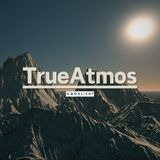
TrueAtmos: Atmospheric Scattering solution for Unity 3D
by Scorch Creative: A Moonlight Gameworks Studio (opens in new tab)
Give life to your skies with TrueAtmos.
Affiliate link · Purchases support this site
Price history
Last 6 months
USDAsset preview
1 / 4

TrueAtmos: Atmospheric Scattering solution for Unity 3D screenshot 1


About this asset
TrueAtmos is a high-quality volumetric atmosphere system that provides an amazing visual improvement to your scenes, it could be useful to improve big maps or open world environments.
Features precomputed physically based atmospheric scattering. It can render skybox, atmospheric fog, light shafts and global reflection probe. It allow to also control directional and ambient light color/intensity.
All parts can be turned on and off at any time.
Our asset allow developers modify its parameters easily.
Features
- Rendering Mode
- Volumetrics Sample Count
- Density
- Scattering
- Very simple sample scenes, all the potential of the assets will stand out more in your scenes.
- Documentation included.
- And more...
From the publisher's Asset Store listing.
Technical details
- Easy to implement and use.
- It does not interfere with Unity's internal settings, so you will not have operating problems.
- Anyone can modify its parameters thanks to its simple and intuitive settings.
- Only render in Game Mode.
- Works only with deferred rendering path.
- Works with DirectX 11 and above.
- Tested on Windows but it should work on other platforms as well.
- We recommend first reviewing the assets documentation and adding them directly to your scenes.
- We recommend including shaders in the "Always Include" list in Unity settings to avoid any inconvenience.
Compatibility
| Unity version | Built-in | URP | HDRP |
|---|---|---|---|
| 2021.3.22f1 | Compatible | Not listed | Not listed |
As listed on the Asset Store.