
 View on Asset Store (opens in new tab)
Package details
- Latest version
- 1.0.2
- Last updated
- First released
- Unity version
- 2022.3.20 or later
- Package size
- 21.4 MB
- Files
- 268
- Favorites
- 33
- Views in the past week
- 11
Price tracking
- Last checked
- Tracked since
- Lowest recorded
- $24.99 on
Keywords
PC Launcher
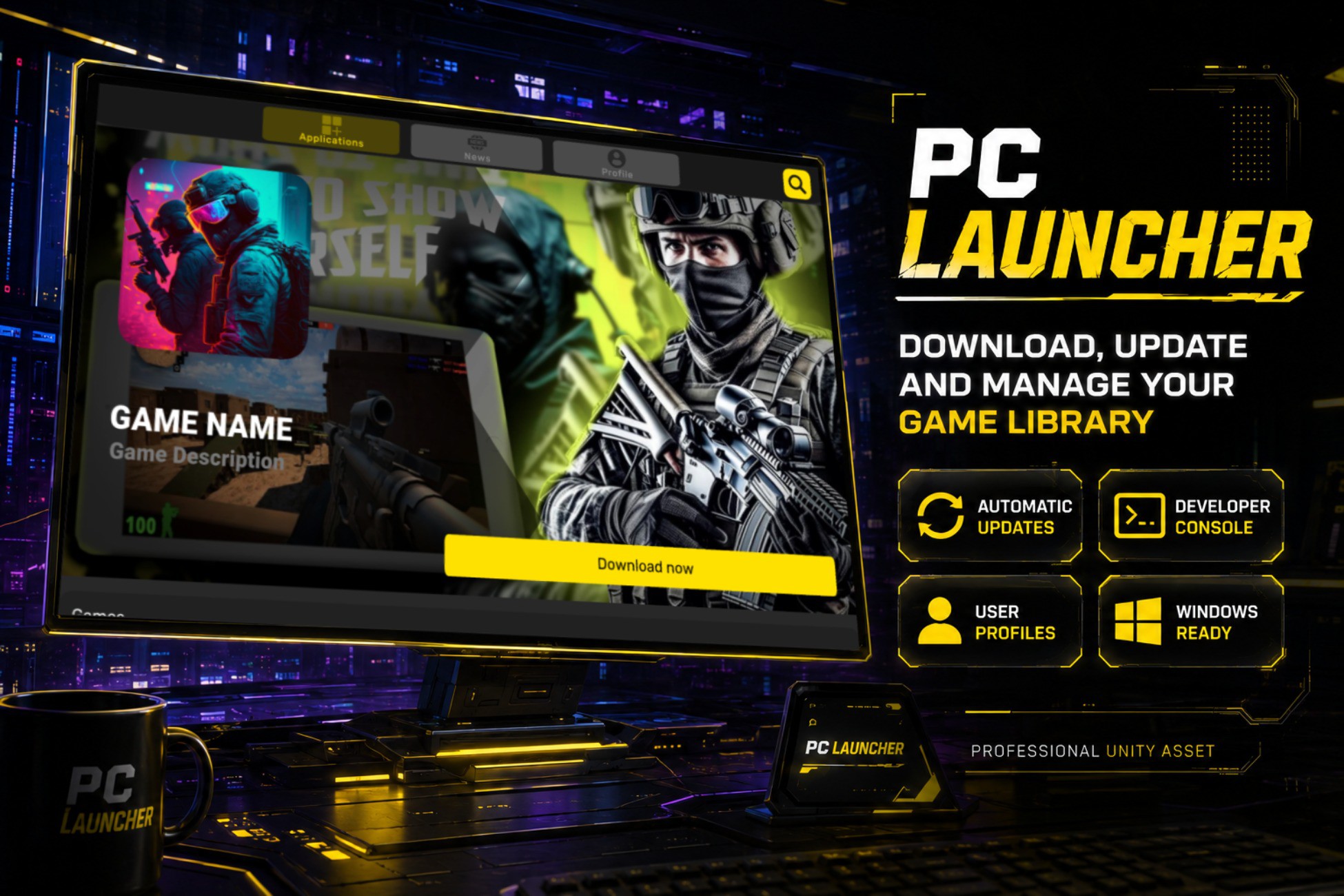
PC Launcher is a platform for downloading, installing and updating games, sharing them with communities, finding new games and accelerating the development of your projects on Windows.
Affiliate link · Purchases support this site
Price history
Last 6 months
USDAsset preview
1 / 9

PC Launcher screenshot 1


About this asset
What is PC Launcher?
PC Launcher revolutionizes how you manage, download, and update your PC games—no third-party tools, no delays! Whether you’re a gamer or a developer, it’s your all-in-one solution for uploading, organizing, and accessing games instantly. Take full control of your library and create your personalized game hub for Windows.
🚀 No approvals. No limits. Just seamless game management!
Web-site | Discord | Get Started Video | Mobile Launcher
___________________
Why Choose PC Launcher?
PC Launcher isn’t just a tool; it’s a complete game management ecosystem. Here’s what makes it stand out:
- Instant Game Uploads: Share your games in any format without waiting for lengthy approvals.
- Full Control: Organize, update, and moderate your games effortlessly.
- All-in-One Solution: Handle game downloads, updates, and sharing—all from a single platform.
- Secure Experience: Protect your account with features like two-step authentication and customizable user profiles.
___________________
Key Features
✅ Fully Functional Game Launcher for Windows:
Streamlined design and powerful tools to enhance your gaming and development experience.
✅ Automatic Updates:
Keep your launcher up-to-date effortlessly with seamless background updates.
✅ Interactive Documentation:
Get started in minutes with step-by-step, user-friendly guides.
✅ Secure User Profiles:
Create personalized accounts with avatars and advanced security features.
✅ Personalized Game Library:
Build and manage your game collection with instant access to downloads.
✅ Simplified Game Management:
Install, update, or remove games with just a few clicks—no unnecessary steps.
✅ Developer Console:
Upload unlimited games, push updates, and manage your creations easily.
✅ Fast Access:
Quickly update or remove games to keep your library fresh.
___________________
Requirements for Full Functionality
To unlock the full potential of PC Launcher, you’ll need:
🌐 Web Hosting: Follow our step-by-step guide to set up your web hosting server (free setup instructions included).
💻 Windows OS: PC Launcher is optimized for Windows.
___________________
Support and Contact
Have questions or need help?
📧 Email: [email protected]
💬 Discord: Join our community for live support and updates.
(Screenshots feature games that are officially authorized for use by their respective creators.)
Welcome to the future of game management. Welcome to PC Launcher!
From the publisher's Asset Store listing.
Technical details
Features:
- Automatic application updates.
- Login and registration system with two-factor authentication.
- Download, launch, and delete games directly.
- Personalized game library management.
- Developer console for managing and updating games.
- Push game updates independently from launcher updates.
- Secure profiles with custom avatars.
- Real-time notifications for updates and downloads.
- Fast game installation and parallel downloads.
- Built-in interactive documentation for easy setup.
- Instant app removal and quick access to games.
- Multi-format game support for diverse libraries.
Supported OS: Windows.
Link to documentation: Offline inside the project (Built-in).
Compatibility
| Unity version | Built-in | URP | HDRP | Custom |
|---|---|---|---|---|
| 6000.0.32f1 | Compatible | Compatible | Compatible | Compatible |
| 2022.3.20f1 | Compatible | Compatible | Compatible | Compatible |
As listed on the Asset Store.