
 View on Asset Store (opens in new tab)
Package details
- Latest version
- 1.01
- Last updated
- First released
- Unity version
- 2023.1.0 or later
- Package size
- 7.8 MB
- Files
- 64
- Favorites
- 3
- Views in the past week
- 8
Price tracking
- Last checked
- Tracked since
- Lowest recorded
- $12.00 on
Keywords
DevConsole
- Price drop
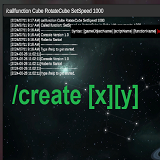
This console empowers developers with a wide range of commands to manipulate objects, manage scene properties, and enhance debugging capabilities seamlessly.
Lowest recorded price
Get 52% off on Asset Store (opens in new tab)Affiliate link · Purchases support this site
Price history
Last 6 months
USDAsset preview
1 / 5

DevConsole screenshot 1



About this asset
The Unity DevConsole Asset v1.0, developed by Roberto Sartori, provides a versatile debugging and control interface directly within your Unity project. This console empowers developers with a wide range of commands to manipulate objects, manage scene properties, and enhance debugging capabilities seamlessly.
From the publisher's Asset Store listing.
Technical details
• Customizable size, position, colour and background by dragging. Change colours of the
text and elements in Realtime.
• Dynamic Object Manipulation: Control objects in your scene by enabling, disabling, or
modifying their properties.
• Custom commands: Define your own custom commands to streamline workflow.
• Script Interaction: Call functions and set variables on scripts attached to scene objects.
• Perfect for debugging of projects in real-time.
• Scene Management: List objects in the scene, spawn new objects, and manage game
speed and gravity settings as well as load scenes within the console.
• Easily add cheat codes for your project to streamline your testing workflow.
• Command filtering and suggestions. Cycle through suggestions easily using your arrow
keys.
• Resizable console window that works well with all resolutions.
• Manipulate Scriptable objects. Create, delete, set properties and values in runtime through
the console.
• Input filtering/predictive text for making it easier to find the correct
command.
• Autocomplete and cycle through the last few commands.
Compatibility
| Unity version | Built-in | URP | HDRP | Custom |
|---|---|---|---|---|
| 2023.1.0b12 | Compatible | Compatible | Compatible | Compatible |
This asset should be compatible with all render pipelines.
As listed on the Asset Store.