
 View on Asset Store (opens in new tab)
Package details
- Latest version
- 1.0.1
- Last updated
- First released
- Unity version
- 2022.3.32 or later
- Package size
- 4.3 MB
- Files
- 64
- Views in the past week
- 4
Price tracking
- Last checked
- Tracked since
- Lowest recorded
- $4.99 on
Keywords

Elemental Weapons
- Price drop
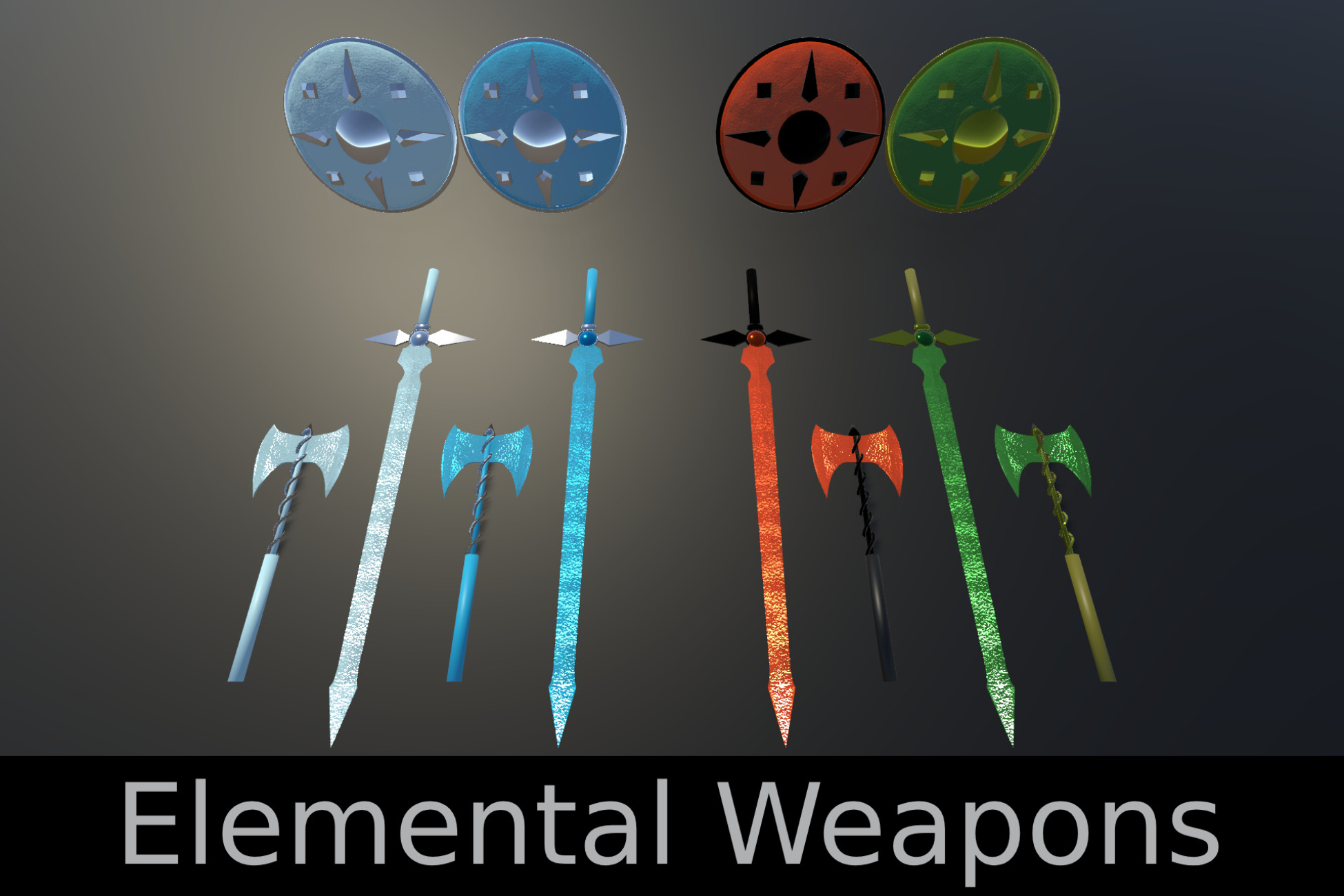
A beautiful set of melee weaponry that visually represents the elements.
Lowest recorded price
Get 50% off on Asset Store (opens in new tab)Affiliate link · Purchases support this site
Price history
Last 6 months
USDAsset preview
1 / 14

Elemental Weapons screenshot 1


About this asset
A set of 4 shields, 4 swords, and 4 axes that are preconfigured with an elemental color scheme. While the elemental theme may be beautiful, the weapons come packaged in a way that allows the different components of the weapons to be customized with your own materials more easily.
Check my discord for support.
From the publisher's Asset Store listing.
Technical details
Inclues 9 prefabs and 3 models.
Triangles:
- Sword: 3024
- Axe: 6454
- Shield: 3164
Preconfigured with elemental-like materials but the models are separated into components so that users can easily change materials at will.
Each model includes the following textures:
- Normal map: 1024x1024
- Roughness map: 1024x1024
URP Compatibility:
- In order to get the materials to work properly with URP make sure that the Universal RP package is installed.
- In Unity navigate to Window > Rendering > Render Pipeline Converter.
- Select "Build-in to URP" in the dropdown in the window that pops up.
- Check the box next to "Material Upgrade".
- Click "Initialize and Convert" at the bottom right.
HDRP Compatibilty:
- In order to get the materials to work properly with HDRP make sure that the Hight Definition RP package is installed.
- In Unity, navigate to Edit > Rendering > Materials > Convert all Built-in Materials to HDRP.
Compatibility
| Unity version | Built-in | URP | HDRP | Custom |
|---|---|---|---|---|
| 2022.3.32f1 | Compatible | Compatible | Compatible | Compatible |
As listed on the Asset Store.