
 View on Asset Store (opens in new tab)
Package details
- Latest version
- 1.4.1
- Last updated
- First released
- Unity version
- 2022.3.62 or later
- Package size
- 281 KB
- Files
- 56
- Favorites
- 19
- Views in the past week
- 11
Price tracking
- Last checked
- Tracked since
- Lowest recorded
- $5.00 on
Keywords
Object Placement
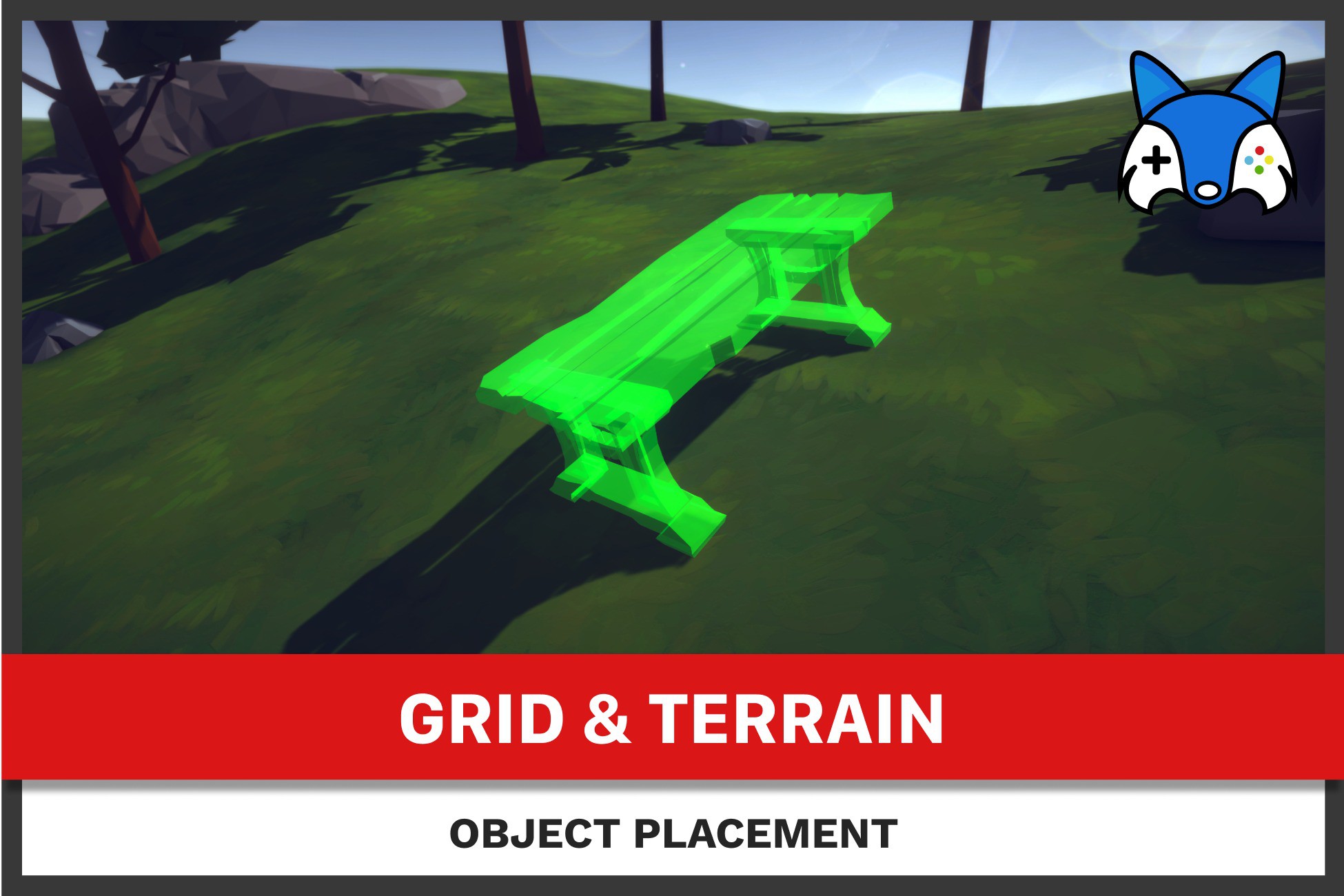
Import object placement now! This package will give your project support to start placing object on mesh or terrain ground instantly!
Affiliate link · Purchases support this site
Price history
Last 6 months
USDAsset preview
1 / 5

Object Placement screenshot 1


About this asset
🚀 Easy Object Placement System
Enhance your game or project with our Object Placement System. It's perfect for all types of games, whether you're building something like a strategy game, a life simulation, or something else. This system is easy to use and fits right into your existing projects.
Here’s what our package offers:
- Easy to Understand Code: The code is simple and easy to read.
- Ready to Use: You can start using it right away without needing to write any code!
- Quick Setup: Follow our simple guide to get started fast.
- Placement Options: Currently supports placement in 3D space.
- Demo Included: Try out the features with a simple demo scene that doesn’t need extra models or assets.
- Easily extendable: With available API you can customise placement to create flows like wall placement, tile placement, etc.
- Usage: You can use this from any camera perspective and pose: first or third person, top down or bottom up.
🔧 Main Features
- Click to Place: Select an object and click on ground at runtime to place it.
- Adjust for ground: Rotates the object in alignment with uneven terrain below.
- Interactive Object Adjustment: Easily move, rotate, or adjust objects when placing them.
- Single Object Operations: Focus on placing and adjusting one object at a time for precise setup.
- Specify obstacles: Choose which objects should prevent placement.
- Specify destructables: Choose which objects should be destroyed on placement or take over the destruction of objects yourself.
- Specify placement areas: Set up one or more areas where player can place the objects. Add or remove them in runtime, manually or using area components.
🎮 Adjustable Settings
Customize the placement experience with several available settings:
- Object Snapping: Snap objects to a grid or other alignment points to keep your scene tidy.
- Rotation and Positioning: Rotate objects with click or hold actions. Supports animations for rotation and position changes.
- Manage Placement Areas: Use predefined or dynamic bounding constraints to limit where objects can be placed, ensuring they fit within your playable world. This can also be adjusted the at any point.
🔑 Efficient Placement Tools
- Visual Guides and Gizmos: Visual helpers show where objects will be placed, making it easier to get the right spot and see if it all interacts with your world objects correctly.
- Placement Validation: The system checks if the placement is valid before finalizing the object's position, helping avoid errors.
🎮 Input System
- Works with newer Unity's InputSystem and older Input frameworks.
- Customize Your Controls: Every control can be changed to fit your needs. You may also implement an interface in your custom input component.
Make It Your Own:
- Flexible and Extendable: You can change parts of the system or add new features if you need them.
Easy to Add to Your Project:
- Simple to start by adding ObjectPlacement component in your scene and configure it's settings.
- See Changes as You Configure: Gizmos for various information, like grid snapping positions or ground points.
📭 Support Ready: Have a question or need help? Reach out via Email or Discord.
From the publisher's Asset Store listing.
Technical details
Primary list of features:
- Click to Place: Select an object and click on ground at runtime to place it.
- Adjust for ground: Rotates the object in alignment with uneven terrain below. May be disabled.
- Interactive Object Adjustment: Easily move, rotate, or adjust objects when placing them.
- Single Object Operations: Focus on placing and adjusting one object at a time for precise setup.
Compatibility
| Unity version | Built-in | URP | HDRP | Custom |
|---|---|---|---|---|
| 6000.0.65f1 | Compatible | Compatible | Compatible | Compatible |
| 2022.3.62f3 | Compatible | Compatible | Compatible | Compatible |
All provided materials for demo scene are using Built-in Materials. You need to use material converter to update materials in order to support URP or HDRP rendering.
Otherwise the materials will be rendered pink.
As listed on the Asset Store.