
 View on Asset Store (opens in new tab)
Package details
- Latest version
- 1.0
- Last updated
- First released
- Unity version
- 2022.3.17 or later
- Package size
- 26.2 MB
- Files
- 97
- Favorites
- 3
- Views in the past week
- 6
Price tracking
- Last checked
- Tracked since
- Lowest recorded
- $7.77 on
Keywords
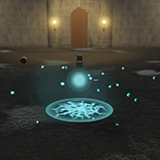
Explosions vfx-Realistic
- Price drop
This comprehensive pack offers a variety of enchanting explosion spells to add a touch of magic to your Projects.
Lowest recorded price
Get 3% off on Asset Store (opens in new tab)Affiliate link · Purchases support this site
Price history
Last 6 months
USDAsset preview
1 / 9

Explosions vfx-Realistic screenshot 1


About this asset
Explosion VFX Pack
This comprehensive pack offers a variety of enchanting explosion spells to add a touch of magic to your projects. With eight unique explosion spells along with multiple variations and easy customization options. These enchanting explosion effects will captivate your audience and elevate your project to new heights.
Details:
1. Enter play mode and use “Mouse Left Click” to test next effect.
2. Drag and Drop: Simply drag the desired explosion effect prefabs from the provided folders and drop them into your scene.
3. Positioning: Position the laser spell effect into your scene according to your desired location and orientation.
4. Triggerring: Activate the explosion effect into your game logic or animation events to bring them to life at the right moment.
Customization Options:
Particle System Properties: Easily customize the appearance of each effect by modifying properties such as color, size, texture, speed, lifetime and emission rate etc.
PostProcessing: You can effectively use and customize post-processing effects in your Unity project by modifying its Bloom Volume parameters. These effects can greatly enhance the visual quality and overall aesthetic of your scenes.
NOTE! 3D ENVIRONMENT IS FREE TO USE FOR ALL
From the publisher's Asset Store listing.
Technical details
Technical Details:
- Texture Size: 4096 B/W 4096.
- Texture type: Default.
- Texture Shape: 2D.
- Alpha Source: Input Texture Alpha.
Compatibility
| Unity version | Built-in | URP | HDRP |
|---|---|---|---|
| 2022.3.17f1 | Not listed | Compatible | Not listed |
As listed on the Asset Store.