
 View on Asset Store (opens in new tab)
Package details
- Latest version
- 2.4
- Last updated
- First released
- Unity version
- 6000.0.25 or later
- Package size
- 6.4 MB
- Files
- 19
- Favorites
- 7
- Views in the past week
- 9
Price tracking
- Last checked
- Tracked since
- Lowest recorded
- $4.99 on
Keywords
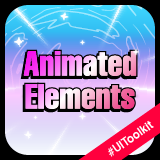
UiToolkit Animated Custom Elements
Enhance your UI with animated labels, stars, and backgrounds. Customize colors, curves, and speed for dynamic effects. Optimized for mobile performance with smooth animations.
Affiliate link · Purchases support this site
Price history
Last 6 months
USDAsset preview
1 / 2

UiToolkit Animated Custom Elements screenshot 1

About this asset
matesu.cz | Documentation
Enhance your Unity projects with this collection of animated UI elements, perfect for adding dynamic visual effects to your events, products, and more. Each element is optimized for performance, ensuring smooth animations even on mobile devices. The project includes a sample scene with implementation examples for all elements, along with all the necessary assets for their usage.
1. Animated Label
Bring your text to life with smooth color transitions. This label supports all standard properties such as drop shadow and outline, adding an extra layer of sophistication to your UI.
2. Animated Scrolling Backgorund
This element behaves as an infinitely scrolling background. Therefore, it requires a tiled texture that seamlessly loops.
3. Animated Sequence Player
This custom element is designed for playing sprite sequences. It accepts either an array of sprites or a SpriteAtlas as input. The player offers convenient public properties that notify when the playback is complete or provide the current frame being played, allowing you to trigger additional events accordingly. The player supports basic playback modes, including Loop, Once, and PingPong.
4. Animated Star
This element is essentially a pulsating image, named "Star" due to its use of enlarging stars on items in a store to draw attention and encourage purchases. The asset pack includes a star image suitable for this purpose, but users are free to use their own image through .uss or the API (Sprite).
5. Animated Warp
Custom animated component that emits particles from its center outward, creating a dynamic "warp" effect. As the particles move outward, they also scale, enhancing the warp illusion. A pre-configured sprite suitable for this effect is included in the project, but users can customize the particle scale, quantity, and animation speed to fit their needs..
From the publisher's Asset Store listing.
Technical details
These are public properties you will find.
1. Animated Label
- AnimationText
- Colors (List)
- AnimationCurve (UnityEngine.AnimationCurve)
2. Animated Scrolling Background
- TiledTexture (Texture2D)
- Direction (Vector2)
- Scale (float)
3. Animated Sequence Player
- SpriteSequence (Sprite[])
- SpriteAtlas (SpriteAtlas)
- PlayMode (enum: SequencePlayMode)
- FPS (float)
- HasFinished (bool)
- CurrentFrameIndex (int)
4. Animated Star
- AnimationCurve (UnityEngine.AnimationCurve)
- TimeOffset (float)
- Sprite (Sprite)
5. Animated Warp
- ParticleSprite (Sprite)
- NumOfParticles (int)
- ParticleScale (float)
Compatibility
| Unity version | Built-in | URP | HDRP | Custom |
|---|---|---|---|---|
| 6000.0.25f1 | Compatible | Compatible | Compatible | Compatible |
I recommend using Unity version 6 and above. If possible, I suggest upgrading to the latest LTS version.
As listed on the Asset Store.