
 View on Asset Store (opens in new tab)
Package details
- Latest version
- 1.0
- Last updated
- First released
- Unity version
- 2021.3.18 or later
- Package size
- 131.9 MB
- Files
- 45
- Favorites
- 3
- Views in the past week
- 4
Price tracking
- Last checked
- Tracked since
- Lowest recorded
- $4.99 on
Keywords
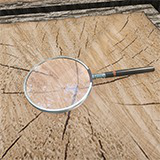
Simple Magnifying Glass Shader
Simple magnifying glass shader to achieve a more vivid effect for your props
Affiliate link · Purchases support this site
Price history
Last 6 months
USDAsset preview
1 / 3

Simple Magnifying Glass Shader screenshot 1


About this asset
Magnifying glass shader, the use of OpaqueTexture to achieve the effect of magnifying lens screen, so it is also limited by OpaqueTexture characteristics, it does not support high magnification, and can not observe other objects in the transparent queue rendering, in addition, magnifying glass shader can not be compared with the real world magnifying glass. It just has a similar effect, so it is easy to use as a small interactive prop in the scene. As a prop used for a long time in the hands of the protagonist, the magnifying glass shader is not suitable, but the package provides a magnifying glass example based on the magnification effect of a separate camera. It basically meets the magnifying glass effect, without some of the previous restrictions based entirely on OpaqueTexture, which is more suitable for the props in the protagonist's hands. Attention! The OpaqueTexture option must be turned on to use the magnifying glass shader.
Whether it is a question, feature request, or suggestion, please contact the email:[email protected] or Discord。
It's recommended that you use Discord to get faster feedback!
From the publisher's Asset Store listing.
Technical details
- Developed entirely by ShaderGraph
- High-performance shader for all platforms
- Dependent on Opaque Texture
- A magnifying glass model is included
Compatibility
| Unity version | Built-in | URP | HDRP |
|---|---|---|---|
| 2021.3.18f1c1 | Not listed | Compatible | Not listed |
As listed on the Asset Store.