
 View on Asset Store (opens in new tab)
Package details
- Latest version
- 1.2
- Last updated
- First released
- Unity version
- 2022.3.31 or later
- Package size
- 104.4 MB
- Files
- 105
- Favorites
- 6
- Views in the past week
- 7
Price tracking
- Last checked
- Tracked since
- Lowest recorded
- $99.00 on
Keywords
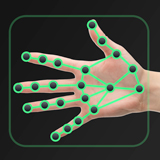
Hand & Finger Tracking [macOS]
- Price drop
Real-time AI Hand & Finger tracking for Unity. Detect 22 finger joints per hand using webcams, images, or videos. Supports 2D and 3D landmark tracking. Supported runtimes: macOS, Unity Editor.
Lowest recorded price
Get 50% off on Asset Store (opens in new tab)Affiliate link · Purchases support this site
Price history
Last 6 months
USDAsset preview
1 / 7

Hand & Finger Tracking [macOS] screenshot 1


About this asset
✌️ Unlock the full potential of hand and finger tracking in your Unity applications with the LightBuzz Hand & Finger Tracking package. Powered by AI, this plugin ensures high-performance and low latency for real-time applications. 🚀
👉 Key features
- Real-time tracking: Track 22 finger joints per hand in real time - wrist, plam, thumb, index, middle, ring, and pinky finger joints.
- Multiple input sources: Use the live camera feed or existing video/image files.
- 3D & 2D visualization: Choose from 3D visualization to enhance spatial understanding, or 2D visualization for overlay applications on images and video streams.
- Hand type recognition: Automatically distinguish between left and right hands.
- Built-in demos: Get started with our built-in demos in seconds.
- Powerful API: Simple, robust, and well-documented C# API for seasoned devs.
- NO-CODE SUPPORT: Drag-and-drop our prefabs to create finger-tracking apps with no code!
Runtime platform
The asset supports runs on Mac computers, as well as the Unity Editor.
- macOS 12 Monterey or later
Use the following assets to support more runtime platforms:
Unity Editor
- Unity 2020.3 or later
📦 Demos & Samples
The package includes the following demos:
- Webcam: Shows how to track finger landmarks on a webcam feed (phone cameras, laptop cameras, etc) and display the results on a Canvas or in the 3D world space.
- Video: Demonstrates how to track finger landmarks on a video file (MP4, MOV, AVI, etc).
- Picture: Shows how to track finger landmarks on a picture (PNG, JPEG file).
📖 Documenation
⁉ Help & Support
From the publisher's Asset Store listing.
Technical details
Hand & Finger landmarks
- Wrist - 1 landmark
- Palm - 1 landmark
- Thumb - 4 landmarks
- Index - 4 landmarks
- Middle - 4 landmarks
- Ring - 4 landmarks
- Pinky - 4 landmarks
Key features
- Real-time tracking: Track 22 finger joints per hand in real time - wrist, plam, thumb, index, middle, ring, and pinky finger joints.
- Multiple input sources: Use the live camera feed or existing video/image files.
- 3D & 2D visualization: Choose from 3D visualization to enhance spatial understanding, or 2D visualization for overlay applications on images and video streams.
- Hand type recognition: Automatically distinguish between left and right hands.
- Built-in demos: Get started with our built-in demos in seconds.
- Powerful API: Simple, robust, and well-documented C# API for seasoned devs.
- NO-CODE SUPPORT: Drag-and-drop our prefabs to create finger-tracking apps with no code!
Documenation
Help & Support
Compatibility
| Unity version | Built-in | URP | HDRP | Custom |
|---|---|---|---|---|
| 2022.3.31f1 | Compatible | Compatible | Compatible | Compatible |
As listed on the Asset Store.