
 View on Asset Store (opens in new tab)
Package details
- Latest version
- 2.0.0
- Last updated
- First released
- Unity version
- 2020.3.8 or later
- Package size
- 186 KB
- Files
- 27
- Favorites
- 12
- Views in the past week
- 2
Price tracking
- Last checked
- Tracked since
- Lowest recorded
- Free on
Keywords

Assets Validator
Assets Validator - Scan & fix missing scripts, broken references and orphaned assets in your Unity project.
Affiliate link · Purchases support this site
Price history
Last 6 months
USDAsset preview
1 / 4
Assets Validator screenshot 1

About this asset
Assets Validator - Keep your Unity projects clean and build-ready.
Assets Validator is a lightweight, editor-only utility that scans your Unity project for missing scripts, broken references, orphaned assets, and other common integrity problems — then gives you quick, safe actions to fix them. Save time during project transfers, merges, and team handoffs by catching issues early.
Key Features:
- Fast whole-project scan (Scenes, Prefabs, Assets) to find missing scripts, broken references, and missing Materials.
- Ignore lists & filters - exclude folders or patterns (e.g., Assets/ThirdParty/*) from scans.
- Editor-only, zero runtime footprint - safe to include in any project.
- Lightweight and dependency-free - single editor tool, no runtime assemblies required.
Why Use Assets Validator:
- Prevent broken builds and runtime null errors caused by missing scripts or broken prefab links.
- Speed up project migrations, merges, or onboarding new team members.
- Keep source control clean by identifying orphaned assets and unused references.
Quick Usage:
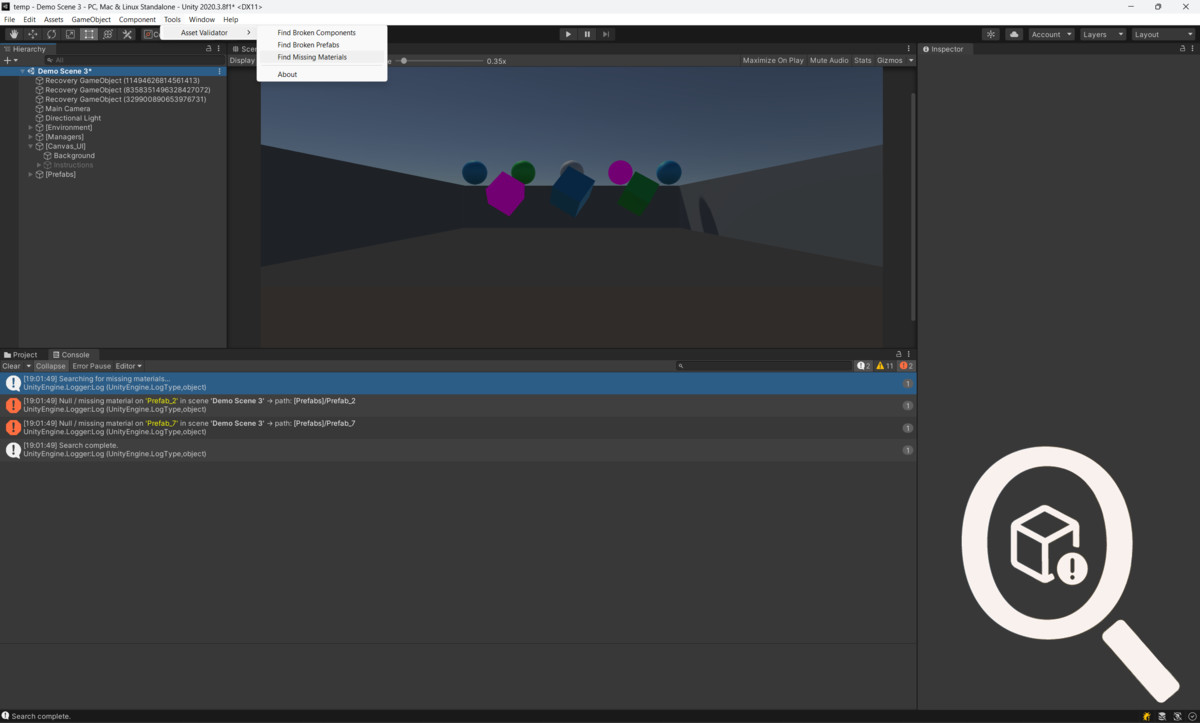
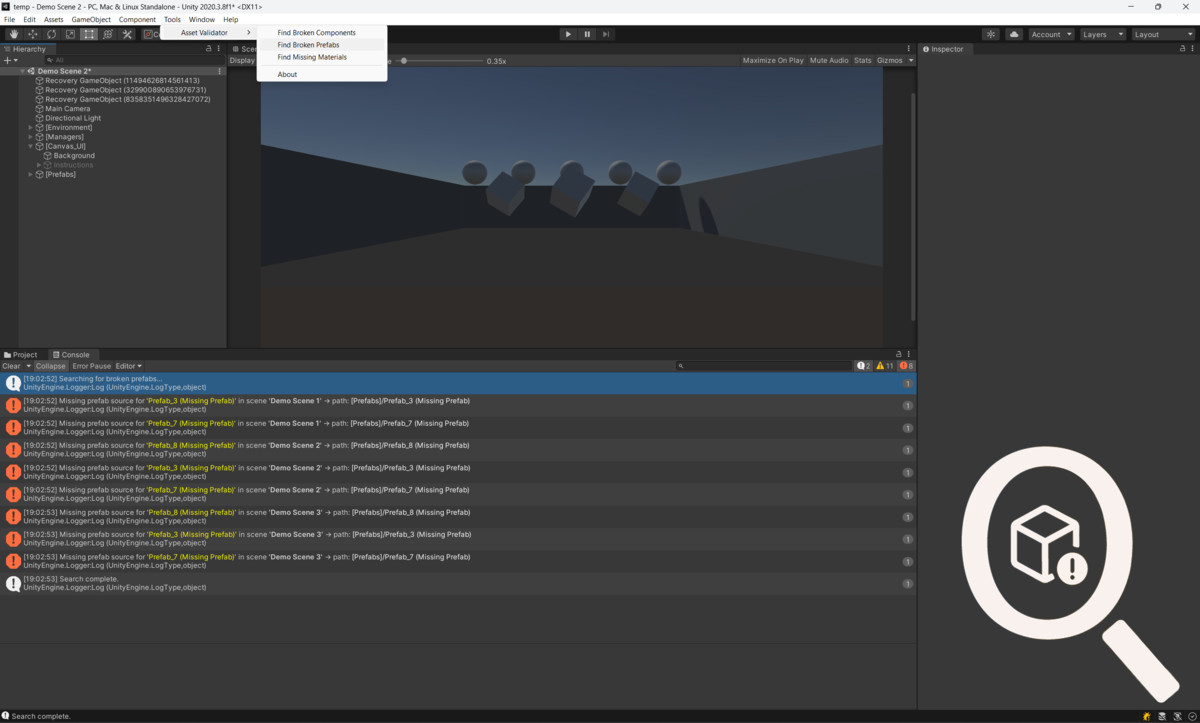
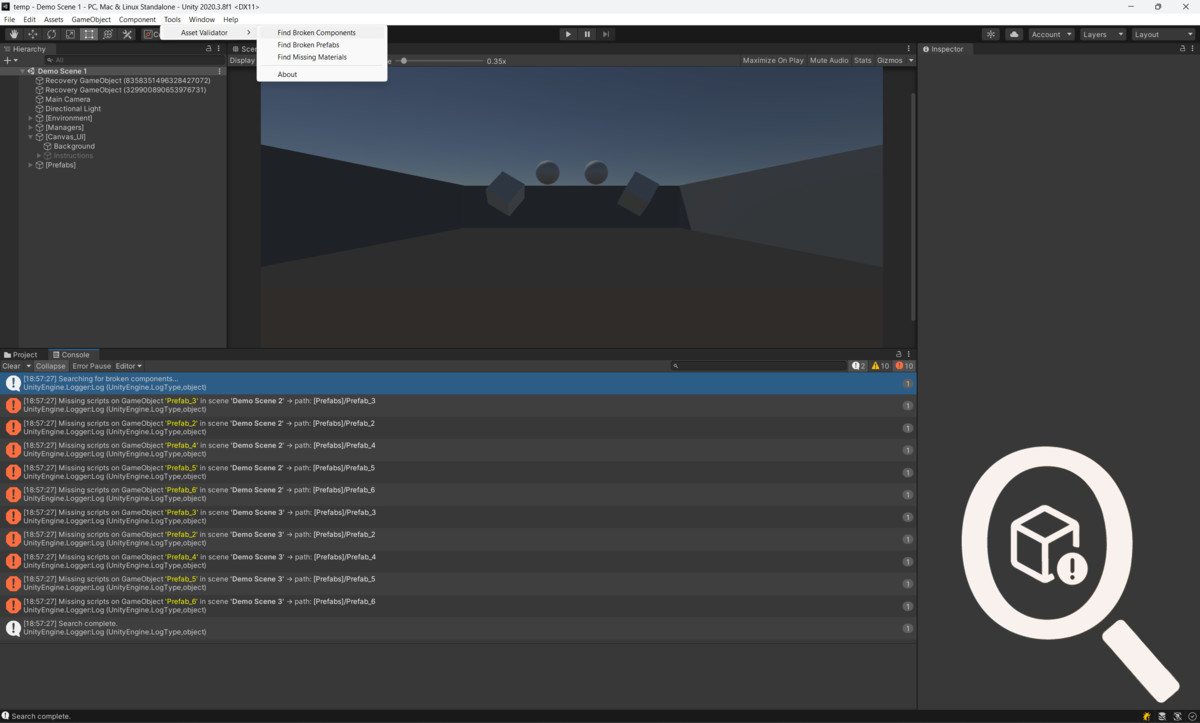
1. Install package → open Tools → Asset Validator.
2. Choose scan type:
- Broken Components
- Broken Prefabs
- Missing Materials
3. Run scan → review results in the Console.
What’s Included
- Editor folder with Asset Validator window and core scan logic.
- README.md with Quick Start and API notes.
- Changelog and support/contact info.
Support & Contact:
- Email: [email protected]
- GitHub: https://github.com/andriihorlov/AssetsValidator
From the publisher's Asset Store listing.
Technical details
- Comprehensive Scan: Quickly scan your Unity project for broken scripts, missing prefabs, or absent materials, ensuring your project remains intact during transfers.
- Choose scan type: Broken Components / Broken Prefabs / Missing Materials
- Detailed Reports: Issues are logged in the Unity Console with GameObject names and scene references.
- Effortless Integration: Seamlessly integrate Unity Asset Validator into your workflow with its user-friendly interface and straightforward setup process. Spend less time troubleshooting and more time creating captivating experiences for your audience.
- Enhanced Productivity: Boost your productivity and focus on the creative aspects of game development while Unity Asset Validator handles the technicalities of asset validation. Keep your projects organized and error-free with minimal effort.
Compatibility
| Unity version | Built-in | URP | HDRP | Custom |
|---|---|---|---|---|
| 2020.3.8f1 | Compatible | Compatible | Compatible | Compatible |
Additional compatibility information
AssetValidator is compatible with all render pipelines (Built-in, URP, HDRP) because it only operates in the Unity Editor and does not touch runtime rendering.
- Editor-only, safe for Unity versions 2020.3.8f1 and above.
- Works with projects using multiple scenes, prefabs, and third-party assets.
- Does not affect runtime builds — zero runtime footprint.
As listed on the Asset Store.