
 View on Asset Store (opens in new tab)
Package details
- Latest version
- 1.0
- Last updated
- First released
- Unity version
- 2022.3.20 or later
- Package size
- 201.9 MB
- Files
- 140
- Favorites
- 10
- Views in the past week
- 5
Price tracking
- Last checked
- Tracked since
- Lowest recorded
- $12.49 on
Keywords
Stylized Chests
- Hidden sale
- Price drop
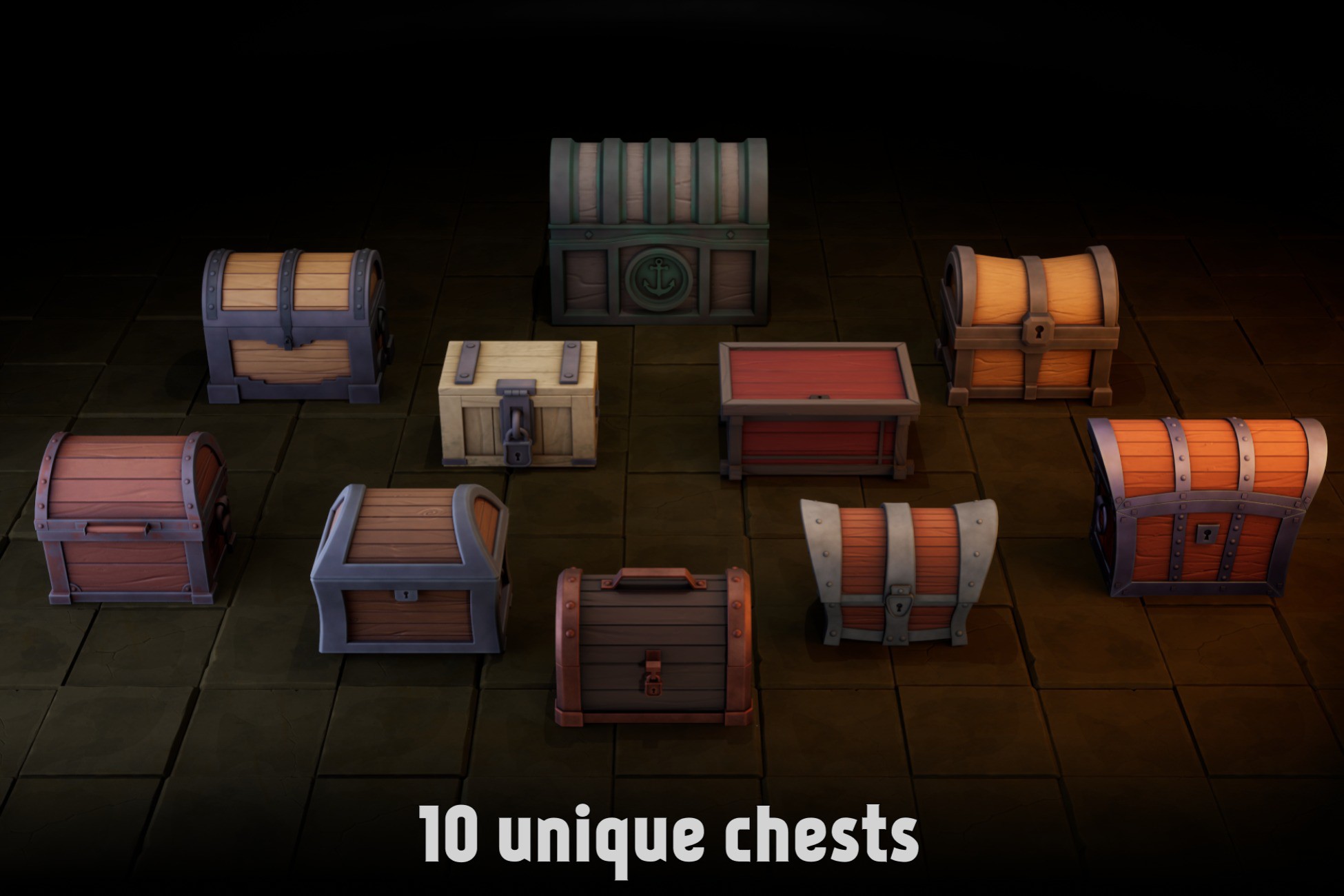
10 Stylized chests with 4096 textures and customizable materials. All chests are rigged and animated with open and close animations. They have a good fit with other stylized environmental assets
Affiliate link · Purchases support this site
Price history
Last 6 months
USDAsset preview
1 / 5

Stylized Chests screenshot 1


About this asset
This pack can be upgraded to the Chests & Crates Mega Pack with a 50% discount!
Check it out, it's a great deal - https://assetstore.unity.com/packages/slug/285862
Valuable things included:
- 10 Unique stylized chests
- Each chest have a customizable material with easy tweaking system that allows you to change their appearance
- Everything is rigged and animated, so you can easily create additional animations if needed
- Good fit with other stylized environmental assets from the store
- Shaders are built-in/URP/HDRP ready
- Our support at [email protected] if needed :)
The environment used in the screenshots and videos is not included
From the publisher's Asset Store listing.
Technical details
Number of textures: 52
Texture dimensions: 2048-4096
Minimum polygon count: 10464
Maximum polygon count: 38608
Number of meshes/prefabs: 10
Rigging: Yes
Animation count: 20
Animation type: Open and Close
UV mapping: Yes, non-overlapping
Types of materials and texture maps: PBR with R channel for AO, G channel for Roughness and B channel for Metallic, Normal maps included where applicable
Compatibility
| Unity version | Built-in | URP | HDRP | Custom |
|---|---|---|---|---|
| 2022.3.20f1 | Compatible | Compatible | Compatible | Compatible |
Shader Graph package from Unity registry is needed for this asset to work in Built-in RP. You can find it in Window->Package Manager->UnityRegistry-> type Shader in search
Normal maps are DirectX, so they are green channel flipped in settings
PBR textures contains Roughness in Green, Metallness in Blue and AO in Red channels, "one minus" node used for Roughness to Smoothness conversion
As listed on the Asset Store.