
 View on Asset Store (opens in new tab)
Package details
- Latest version
- 1.3
- Last updated
- First released
- Unity version
- 6000.3.2 or later
- Package size
- 68.8 MB
- Files
- 125
- Favorites
- 83
- Views in the past week
- 12
Price tracking
- Last checked
- Tracked since
- Lowest recorded
- $25.00 on
Keywords

WorldMap Maker-URP
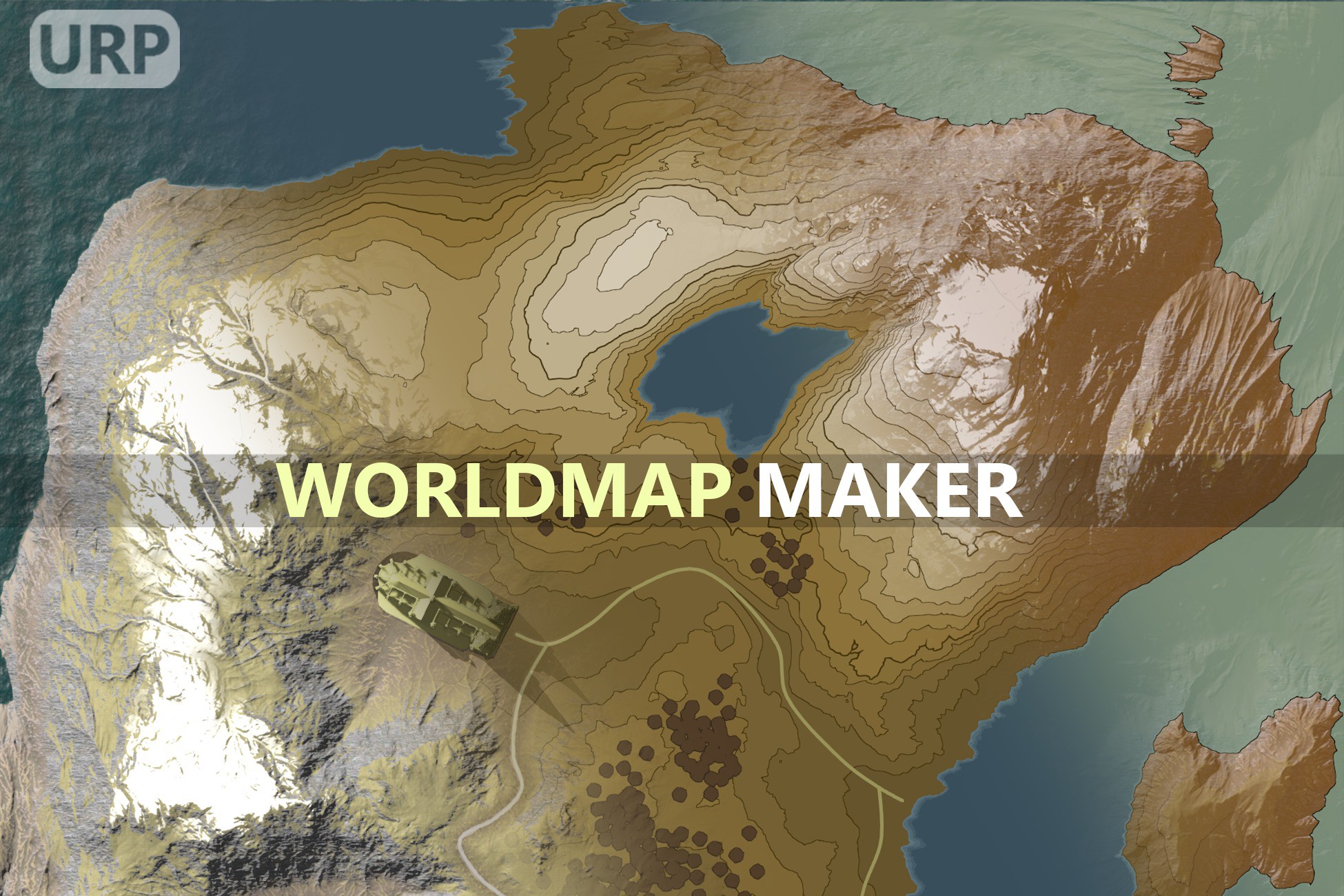
WorldMap Maker is an asset that creates a world map based on the world in your scenes.
Affiliate link · Purchases support this site
Price history
Last 6 months
USDAsset preview
1 / 15

WorldMap Maker-URP screenshot 1


About this asset
Want to create a world map for your world?
Or do you need texture layers for each of the terrain, buildings, water areas and trees for direct editing?
Whatever the case, you can create your own world map with WorldMap Maker!
If you have any questions about WorldMap Maker or find a bug, please send an email to [email protected]. I will respond as quickly as possible.
📗 Easy to use
There is only one button.
You can create world maps for your project with the click of the button.
🔔WorldMap Maker has been tested on the following Unity versions:
- 2021 LTS
- 2022 LTS
- 2023.2
- 6.0
- 6.1
- 6.2
- 6.3 LTS
And WorldMap Maker will continue to support the latest versions to be released in the future.
🗺What WorldMap Maker supports:
- Create categorized texture layers
- Terrains
- Waters
- Trees
- Roads
- General objects
- Extra
- Create a final texture by combining each texture layer
- (HDRP) WaterSurface, WaterExcluder, WaterDeformer
- All kind of mesh renderer
- Terrain trees and instanced prefab trees
- Supports various sizes from 256x256 to 16,384x16,384
- Full sources code included
- Unity's Splines package to draw Roads or Borders
- Texts on map (TextMeshPro)
- Multi-Scene Editing
- Separated worlds with multiple scene assets
- Fully documented C# API
- You can also create a world map using only C#.
- Pre-made style presets
- Detailed Documentation
- Style settings that can be created and managed as assets
- All Unity versions 2021 +
If you find an area that WorldMap Maker does not support, please send an email to [email protected]. I will support you as quickly as possible!
✨Customizable Styles
- Contour Lines for Terrains & Mesh Terrains
- Gradient colors depending on the height of Terrains & Mesh Terrains
- Satellite photography style
- Actual view, color tinted and shaded, simple and flattened view
- Outlines for buildings, trees and their color and thickness
- Gradient colors depending on the depth of the water areas
- Adjusting the angle and intensity of light
- Adjust the intensity of the shadows
- Custom materials for splines(roads, border) and objects
Whether you're a programmer or an artist, the fastest way to create a world map is with WorldMap Maker!
🖼️Provides ready-to-use sample UI code !
- Full screen World Map UI
- Interactable World Map Elements
- Snap, Navigation, Zoom
- Dynamic Characters on World Map UI
- Auto POI(Point of Interests) reflection on World Map
- Dropdown Menu Sample
- Color Change Sample
- Adding and Removing pins Sample
- Maintaining the size of World Map Elements even when the zoom level changes
- Minimap UI
- Fixed rotation
- Player based rotation
- Player sight based rotation
- Maintain the rotation of World Map Elements even when the minimap is rotated
- Auto adjusting the zoom of the minimap based on the player's speed
- Customizable, Extendable World Map Elements
From the publisher's Asset Store listing.
Technical details
🟨Limitations & Known Issues
1. A bug in which the alpha channel of some of the style settings or some textures is not applied properly.
=> This problem appears very intermittently, and normal results are output when compiling the script or attempting to create the world map again.
It is presumed that there is a part where SRP is not initialized properly, but the exact reason is unknown.
This problem usually occurs when a world map is created for the first time after opening a project.
2. In HDRP, WaterDeformer is applied only when WaterMaterialType == Original.
=> This issue occurs because we currently do not have access to the water mesh generated by the WaterSurface script.
To include WaterDeformer in the world map, set Water Material Type to Original.
3. When the version of Unity changes, the output style changes slightly.
=> Unity's render pipeline changes quite a bit between versions, which can cause slightly different results even when using the same style settings.
For example, the opacity of the shadow may appear slightly different, or the brightness or saturation may appear slightly different.
Compatibility
| Unity version | Built-in | URP | HDRP |
|---|---|---|---|
| 6000.3.2f1 | Not listed | Compatible | Not listed |
As listed on the Asset Store.