
 View on Asset Store (opens in new tab)
Package details
- Latest version
- 1.1.0
- Last updated
- First released
- Unity version
- 2022.3.16 or later
- Package size
- 717 KB
- Files
- 37
- Favorites
- 16
- Views in the past week
- 5
Price tracking
- Last checked
- Tracked since
- Lowest recorded
- $4.99 on
Keywords
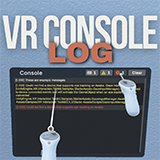
VR Console Log
Enhance your VR development with an in-headset console log viewer for efficient debugging and user experience enhancement.
Affiliate link · Purchases support this site
Price history
Last 6 months
USDAsset preview
1 / 9

VR Console Log screenshot 1


About this asset
Enhance VR development with the VR Console Log System, perfect for both Meta Quest and XR Toolkit! Leave it in your builds, keep it hidden, and pull it up the moment something goes wrong. A configurable button sequence activates the console on demand — your testers and users never see it, but when a bug shows up in a production build, you pull up the console right there in the headset and see exactly what happened. No desktop, no cables, no removing the headset.
Say goodbye to the constant back-and-forth with your desktop and streamline your debugging efforts effectively.
Key Features:
- Always-On, Always Hidden: Ship the console in your production builds with zero impact to your users. It stays completely invisible until you activate it with a secret button sequence — perfect for live debugging, QA sessions, and tracking down bugs that only happen on device.
- Collapse Repeated Messages: Identical log messages are automatically merged into a single entry with a count badge, keeping your console clean during high-frequency logging.
- FPS Display: A lightweight, color-coded framerate counter you can place anywhere on the console canvas. Green, yellow, and red thresholds are fully configurable.
- Designed for Compatibility: Works effortlessly with Meta Quest and XR Interaction Toolkit, integrating directly into your VR projects.
- Customizable Interface: Adjust the display settings including screen size, text, and colors to suit your debugging preferences.
- Interactive Debugging: Manage and filter logs dynamically through a user-friendly interface, enhancing your ability to address issues swiftly.
- Advanced Keyword Filtering: Utilize powerful keyword filtering to control log visibility. Specify inclusion or exclusion keywords to focus only on the relevant logs, streamlining your debugging process.
- Efficient Problem Solving: Keep your development process fluid with tools that minimize disruptions and maximize productivity.
- Versatile Application: Not just for VR, our console log system is also fully functional in traditional game environments, allowing developers to leverage its powerful debugging tools across all types of Unity projects.
Roadmap — What's Coming Next:
This asset is actively maintained and growing. Here's what's planned for upcoming updates:
- Performance Stats Overlay — In-headset display for FPS, GPU frame time, CPU thread breakdown, draw calls, triangles, and memory usage. Debug performance issues while standing in the scene.
- Updated Meta Prefabs — Migration to Meta's latest SDK prefabs, replacing the current deprecated versions.
- Log Export — One-tap export of your log history to a text file on device for sharing and post-session review.
- Runtime Hierarchy Viewer — Browse your scene's GameObjects and inspect their components directly in-headset, no desktop required.
Have a feature request? Leave a review or reach out — your feedback shapes what gets built next.
From the publisher's Asset Store listing.
Technical details
- Unity Version: Requires Unity 6+
- Input System: New Input System only (legacy input system support has been removed)
- Compatibility: Designed to work with Meta Quest and XR Interaction Toolkit. Platform-specific prefabs included for both.
- Versioning: Follows semantic versioning. Current release is 1.1.0 with collapse, FPS display, performance improvements, and bug fixes.
Compatibility
| Unity version | Built-in | URP | HDRP |
|---|---|---|---|
| 6000.4.0f1 | Compatible | Not listed | Not listed |
| 6000.0.23f1 | Compatible | Not listed | Not listed |
| 2022.3.28f1 | Compatible | Not listed | Not listed |
As listed on the Asset Store.