
 View on Asset Store (opens in new tab)
Package details
- Latest version
- 1.4.3
- Last updated
- First released
- Unity version
- 2022.3.2 or later
- Package size
- 417.2 MB
- Files
- 512
- Favorites
- 185
- Views in the past week
- 44
Price tracking
- Last checked
- Tracked since
- Lowest recorded
- $12.00 on
Keywords

Decal Splines
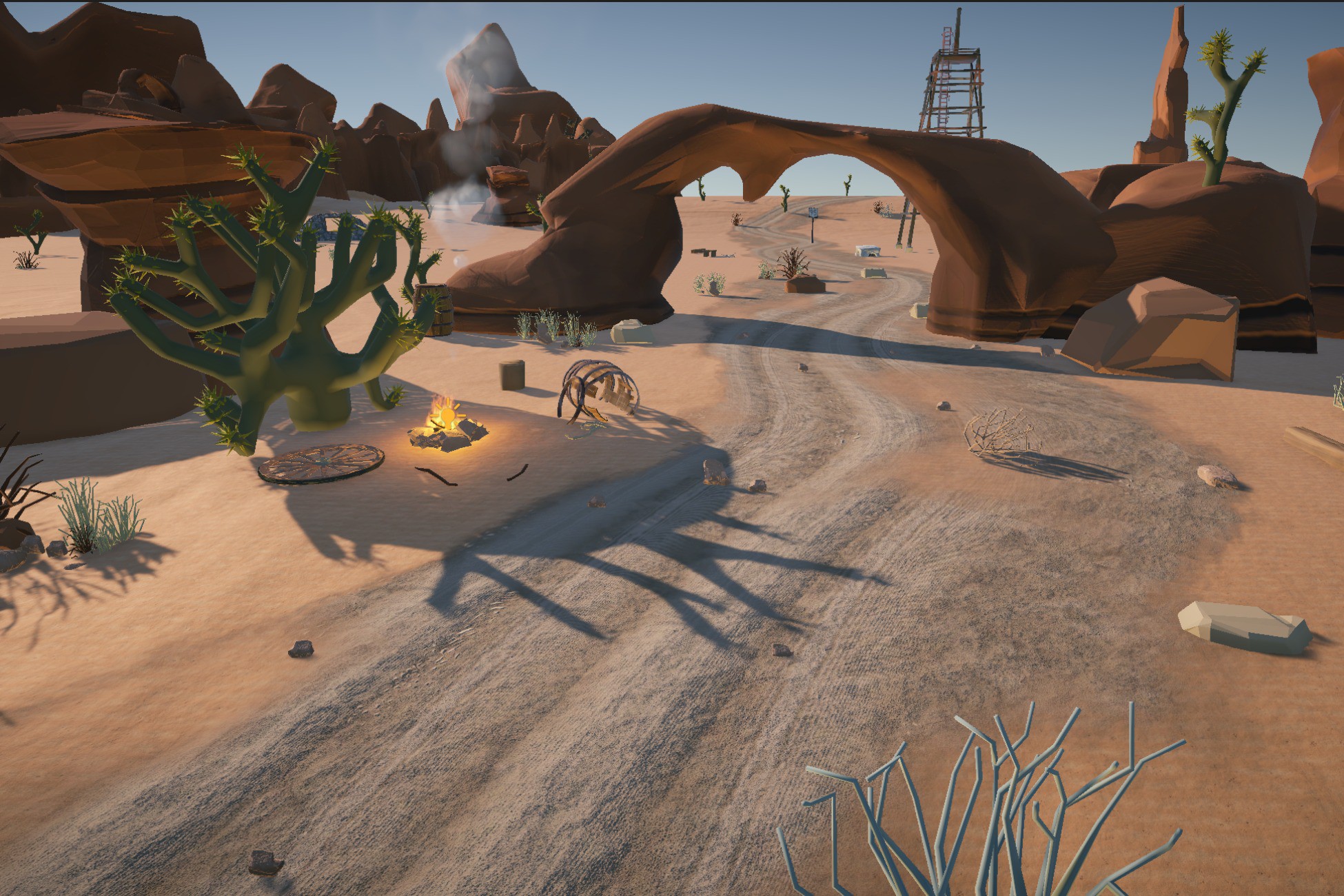
Decal Splines lets you draw continuous decals like roads, paths, blood trails, cracks, track and road markings onto any 3D surface with any orientation. A seamless decal is formed along a spline.
Affiliate link · Purchases support this site
Price history
Last 6 months
USDAsset preview
1 / 14

Decal Splines screenshot 1


About this asset
✔️How to use
Placement works intuitively in the scene view. Just click on any surface to place anchor points and form the spline that drives the decal. Editing is just as easy, just click and drag the handles to manipulate the curve. Rotate the Decal Spline to project in any direction. Auto snapping helps the decal stick to your scene’s surfaces.
Using render layers you choose which objects are drawn on and which are excluded.
✔️Library of 100+ styles included
- Dirt roads
- Hiking trails
- Asphalt
- Sidewalks
- Foot prints
- Tire tracks
- Skid marks
- Road Lines
- Stripes
- Arrows
- Zebra Crossings
- Stains
- Blood
- Cracks
- Graffiti
- Curbs
- Racing stripes
- And more...
✔️Features
- Seamless decals
- Splines.
- Full source code.
- Scene view editing.
- Fade Painting.
- Auto snap.
- Projection depth control.
- Rendering Layers support.
- Organize styles by theme.
- PBR Shaders with detail map layers.
- Customizable color scheme.
- User friendly UI.
- Set orientation.
- 2D and 3D styles.
✔️Expandability
Add your own styles by simply importing a texture and setting the style's perimeters. Configure your style’s width, curviness, resolution and material to determine its behavior and look.
✔️Design
The low performance impact lets you add heaps of detail in both URP and HDRP games.
With this much freedom you gain complete artistic control over the placement of your decals. Real time manipulation helps you iterate over different design options and create stunning environments. Adding details to your levels makes them visually interesting and appealing, Decal Splines lets you add detail quickly and easily.
From the publisher's Asset Store listing.
Compatibility
| Unity version | Built-in | URP | HDRP |
|---|---|---|---|
| 6000.0.23f1 | Not listed | Compatible | Compatible |
| 2022.3.2f1 | Not listed | Compatible | Compatible |
The main shader uses stencil buffer bit# 8. An alternative bit can be used by altering the shader code. A non stenciled shader is provided as well, however this one may have visual artifacts when used with transparency.
On Mac/Metal URP builds artifacts can show up due to bugs in this Unity Pipeline.To solve this disable “Generate Mipmaps ” on any texture used and set Normal Blend to High.
As listed on the Asset Store.