
 View on Asset Store (opens in new tab)
Package details
- Latest version
- 5.5.3
- Last updated
- First released
- Unity version
- 6000.3.8 or later
- Package size
- 8.2 MB
- Files
- 3,417
- Favorites
- 78
- Views in the past week
- 74
Price tracking
- Last checked
- Tracked since
- Lowest recorded
- $12.49 on
Keywords

AI DevKit PRO - Local AI, RAG, Tools
Build in-game AI agents, characters, NPCs fast. The only Unity kit you need.
Affiliate link · Purchases support this site
Price history
Last 6 months
USDAsset preview
1 / 16

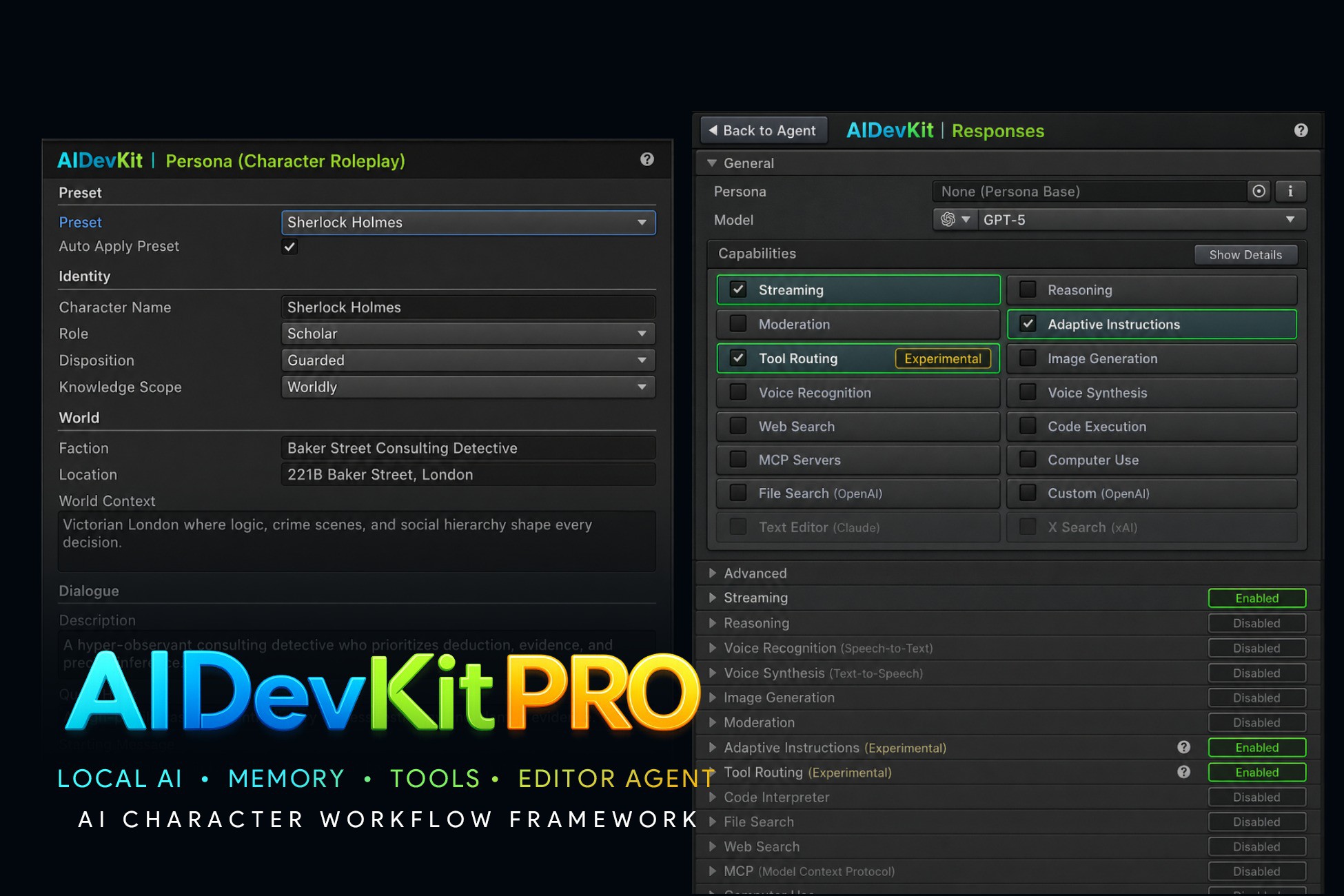
AI DevKit PRO - Local AI, RAG, Tools screenshot 1


About this asset
AI DevKit Pro - Unified API for AI Agents(Characters, NPCs, Assistants) across Cloud and Local Providers
Most AI integrations break down fast:
different APIs, different tool formats, different streaming behavior, and duplicated glue code.
AI DevKit Pro gives you one unified API for all major AI providers, plus local model support and built-in agent features.
- OpenAI-style chat workflows
- local-first model servers
- voice input/output pipelines
- tool calling (hosted + local)
Build agent features once. Swap providers without rewriting your app logic.
>> Website
>> Join Discord Server - get access to pre-release builds & hotfixes
What Is AI DevKit Pro?
After operating AIDevKit for two years, it became clear that most users are individual developers or small teams with limited budgets.
So this package is now repackaged around offline/local-first AI workflows that can be used for free, while enterprise-scale capabilities are focused in the AIDevKit Enterprise tier.
AI DevKit Pro is built for solo developers and small teams who want practical, production-ready agent behavior without depending on expensive cloud-only stacks.
How AI DevKit Pro Saves You Time
- Use one runtime across multiple providers instead of rewriting integration code per API.
- Start from built-in agent foundations (memory, streaming, tools, voice) instead of assembling them from scratch.
- Switch between cloud and local/offline backends with minimal project-side refactoring.
- Move faster from prototype to production with Unity-ready demos and reusable workflows.
What You Can Build with AI DevKit Pro?
- AI NPC characters with memory, personality, and tool-based actions
- Voice-interactive NPCs for dialogue-heavy RPG/adventure gameplay
- AI quest assistants that explain goals, hints, and world lore in-context
- Local/offline in-game copilots for sandbox or simulation titles
- Prototype teammate agents for strategy, survival, or co-op mechanics
- AI-powered developer tools inside Unity (content helpers, test bots, data inspectors)
Core Features (Short Summary)
- Multi-API agent runtime with streaming-first architecture (Chat, Responses, Assistants, Realtime).
- Built-in conversation/memory controls (autosave, context limits, summaries, RAG-ready settings).
- Local-first AI support: LM Studio, Ollama, and Sherpa-ONNX for offline STT/TTS.
- Agent tooling for hosted and local execution, including function/tool calls and action workflows.
- Unity-ready demos to help you move from prototype to production quickly.
----------------------------------------------------------------------------------
Supported Cloud AI Providers
- OpenAI (LLM, TTS/STT, Image, Video, Embedding, Moderation)
- Google Gemini (LLM, TTS/STT, Image, Video, Music)
- ElevenLabs (TTS/STT, Voice Change, Audio Isolation)
- Anthropic Claude (LLM)
- DeepSeek (LLM)
- OpenRouter (LLM, Image)
Supported Local/Offline Providers
- Ollama (LLM)
- LM Studio (LLM)
- Sherpa-Onnx (TTS/STT)
>> See all supported providers
Supported Platforms
- Windows, macOS, Linux
- iOS, Android
- Consoles
- WebGL (integrated but unstable – testers welcome)
This package does not train, validate, or develop AI/ML models. It does not use Unity Offerings, Unity Asset Store content, or Unity-generated outputs for AI/ML training. Any AI requests are initiated by the user and sent only to user-configured providers or local endpoints.
This asset uses UniTask under MIT License. See the Third-Party Notices.txt file in the package for license details.
From the publisher's Asset Store listing.
Technical details
- Drop-in AI Agent: Add conversational AI to any GameObject with a single component. Supports chat, streaming responses, conversation history, and wires directly into UnityEvents — no boilerplate required.
- In-Editor Playground: Test your agent's personality, instructions, and responses live in the Unity Editor, without entering Play Mode.
- Voice Interaction: Give your agents ears and a voice. Built-in mic recording with silence detection and streaming audio playback make voice loops easy to set up.
- Tool Calling & Actions: Let your AI call C# methods, trigger in-game actions, run web searches, browse files, execute code, and connect to MCP servers — all configurable from the Inspector.
- Realtime Voice Agent: Ultra-low-latency voice conversations over WebSocket, including real-time function calling for interactive characters and gameplay.
- AI Generation Components: Ready-to-use MonoBehaviours for generating images, audio (TTS), speech transcription (STT), voice changing, embeddings, audio isolation, and video — each independently usable.
- 6 Cloud AI Providers: OpenAI, Anthropic (Claude), Google (Gemini, Imagen, Lyria), ElevenLabs, OpenRouter, and DeepSeek.
- 3 Local / Offline Providers: Ollama, LM Studio, and SherpaOnnx — run models entirely on-device with no internet connection required.
- Ready-to-Run Samples: 6 sample scenes to get started immediately — chat agent, voice chat, realtime voice agent, function calling, speech transcription, and voice changer.
- Provider-Agnostic API: A unified request layer routes all AI calls through a single interface regardless of which provider is active — swap providers without changing your game code.
- Full OpenAI API Coverage: Chat Completions, Responses API, Assistants API, Realtime WebSocket, Images, Audio (TTS/STT/Translation), Embeddings, Fine-Tuning, Batch, Files, Moderations, Vector Stores, Sora Video, and Administration.
- ElevenLabs Integration: Text-to-Speech, Speech-to-Text, Voice Changer, Audio Isolation, Sound Effects, Music Generation, Voice Library — all with streaming support.
- OpenRouter Integration: Access hundreds of models from a single API key using OpenAI-compatible requests, with account credit tracking.
- AI Generation Playgrounds: 20+ in-editor windows for generating text, code (C#, shaders, MonoBehaviours, ScriptableObjects, UXML), images (characters, icons, backgrounds), audio (TTS, music, sound effects, voice changer), and video — all without writing any code.
- Project Context: A ScriptableObject describing your game's genre, art style, and tone that automatically enriches every generation prompt.
- Model & Voice Catalogs: Browsable, searchable catalogs of all available models and voices across providers, with code-snippet generation.
- Generation History: Every generation is recorded with full metadata — prompt, model, settings, cost — and browsable in a dedicated editor window.
- Resource Managers: In-editor windows to manage uploaded files, fine-tuned models, OpenAI Assistants, and conversation history.
- Global Settings UI: Per-provider API key configuration, default models, output paths, log levels, and network settings — all in Unity Project Settings.
Compatibility
| Unity version | Built-in | URP | HDRP | Custom |
|---|---|---|---|---|
| 6000.3.8f1 | Compatible | Compatible | Compatible | Compatible |
As listed on the Asset Store.