
 View on Asset Store (opens in new tab)
Package details
- Latest version
- 1.0
- Last updated
- First released
- Unity version
- 2022.3.62 or later
- Package size
- 1.8 MB
- Files
- 100
- Favorites
- 6
- Views in the past week
- 4
Price tracking
- Last checked
- Tracked since
- Lowest recorded
- Free on
Keywords

SInject
Develop faster with a simple, easy-to-use dependency injection framework for Unity.
Affiliate link · Purchases support this site
Price history
Last 6 months
USDAsset preview
1 / 3
SInject screenshot 1
About this asset
What SInject Brings to Your Unity Projects
SInject provides a clean and straightforward approach to managing dependencies in Unity, helping you organize your code with clear separation of concerns. Its architecture around injectors and services lets you easily inject and resolve dependencies for scenes, prefabs, components, and scriptable objects.
Why Choose SInject?
Managing dependencies manually can lead to tightly coupled code and maintenance challenges. SInject helps you avoid these pitfalls by promoting modular design and enabling easier testing and refactoring. Its integration with Unity’s ecosystem means you can adopt dependency injection without interrupting your existing workflows.
Simplified Dependency Management
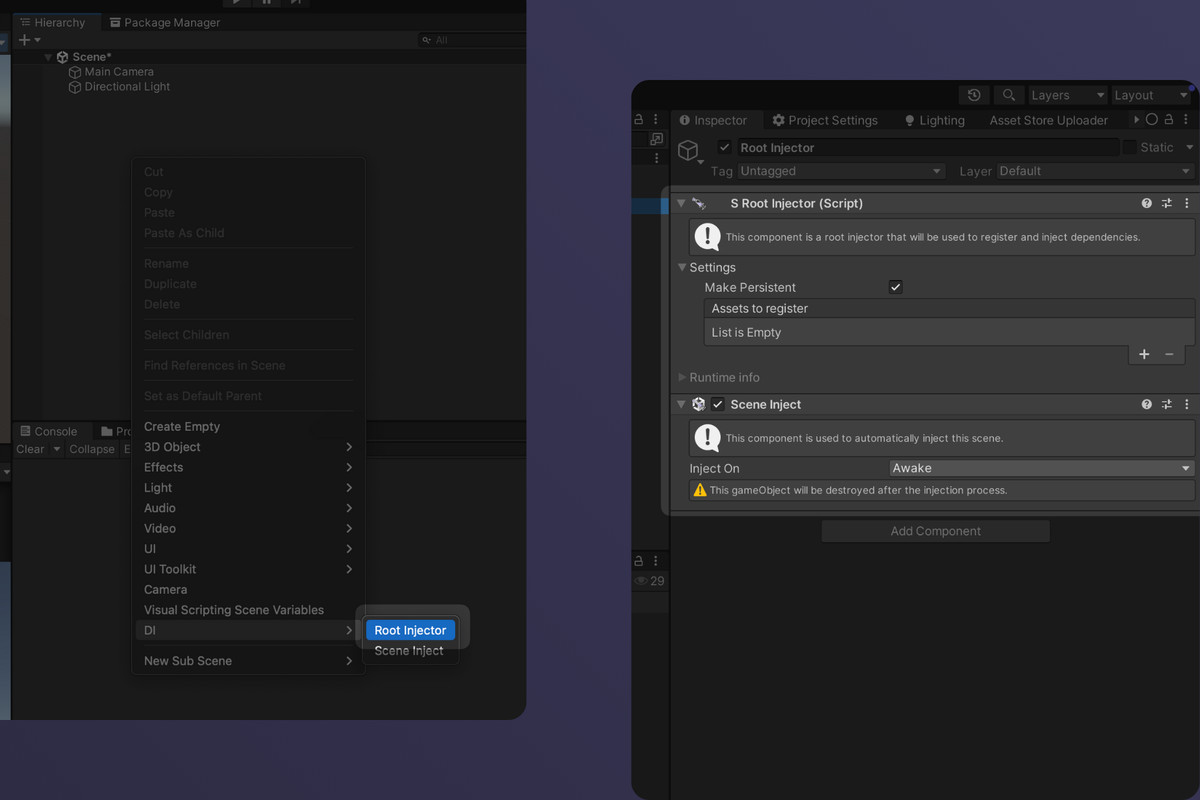
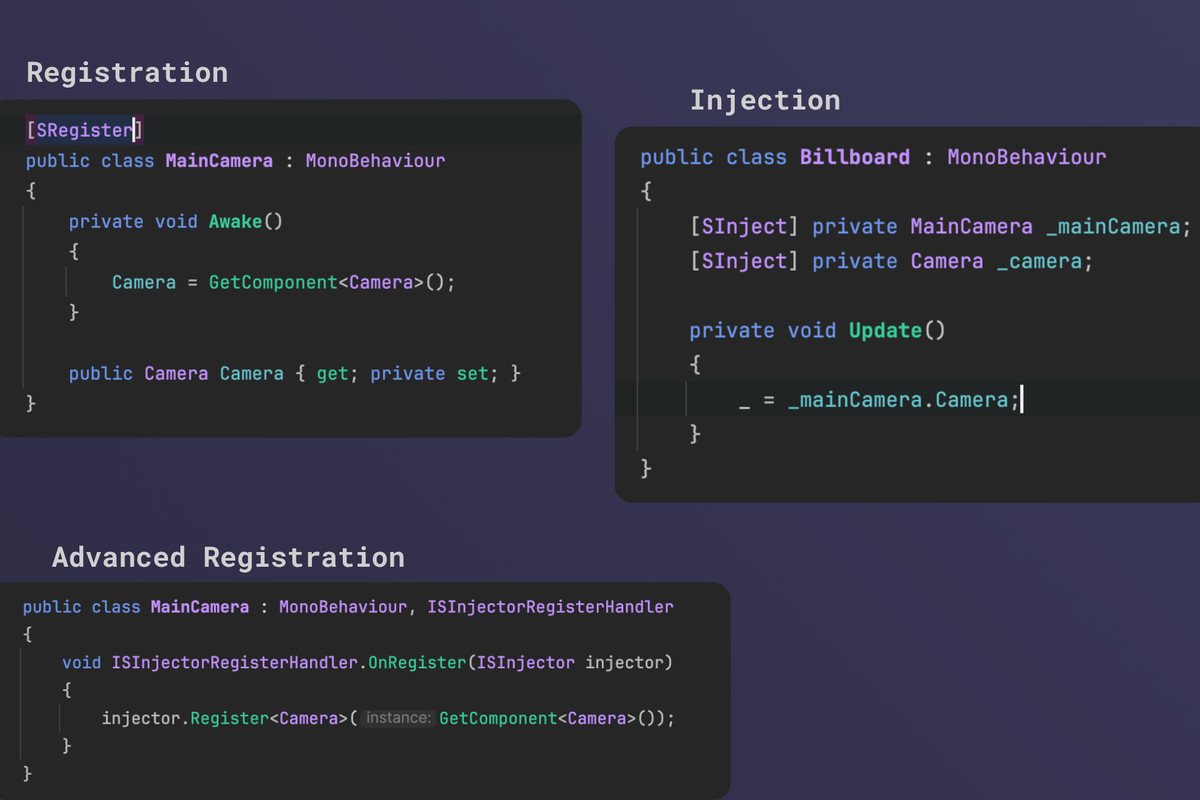
With SInject, you set up a root injector and register your services effortlessly, whether they’re MonoBehaviours, ScriptableObjects, or .NET classes. Inject dependencies automatically at runtime with intuitive attributes, making your components lean and focused on their core responsibilities.
Key Capabilities
- Support for dependency injection in both scenes and gameObjects
- Persistent services across scenes with configurable lifecycle
- Injection of components, scriptable objects, and plain .NET classes
- Handling of circular dependencies and collections of services
- Prefab spawning with automatic dependency injection
- Custom injection support for advanced scenarios
- Built-in testing helpers to improve code quality
- Context Debugger for runtime inspection of injection state
Boost Your Development Workflow
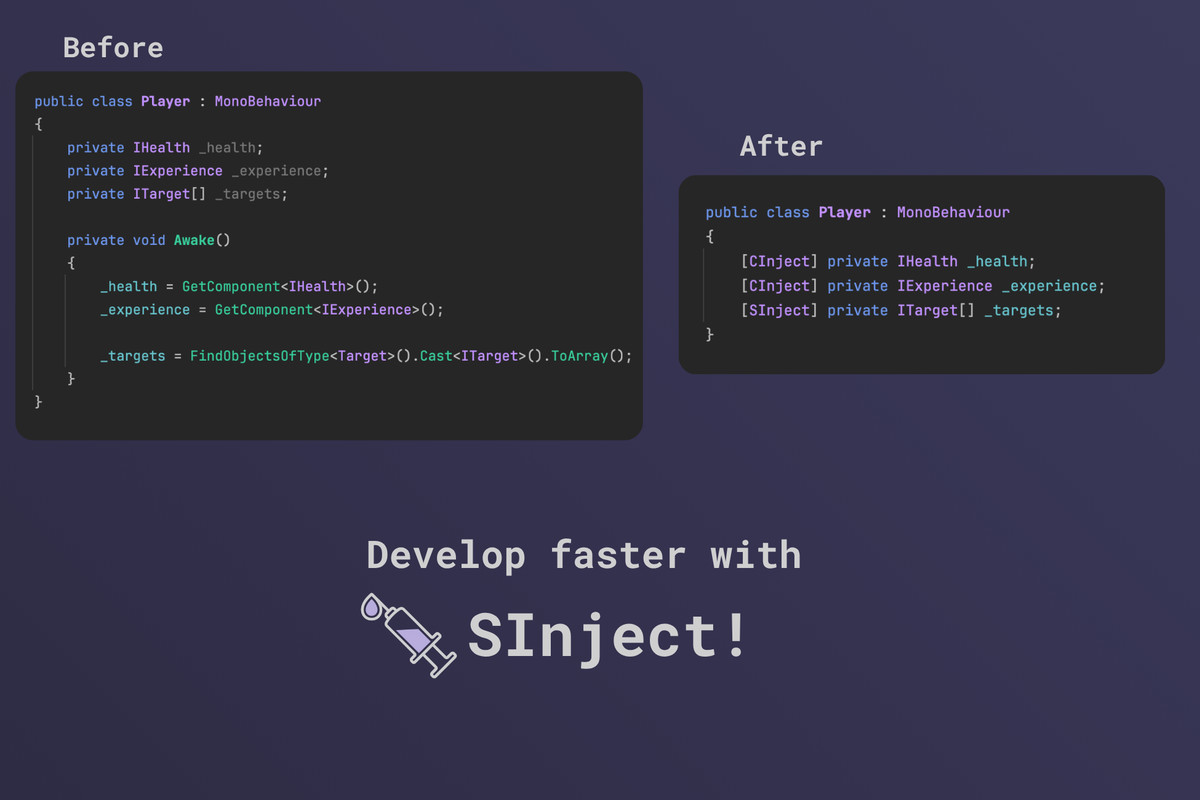
By automating and standardizing how dependencies are injected, SInject helps you build more maintainable and testable Unity projects, saving time and reducing complexity during development and iteration.
From the publisher's Asset Store listing.
Technical details
Core Injection System
- Root Injector: Central singleton injector to register services and manage dependency resolution across your game.
- Scene Injection: Automatically injects dependencies when scenes load, cleaning up after injection.
- GameObject Injection: Injects dependencies on prefabs and supports creating local injectors for isolated scopes.
Supported Service Types
- Components (MonoBehaviour)
- Scriptable Objects (marked with [SRegister])
- Plain .NET objects
- Collections of services (T[], List<T>, IEnumerable<T>)
- Circular dependencies supported without issues
Injection Attributes
- [SInject]: Injects registered services into fields.
- [CInject]: Injects components from the same GameObject without requiring registration.
- [SRegister]: Marks ScriptableObjects or Components as injectable services.
Service Registration & Lifecycle
- Register singleton services via the Root Injector’s asset list.
- Supports persistent services that survive across scene loads.
- Custom registration and injection logic via ISInjectorRegisterHandler and ISInjectorInjectHandlerinterfaces.
- Services can be added or removed dynamically, and the framework automatically unregisters Unity objects when they are destroyed.
Prefab and Scene Support
- Prefabs can have GameObjectInject to trigger injection at spawn.
- Local injectors for prefab-specific dependency scopes.
- Scene injectors to inject entire scenes on load.
Advanced Features
- Direct resolution API (Resolve<T>(), TryResolve<T>, resolving collections).
- Support for multiple instances of the same service type, with priority ordering.
- Context Debugger window to inspect active injectors and their registered services at runtime.
Testing Framework
- Utilities for unit testing DI-dependent components using mock services.
- Enables writing more modular, testable game code by reducing reliance on scene-driven object references.
Performance Notes
- Reflection-heavy implementation; injection occurs mostly during scene load or prefab spawn.
- Designed for clarity and usability rather than extreme runtime performance.
Compatibility
| Unity version | Built-in | URP | HDRP | Custom |
|---|---|---|---|---|
| 2022.3.62f1 | Compatible | Compatible | Compatible | Compatible |
As listed on the Asset Store.