
 View on Asset Store (opens in new tab)
Package details
- Latest version
- 2018
- Last updated
- First released
- Unity version
- 5.0.1 or later
- Package size
- 7.9 MB
- Files
- 54
- Favorites
- 334
- Views in the past week
- 4
Price tracking
- Last checked
- Tracked since
- Lowest recorded
- $10.00 on
Strategy Kit
Price $20.00
Buy on Asset Store (opens in new tab)
Affiliate link · Purchases support this site
Price history
Last 6 months
USDAsset preview
1 / 6

Strategy Kit screenshot 1


About this asset
Unity 5 Ready!
Get two packages Live Bar and Selection Tool for you strategy game.
Live Bar Demo Video
Live Bar Demo Scene
Selection Tool Demo Video
Selection Tool Demo Scene
Live Bar
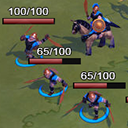
Live Bar provides an in-game bar above each character, building or game object you wish. You can configure many aspects of the bar such as size, color, gradient, text, font... providing you full control on the visual result. It also provides a full API to control the behavior of the bar and display the current live of each character. Fully compatible with third party assets such as PlayMaker.
Live Bar is really easy to use and configure. You can get the live bar on your game objects in three simple steps:
1) Drop the LiveBar script on any game object you wish
2) Configure the basics parameters of the script, such as color, total live value, size of the bar, etc...
3) Run your scene!
Full documented API, PlayMaker compatible!
Full source C# code included.
Selection Tool
Selection Tool allows you to select multiple game objects in runtime by dragging the mouse on a rectangle, similar to the selection tool of many commercial strategy games and also drawing an indicator on every selected game object.
Selection Tool provides an easy integration with your code or third party assets. Selec Tool will throw the messages onSelectUnit, onDeselectUnit, onStartSelect and onEndSelect which allow a total control over selected game objects.
You can configure which objects are selectable, the color of the selection rectangle, the shape and color of the selected game object indicator or even define your own indicator shapes.
Full source C# code included.
Get two packages Live Bar and Selection Tool for you strategy game.
Live Bar Demo Video
Live Bar Demo Scene
Selection Tool Demo Video
Selection Tool Demo Scene
Live Bar
Live Bar provides an in-game bar above each character, building or game object you wish. You can configure many aspects of the bar such as size, color, gradient, text, font... providing you full control on the visual result. It also provides a full API to control the behavior of the bar and display the current live of each character. Fully compatible with third party assets such as PlayMaker.
Live Bar is really easy to use and configure. You can get the live bar on your game objects in three simple steps:
1) Drop the LiveBar script on any game object you wish
2) Configure the basics parameters of the script, such as color, total live value, size of the bar, etc...
3) Run your scene!
Full documented API, PlayMaker compatible!
Full source C# code included.
Selection Tool
Selection Tool allows you to select multiple game objects in runtime by dragging the mouse on a rectangle, similar to the selection tool of many commercial strategy games and also drawing an indicator on every selected game object.
Selection Tool provides an easy integration with your code or third party assets. Selec Tool will throw the messages onSelectUnit, onDeselectUnit, onStartSelect and onEndSelect which allow a total control over selected game objects.
You can configure which objects are selectable, the color of the selection rectangle, the shape and color of the selected game object indicator or even define your own indicator shapes.
Full source C# code included.
From the publisher's Asset Store listing.