
 View on Asset Store (opens in new tab)
Package details
- Latest version
- 1.0
- Last updated
- First released
- Unity version
- 2021.3.17 or later
- Package size
- 874.3 MB
- Files
- 363
- Favorites
- 3
- Views in the past week
- 5
Price tracking
- Last checked
- Tracked since
- Lowest recorded
- $10.00 on
Keywords
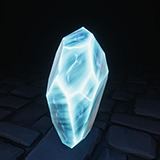
Magic Cristal Mega Pack
- Price drop
A pack of magic crystals to use in video games, the pack includes models, textures, shaders and particle effects.
Lowest in 6 months
Buy on Asset Store (opens in new tab)Affiliate link · Purchases support this site
Price history
Last 6 months
USDAsset preview
1 / 15

Magic Cristal Mega Pack screenshot 1


About this asset
The package is highly versatile, you can personalize the materials all you whant to create the perfect prop, you can use the models of the package or your own.
Main Features:
-33 different crystal models.
-36 prefabs.
-157 textures, 8 of them tileable.
-63 materials.
-2 basic shaders with four variants each one, changing if theire unlit or lit and opaque or transparent.
-7 other shaders.
-8 subgraphs for easy control and creatrion of new shaders.
-3 particle systems.
- Standard, URP, and HDRP support.
-Use of shadergraph for easy comprehension and use.
From the publisher's Asset Store listing.
Technical details
Each crystal have 164 tris on average, using the crystal and one protection (if it have it) to count the average
Textures in 4K, if you whant less quality, you can change the max size of each texture
157 textures (four for each glass and protection, in addition to the tileables (8, with 2 each))
not rigging
no animations
Compatibility
| Unity version | Built-in | URP | HDRP | Custom |
|---|---|---|---|---|
| 2021.3.17f1 | Compatible | Compatible | Compatible | Compatible |
If a shader is giving problems and doesn't look properly, you probably have to open the shader you are using and in the graph settings part, add the active targets you are using, by default they are Built-In, URP and HDRP.
As listed on the Asset Store.