
 View on Asset Store (opens in new tab)
Package details
- Latest version
- 0.1.3
- Last updated
- First released
- Unity version
- 6000.0.0 or later
- Package size
- 77 KB
- Files
- 8
- Favorites
- 12
- Views in the past week
- 3
Price tracking
- Last checked
- Tracked since
- Lowest recorded
- Free on
Keywords
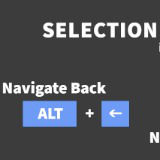
Navigate Back
Navigate back and forward in editor's selection history the same way you do in your IDE. Just import it into your project and... that's all, zero-config.
Affiliate link · Purchases support this site
Price history
Last 6 months
USDAsset preview
1 / 1

Navigate Back video 1
About this asset
Navigate back and forward in editor's selection history the same way you do in your IDE.
Just import it into your project and... that's all, zero-config.
# Usage (in Unity 6000.0 and newer versions)
- Edit > Navigate Back (ALT + LEFT ARROW)
- Edit > Navigate Forward (ALT + RIGHT ARROW)
# Usage (in previous versions)
- Edit > Navigate Back (CTRL + ALT + LEFT ARROW)
- Edit > Navigate Forward (CTRL + ALT + RIGHT ARROW)
# Customize
Shortcuts can be customized using Editor's built-in shortcuts window from the Edit > Shortcuts... menu.
# Compatibility
Although it's been published using Unity 6000, it should be compatible with way many previous versions as it makes no use of any new shiny feature introduced in Unity 6000.
Tested in 2020.3.7f1, 2022.3.18f1 and 2023.3.0b3.
If you encounter with any incompatibility with previous Unity versions, please post an issue here and I'll try get a workaround for it.
# Links
From the publisher's Asset Store listing.
Technical details
By default, shortcuts are set to ALT + LEFT ARROW to navigate back and to ALT + RIGHT ARROW to navigate forward, providing the same default behaviour as VSCode, Rider or many other IDEs.
Although in MS Visual Studio, those are set to CTRL + - and CTRL + SHIFT + - respectively.
In order to change those for the ones you're used to, just use the Editor's built-in shortcuts window under the Edit > Shortcuts... menu.
Compatibility
| Unity version | Built-in | URP | HDRP | Custom |
|---|---|---|---|---|
| 6000.0.0b11 | Compatible | Compatible | Compatible | Compatible |
As listed on the Asset Store.