
 View on Asset Store (opens in new tab)
Package details
- Latest version
- 9.5.1
- Last updated
- First released
- Unity version
- 6000.0.77 or later
- Package size
- 3.8 MB
- Files
- 160
- Favorites
- 11
- Views in the past week
- 10
Price tracking
- Last checked
- Tracked since
- Lowest recorded
- Free on
Keywords

Space Banner Ad Mobile - FREE
SpaceAdMobile makes banner ads easy to add into your mobile game: one unified workflow for Unity LevelPlay, Google AdMob, and Yandex.Ads. Ship faster with less setup. No code required.
Affiliate link · Purchases support this site
Price history
Last 6 months
USDAsset preview
1 / 4
Space Banner Ad Mobile - FREE screenshot 1
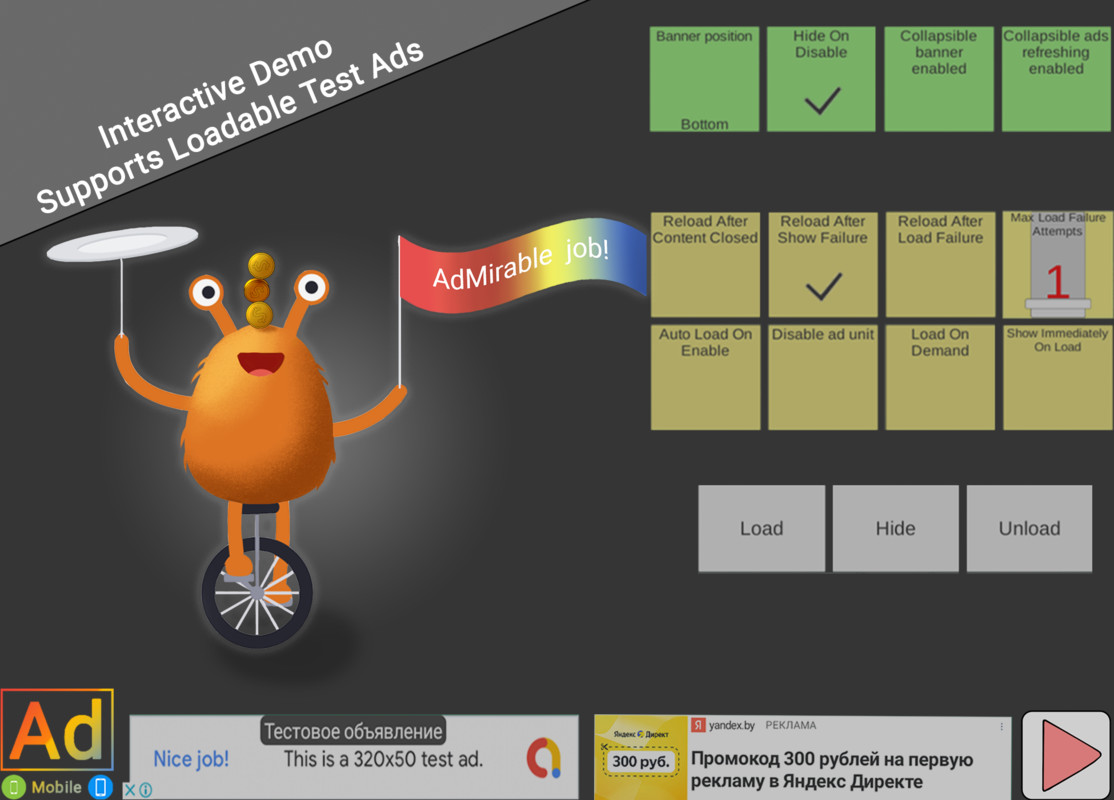


About this asset
SpaceAdMobile unifies banner ad integration for your Unity mobile game with a no/low-code setup so you ship faster.
API Documentation | Unity LevelPlay | Google | Yandex
- Cross-Platform Compatibility
Build once and ship to Android and iOS with the same setup. Fully compatible with App Store and Google Play distribution, keeping banner ad IDs and initialization consistent across platforms.
- Banner-Only Ad Integration
Streamlined integration of banner advertising with per-platform sizing, anchoring, and refresh controls.
Need more formats later? The Full edition adds interstitial, rewarded, app open, and more.
- Ease of Implementation
Start with drop-in prefabs and guided inspectors for a fast, no-code setup. Add a clean, low-code C# API when you need custom logic. Samples, tooltips, and clear docs keep integration quick and maintainable.
- Mediation Ready
Use your preferred aggregator and add mediated networks without rework. Configure adapters and placement IDs per platform while keeping one workflow and unified events. For example, add Unity Ads via LevelPlay without touching gameplay code; waterfall or bidding stays managed by the aggregator.
- Intelligent Ad Handling
Develop with test ads, launch with live ads where it matters. Store installs get real delivery; the Editor and sideloads stay safe. You get predictable behavior, readable logs, and an easy QA switch.
- Free Asset
Banner advertising at zero cost — no purchase required. Same unified workflow and docs, with a smooth upgrade path to the Full edition when you need more formats.
Start integrating banners into your mobile game today!
========================================================
Requirements & Setup
Before you start, install the SDK for the network you plan to use and make sure your accounts and ad units are ready.
- Unity LevelPlay (ironSource)
- Plugin: LevelPlay SDK 9.5.1+ (9.x series).
- Account: Active Unity and ironSource accounts with created placements/ad units.
- Install guide: Unity LevelPlay documentation.
- Google AdMob
- Plugin: Google Mobile Ads Unity 11.5.0+ (11.x series).
- Account: Active AdMob account with created ad units.
- Install guide: Google’s Unity quick start.
- Yandex.Ads
- Plugin: Yandex Mobile Ads Unity 8.6.0+ (8.x series).
- Account: Active Yandex.Ads account with created placements.
- Install guide: Yandex Unity quick start.
From the publisher's Asset Store listing.
Technical details
Key features
- Unified workflow for Unity LevelPlay, Google AdMob, and Yandex.Ads
- No-code setup via inspectors, optional low-code C# API
- Drop-in prefabs, samples, tooltips, and clear docs
- Per-platform IDs and placement settings
- Works on Android and iOS with the same project structure
Choose one ad network for your project
- Unity LevelPlay
- Google AdMob
- Yandex.Ads
During import, pick the desired aggregator in the selection window.
Android setup & common fixes
AdMob App ID (AndroidManifest.xml)Add your app ID meta-data if you use AdMob:
<meta-data
android:name="com.google.android.gms.ads.APPLICATION_ID"
android:value="ca-app-pub-****************~**********" />
Gradle repositoriesIf your project still uses jcenter(), switch to mavenCentral() in baseProjectTemplate.gradle.
Android Gradle Plugin version mismatchIf you see an error like:
classpath 'com.android.tools.build:gradle:4.0.2'
align the AGP classpath in your baseProjectTemplate.gradle with the Unity version you’re building with (the message usually suggests the required version). Rebuild after clearing Gradle caches.
ProGuard / R8 rulesIf you hit shrinker errors with lifecycle classes, add to proguard-user.txt:
-keep class androidx.lifecycle.DefaultLifecycleObserver { *; }
For LevelPlay, follow the official ProGuard guidance (Unity LevelPlay Proguard).
Compatibility
| Unity version | Built-in | URP | HDRP | Custom |
|---|---|---|---|---|
| 6000.0.77f1 | Compatible | Compatible | Compatible | Compatible |
As listed on the Asset Store.