
 View on Asset Store (opens in new tab)
Package details
- Latest version
- 1.1
- Last updated
- First released
- Unity version
- 2022.3.20 or later
- Package size
- 32 KB
- Files
- 5
- Favorites
- 9
- Views in the past week
- 5
Price tracking
- Last checked
- Tracked since
- Lowest recorded
- Free on
Keywords
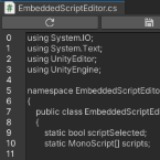
Simple Embedded Script Editor
Edit any .cs script inside Unity.
Price Free
Get it free on Asset Store (opens in new tab)
Affiliate link · Purchases support this site
Price history
Last 6 months
USDAsset preview
1 / 3

Simple Embedded Script Editor screenshot 1


About this asset
Edit any .cs script inside Unity by right-clicking the script > Edit Script... The Embedded Script Editor Window will open inside Unity and show the script content.
ATTENTION: This tool does not provide any kind of IntelliSense or helpers like IDE's, this is just a simple tool to allow quick and easy edits to pieces of the code without the need to open external programs.
From the publisher's Asset Store listing.
Technical details
- You can type new text inside the Window to modify the code, and use Ctrl-Z and Ctrl-Y to Undo and Redo.
- Click the top left button to completely reset the code to the state it was in its last save.
- Click the top right button to save the script and tell Unity to compile.
Compatibility
| Unity version | Built-in | URP | HDRP | Custom |
|---|---|---|---|---|
| 2022.3.20f1 | Compatible | Compatible | Compatible | Compatible |
As listed on the Asset Store.