
 View on Asset Store (opens in new tab)
Package details
- Latest version
- 1.0.0
- Last updated
- First released
- Unity version
- 2022.3.12 or later
- Package size
- 85.3 MB
- Files
- 28
- Views in the past week
- 2
Price tracking
- Last checked
- Tracked since
- Lowest recorded
- $9.99 on
Keywords

Vintage Ammeter Set (Functional)
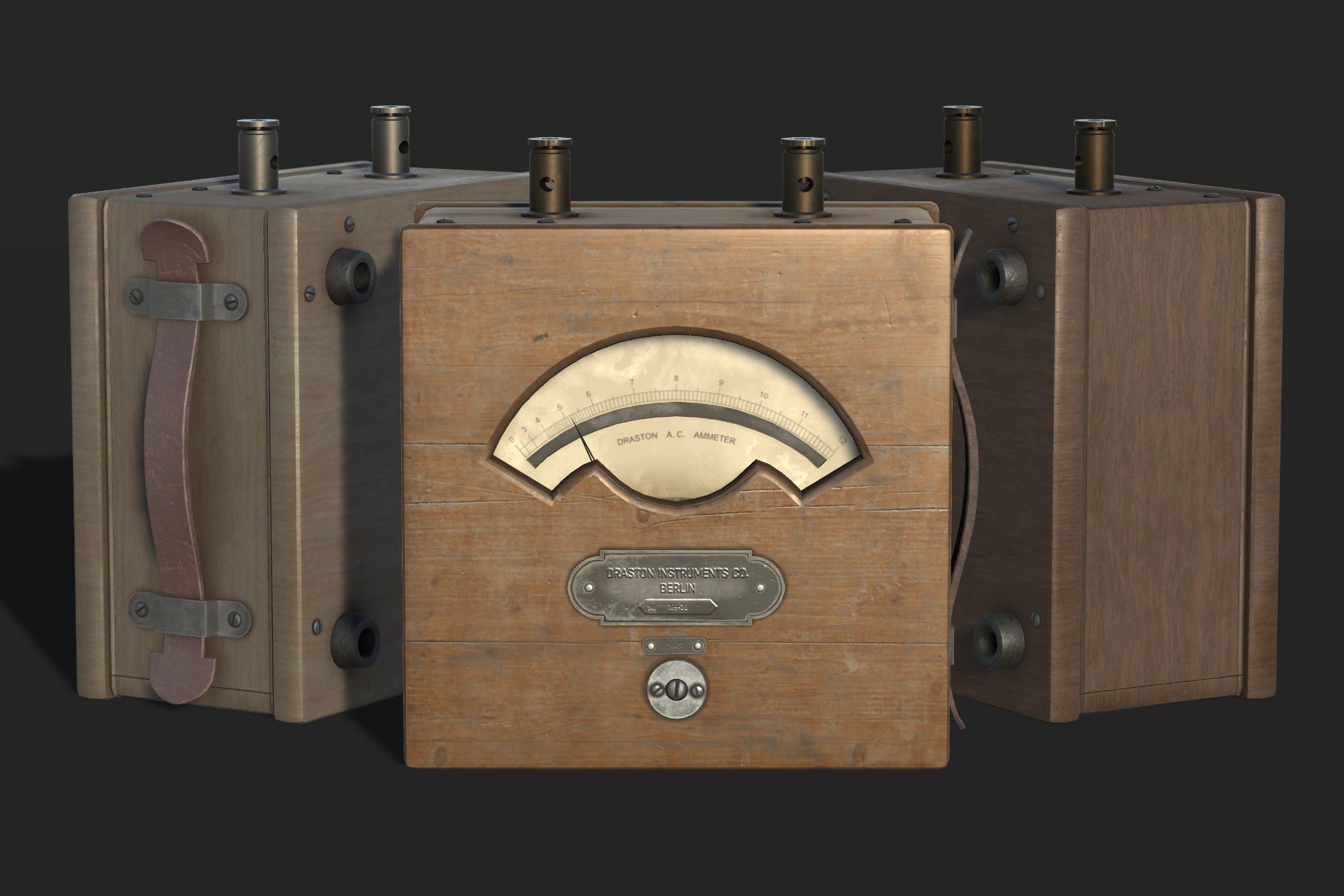
The Vintage Ammeter Set comprises three ammeter models, each featuring a functional ampere indicator with a range spanning from 0 to 12 amperes.
Affiliate link · Purchases support this site
Price history
Last 6 months
USDAsset preview
1 / 10

Vintage Ammeter Set (Functional) screenshot 1


About this asset
Overview
The Vintage Ammeter Set comprises three ammeter models, each featuring a functional ampere indicator with a range spanning from 0 to 12 amperes.
Features
Functional ampere indicator: Set the target ampere value using the targetAmps variable, a public float property ranging from 0 to 12.
Pointer speed: Adjust the speed of the pointer as it moves towards the target ampere value with the pointerSpeed variable. This public float property has a customizable range between 0.05 and 2, where smaller values correspond to higher pointer speeds and vice versa.
Usage
Using Prefab:
- Drag and drop the provided prefab into your scene.
- Adjust the targetAmps and pointerSpeed variables in the Inspector as per your requirements.
Manual Setup:
- Attach the VintageAmmeterPointerValue script to the GameObject representing the vintage ammeter.
- Ensure a child GameObject named "Vintage Ammeter Pointer" is under the main GameObject, representing the rotating pointer. The local position of the pointer is set to Vector3(0, 0.0435f, -0.03343f) by default.
- Adjust the targetAmps and pointerSpeed variables in the Inspector as per your requirements.
Run the scene, and the script will smoothly rotate the pointer towards the specified target ampere value.
Scripting
For dynamic control, externally edit the targetAmp and pointerSpeed variables through your scripts, seamlessly integrating with other game logic. Check the provided sample script in DemoScene.cs, attached to the Plane object in the demo scene, for reference.
From the publisher's Asset Store listing.
Technical details
Meshes:
Vintage Ammeter:
- LOD0: 14292 Vertices, 14560 Triangles
- LOD1: 2450 Vertices, 1548 Triangles
- LOD2: 1168 Vertices, 620 Triangles
- LOD3: 176 Vertices, 91 Triangles
Vintage Ammeter Pointer
- LOD0: 6 Vertices, 6 Triangles
- LOD1-LOD3: Not visible
Vintage Ammeter Collider
- 188 Vertices, 94 Triangles
Prefabs:
3 prefabs featuring distinct materials, with a functional script for the Pointer
Materials:
3 unique materials
Number of textures:
Each material consists of 5 textures (Color with Alpha, Metallic, Normal, Roughness, AO)
Texture dimensions:
4K
Compatibility
| Unity version | Built-in | URP | HDRP |
|---|---|---|---|
| 2022.3.12f1 | Compatible | Not listed | Not listed |
As listed on the Asset Store.