
 View on Asset Store (opens in new tab)
Package details
- Latest version
- 2.1.1
- Last updated
- First released
- Unity version
- 6000.2.10 or later
- Package size
- 25.1 MB
- Files
- 38
- Favorites
- 3
- Views in the past week
- 4
Price tracking
- Last checked
- Tracked since
- Lowest recorded
- $13.00 on
Keywords
Cutscheme
Easily add cinematic moments to your game.
Affiliate link · Purchases support this site
Price history
Last 6 months
USDAsset preview
1 / 5
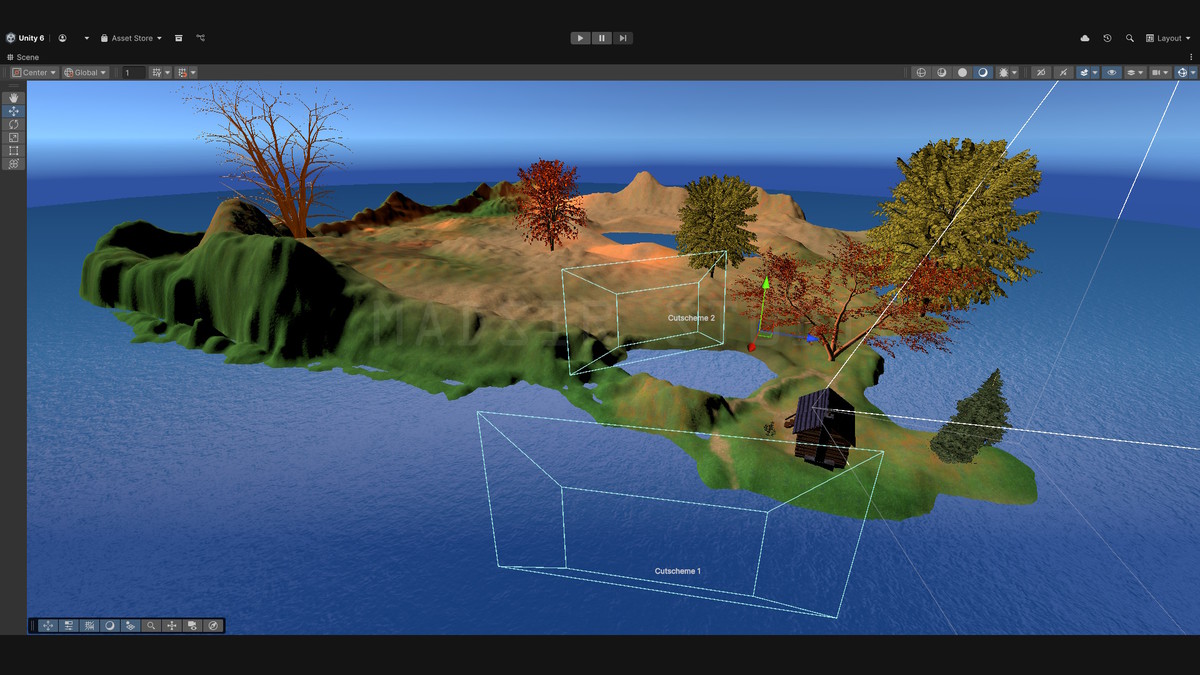
Cutscheme screenshot 1
About this asset
Direct the camera, customize camera shots, apply effects, manage audio, enable skipping, control objects in the scene and much more.
Use prefab cutschemes or easily create your own.
Includes customizable visual effects systems for Built-In and Universal Render Pipelines.
From the publisher's Asset Store listing.
Technical details
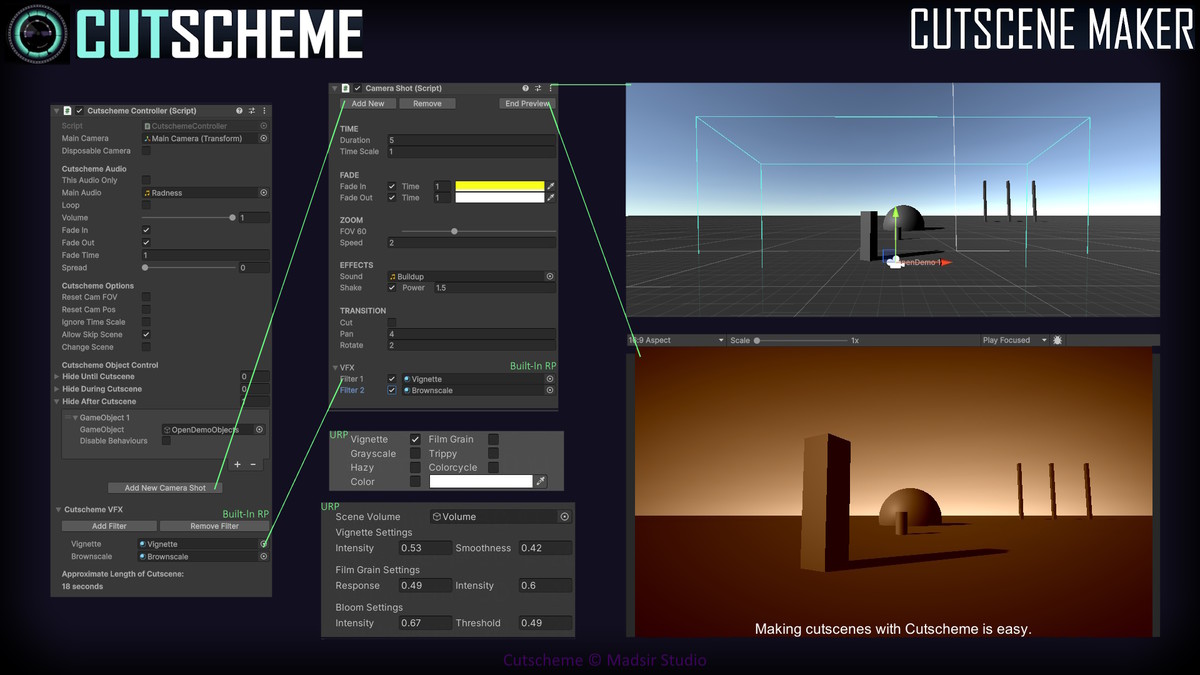
Camera Shot Controls
TIME
Duration of the shot.
Time Scale of the shot.
FADE
Fade in from a custom color at custom speed
Fade out to a custom color at custom speed
ZOOM
Change FOV
Zoom speed
EFFECTS
Play a sound
Shake the camera at custom magnitude
VFX
Choose up to two VFX options for each shot
TRANSITION
Cut Immediately
Pan at speed
Rotate at speed
Cutscheme Controller Component
Camera Options
- Direct a camera (or parent of a camera) through your cutscene using camera shots.
- Disable the cutscene's main camera after the cutscene ends.
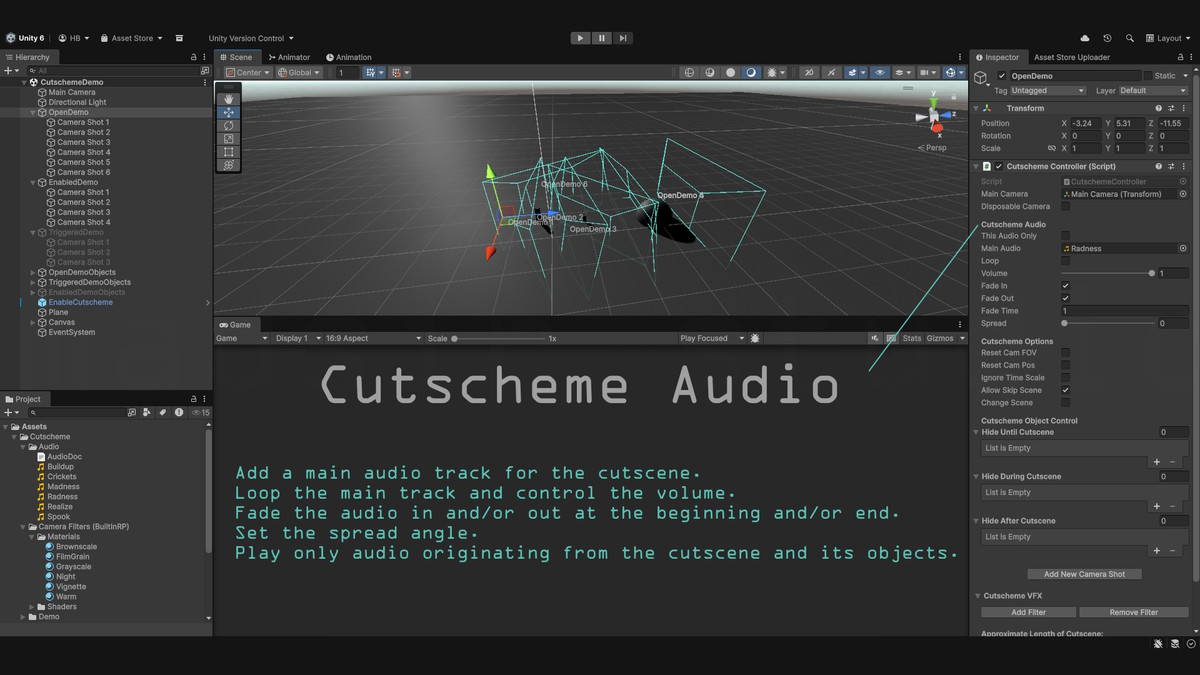
Audio
- Add a main audio track for the cutscene.
- Loop the main track and control the volume.
- Fade the audio in and/or out at the beginning and/or end.
- Set the spread angle.
- Option to only play audio originating from the cutscene and its objects.
Cutscheme Options
- Reset the camera(s) back to their original FOV after the cutscene ends.
- Reset the camera(s) back to their original transforms after the cutscene ends.
- Choose whether the cutscene can be skipped.
- Set the system's timers to ignore time scale.
- Change to a new scene via build index.
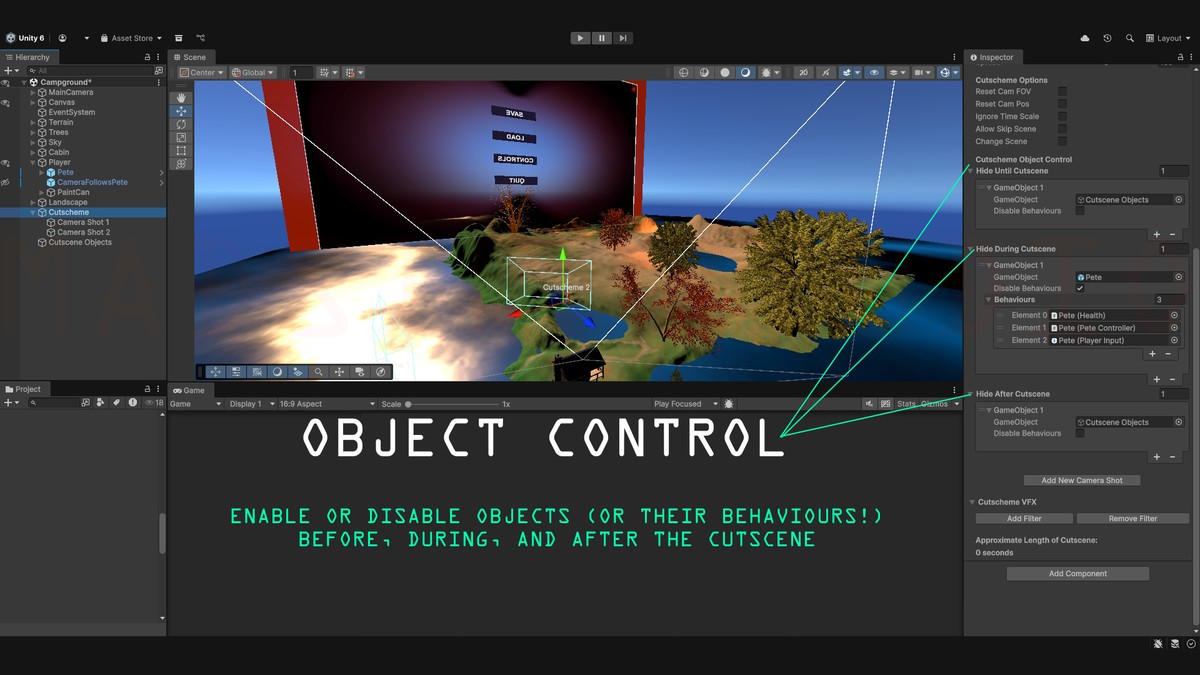
Object Control
Enable or disable objects or their Behaviours before, during, and after the cutscene.
- Objects/behaviours hidden before cutscene will be disabled until the cutscene is enabled at runtime.
- Objects/behaviours hidden during the cutscene are hidden at the start of the cutscene and enabled again after the cutscene.
- Objects/behaviours hidden after the cutscene are disabled after the cutscene ends.
Cutscheme VFX
Built-In RP
Add filters to the system to use during the cutscene.
- Display up to two camera filters at a time during each shot in the cutscene.
- Customize with your own filters (Materials) or use the ones that come with the package.
Cutscheme Filters: Vignette, Film Grain, Warm, Night, Grayscale, Brownscale
URP
Copies the volume you add into the system and uses the copy to create and control effects for the cutscene. After the cutscene, this enables the original volume and removes the copy.
- Display multiple camera effects during each shot in the cutscene.
- Customize the override values for the copy's Vignette, Hazy, Grainy, and Color
Cutscheme Effects: Vignette, Hazy, Grainy, Trippy, Color, Colorcycle, Grayscale
Additional Features:
- User Manual Window
- Helpful Scripts Pack (Trigger/Enable/Disable Objects)
- Cutscheme Audio Pack (6 tracks, featured in Demo video)
Compatibility
If your project does not use Unity's Built-In Render Pipeline, be sure to uncheck the "Camera Filters (BuiltinRP)" folder when installing this package.
As listed on the Asset Store.