
 View on Asset Store (opens in new tab)
Package details
- Latest version
- 1.0
- Last updated
- First released
- Unity version
- 2021.3.27 or later
- Package size
- 383 KB
- Files
- 5
- Favorites
- 19
- Views in the past week
- 12
Price tracking
- Last checked
- Tracked since
- Lowest recorded
- Free on
Keywords
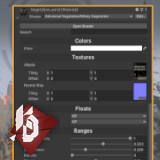
Organized Shader GUI
This GUI provides a material inspector with automated properties grouping. Really easy to add to any shader on any pipeline.
Affiliate link · Purchases support this site
Price history
Last 6 months
USDAsset preview
1 / 6

Organized Shader GUI screenshot 1


About this asset
This GUI for Unity shaders provides a material inspector with automated shader properties grouping.
Features:
- Automatically organize ungrouped material properties by their underlying type (Eg. Textures, Ranges, Floats, etc.)
- Group properties together that follow the convetion [Group GroupName].
- Search for properties
- Display enabled passes.
- “Edit Shader” button that also works with Amplify Shader Editor.
Really useful for Node-based or AI-generated shaders that have a lot of properties exposed.
Adding it to your shaders
The name of the Shader GUI is “KrisDevelopment.OrganizedShaderGUI”. Placing this string in the Custom Shader GUI field of Amplify or as CustomEditor in your HLSL code will draw the shaders with it.
Custom grouping
Groups are defined directly in the property’s public name. For example, a property named [Group World-Blend-Options] "World blend enabled" will appear as part of a new World-Blend-Options group. Supports only one word for the group name, deeming hyphens necessary if the words are compound.
Also open source and available on GitHub -> KrisDevelopment/OrganizedShaderGUI
From the publisher's Asset Store listing.
Technical details
BRP, HDRP, URP, SRP, Amplify, Shader Graph supported.
Compatibility
| Unity version | Built-in | URP | HDRP | Custom |
|---|---|---|---|---|
| 2021.3.27f1 | Compatible | Compatible | Compatible | Compatible |
As listed on the Asset Store.