
 View on Asset Store (opens in new tab)
Package details
- Latest version
- 1.2.0
- Last updated
- First released
- Unity version
- 2019.4.9 or later
- Package size
- 4.2 MB
- Files
- 29
- Favorites
- 8
- Views in the past week
- 4
Price tracking
- Last checked
- Tracked since
- Lowest recorded
- Free on
Keywords

TMG Editor Tools
- Price drop
Search script contents, backup local files, find any thing. Keep track of your time used in editor. Test different resolutions and aspect ratios. View and edit PlayerPrefs. Custom debug logs. +More!
Affiliate link · Purchases support this site
Price history
Last 6 months
USDAsset preview
1 / 10

TMG Editor Tools screenshot 1



About this asset
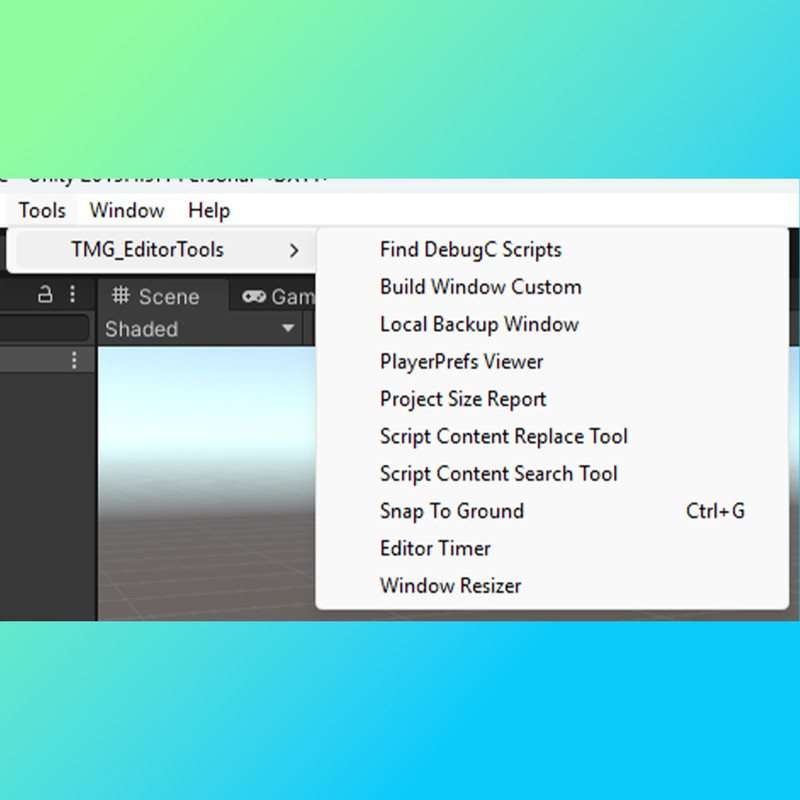
TMG Editor Tools comes with 10+ editor tools to keep your workflow flowing!
1. Script Content Search Tool
Ever stuggled to find what script you used a global variable in? What about PlayerPrefs? The Script Content Search tool lets you search the contents of your project for specific strings. Useful for finding scripts you need to recall. Ignores case sensity and "exact" string matches so you can find that exact script or document you've been missing!
2. Window Resizer Tool
Ever had trouble with getting the right resolutions scaling? Having to build just to see if the UI elements are correct? No more, just use the Window Resizer tool to resize the game window to any popular gaming aspect ratio. Changing the game view outside of the scene view forces the canvas into a new aspect ratio allowing you to edit canvas elements as if you had your very own 21:9 monitor.
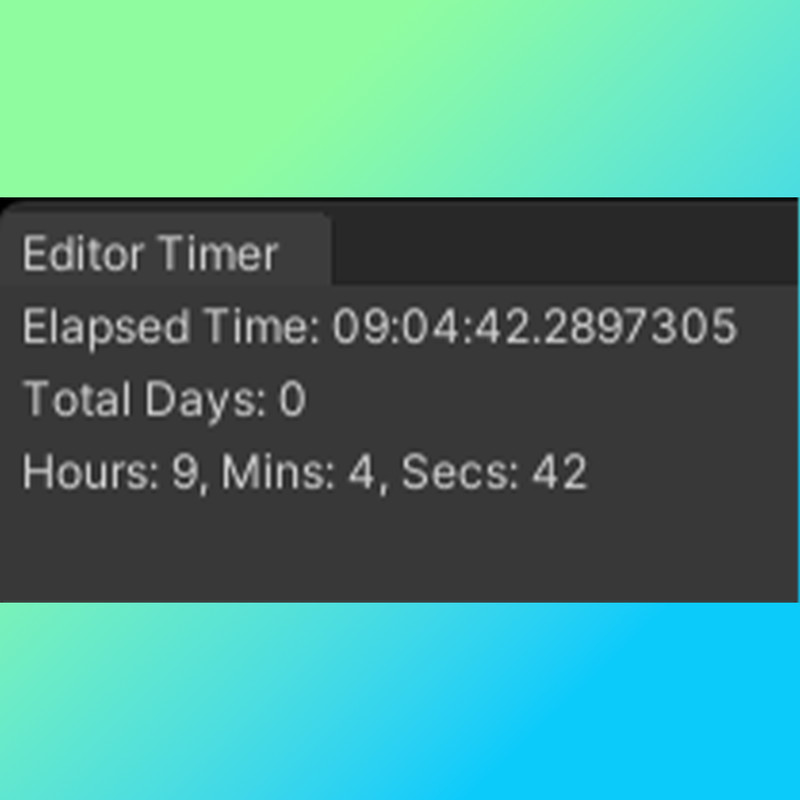
3. Editor Timer Tool
Every wondered JUST how many hours you've spent on your unity project? Use the Editor Time Tracker too keep track of every minute, second, and total days you've spent on your project.
4. Snap To Ground Tool
Got lots of objects you need positioned on terrain or other types of ground? The Snap To Ground tool lets you snap objects to any ground position easily and quickly!
5. PlayerPrefs Viewer Tool
Tired of looking for PlayerPrefs? Look no more! Use the PlayerPrefs Viewer tool to view all PlayerPrefs used in your project! Quickly edit and change the values via editor window!
*NOTE: PlayerPrefs viewer does NOT access registry and will only allow you to view and edit prefs that are found in the game assets scripts
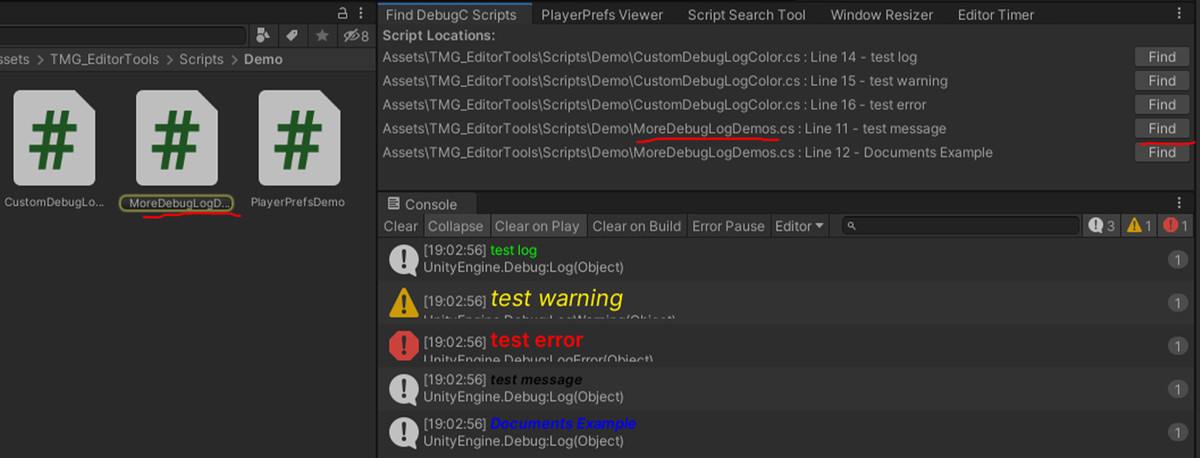
6. Custom Debugs
Tired of plain old debugs? Need colors to sort through them faster? Custom debugs allows you to simply use the DebugC class to make custom debugs! Use "DebugC.Log("Example" Color.red, true, true, 18)" To make a custom debug log that has a red color, bold enabled, italic enabled, and font size set to 18 (in that order).
7. Project Size Report:
Get the current project file size without having to leave your editor!
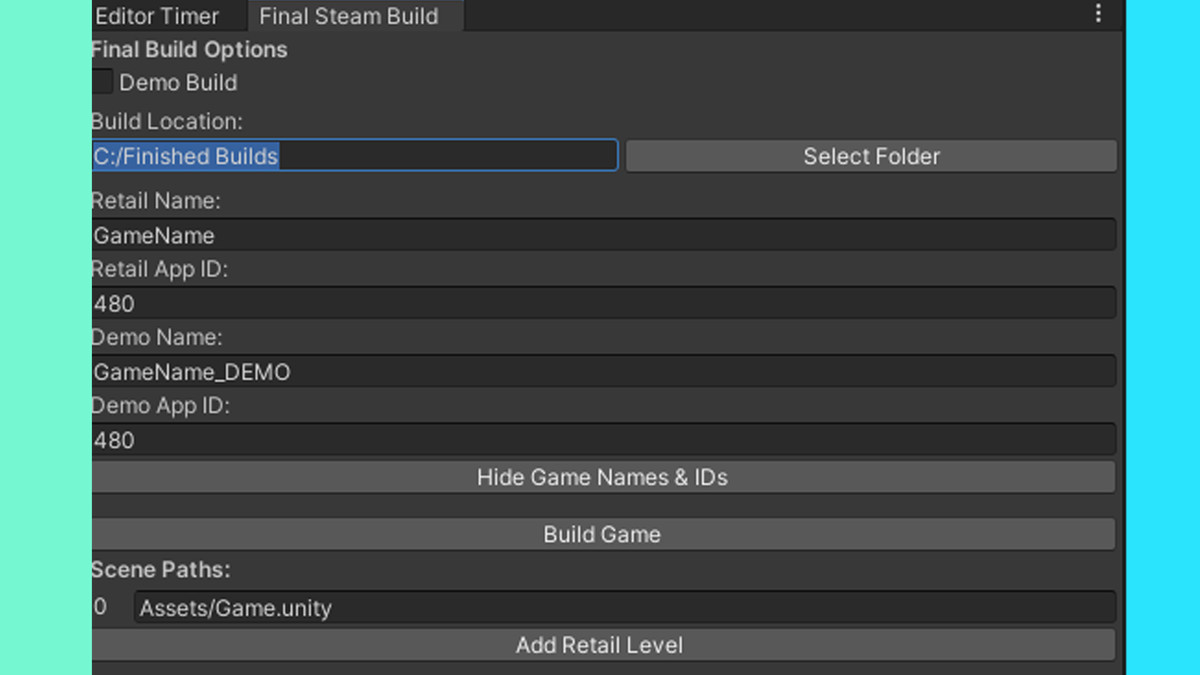
8. Steam Final Build:
Builds game with settings for steam & demo and saves them to files for re-use.
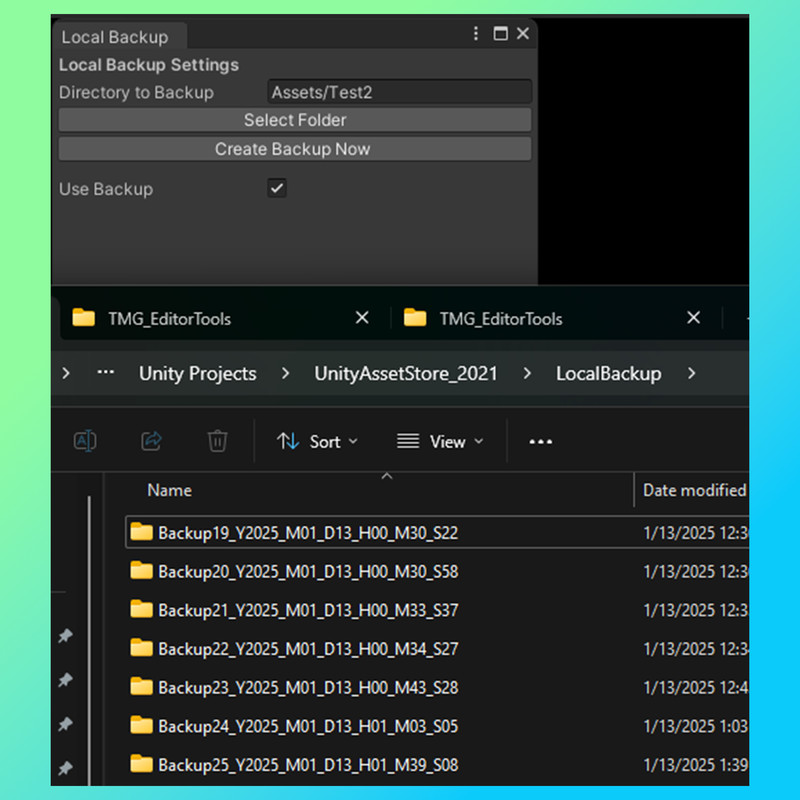
9. Local Backup Tool:
Backup files locally to your existing unity project, when the editor exits, you'll be asked if you'd like to backup files or not.
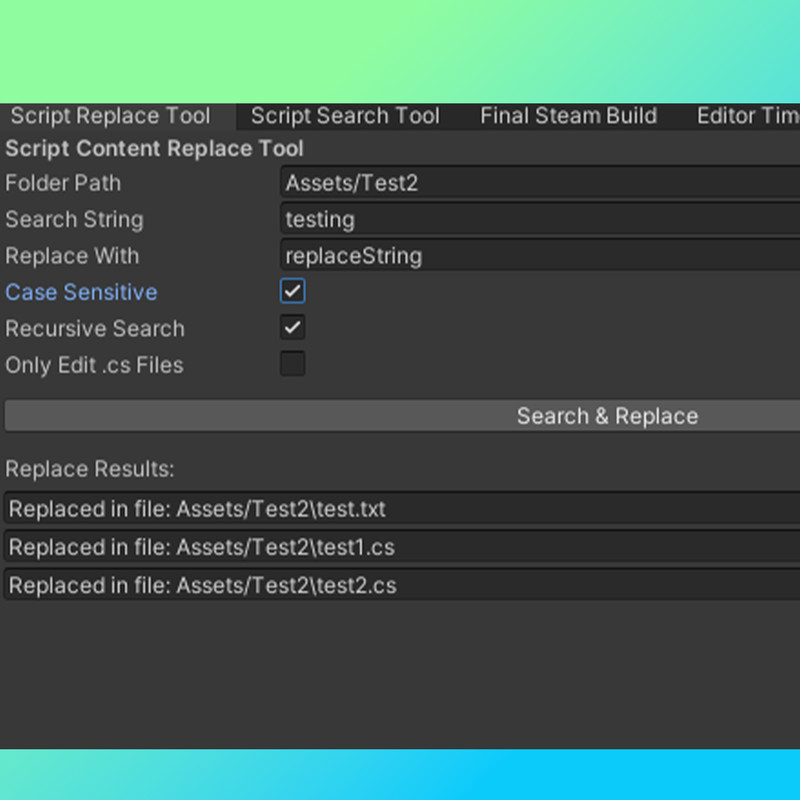
10. Script Replace Tool:
Automagically update all scripts or text files using a search string and a replace string to replace the "original" search string. This allows you to easily, and quickly replace the same variable or string across multiple scripts. Perfect for upgrading "FindObjectOfType" to "FindObjectByType" ect, for Unity 6!
11. Build Log Tool:
Automatically makes a "BuildLog.txt" in your project folder that displays all used and unused assets and their size (from largest to smallest). You can modify the settings and have it auto open on build by opening the Build Log window and leaving its tab open somewhere in the editor. Perfect for debloating your project, and final build!
12. Replace Scene Obj sWith Prefab:
Replaces selected scene objects with a prefab of choice
From the publisher's Asset Store listing.
Technical details
-Finds contents of scripts or other files
-Keeps track time used in editor
-Window re-sizing for testing aspect ratios or custom resolutions without building
-Snap objects to ground or terrain
-View and edit PlayerPrefs without accessing registry
-Custom debug logs using DebugC class
-Report project file sizes without leaving editor
-Replace scene objects with prefab
Compatibility
| Unity version | Built-in | URP | HDRP |
|---|---|---|---|
| 2021.3.2f1 | Compatible | Compatible | Compatible |
| 2019.4.9f1 | Compatible | Compatible | Compatible |
As listed on the Asset Store.