
 View on Asset Store (opens in new tab)
Package details
- Latest version
- 2.0
- Last updated
- First released
- Unity version
- 6000.0.43 or later
- Package size
- 344 KB
- Files
- 15
- Favorites
- 17
- Views in the past week
- 8
- Requires
Price tracking
- Last checked
- Tracked since
- Lowest recorded
- $4.99 on
Keywords
Integration of Google Play Games for PlayMaker
- Price drop
Integration of custom Google Play Games actions for PlayMaker! Integration of custom actions to use Google Play Games services using PlayMaker visual scripting.
Lowest recorded price
Get 50% off on Asset Store (opens in new tab)Affiliate link · Purchases support this site
Price history
Last 6 months
USDAsset preview
1 / 3
Integration of Google Play Games for PlayMaker screenshot 1
About this asset
playMaker + Play Games
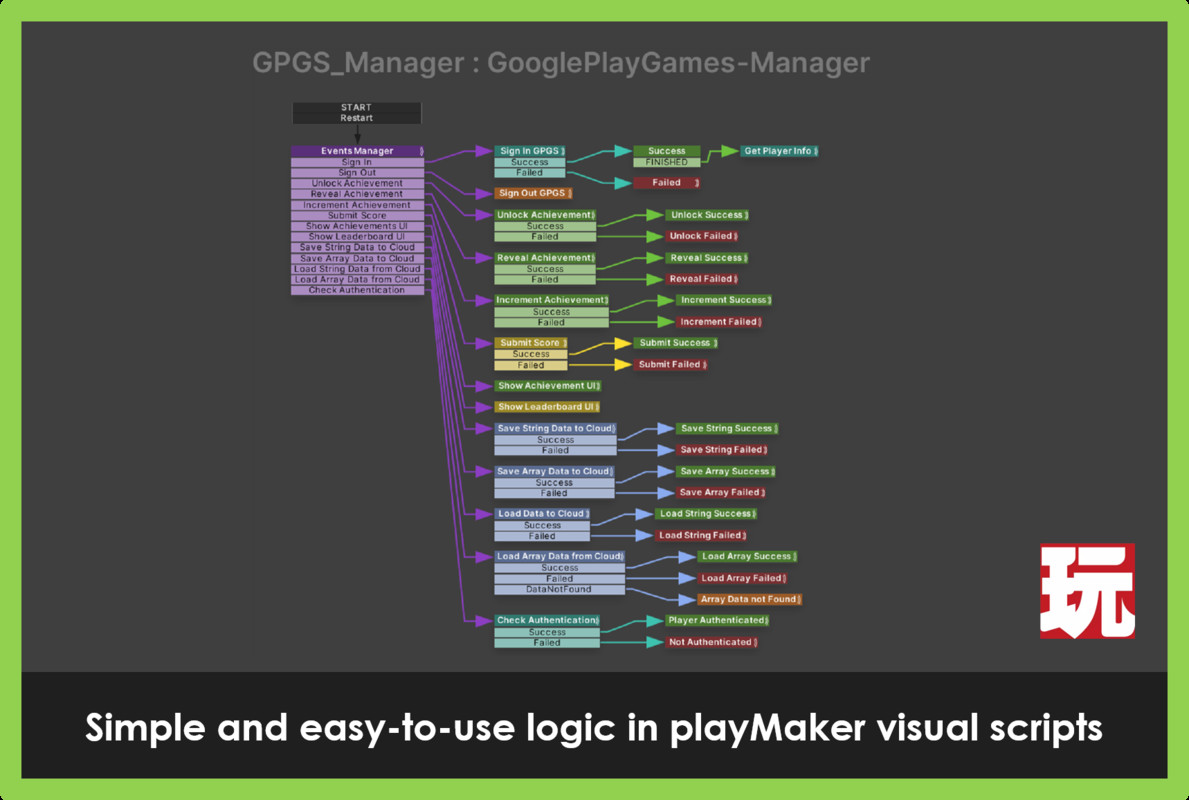
This is an asset for Unity that integrates Google Play Games with Playmaker, the popular visual scripting plugin. With this asset, you can easily add social and save features to your Unity games, using custom actions that integrate seamlessly with Playmaker.
It's easy to use 😯😎
No code, just custom PlayMaker actions!
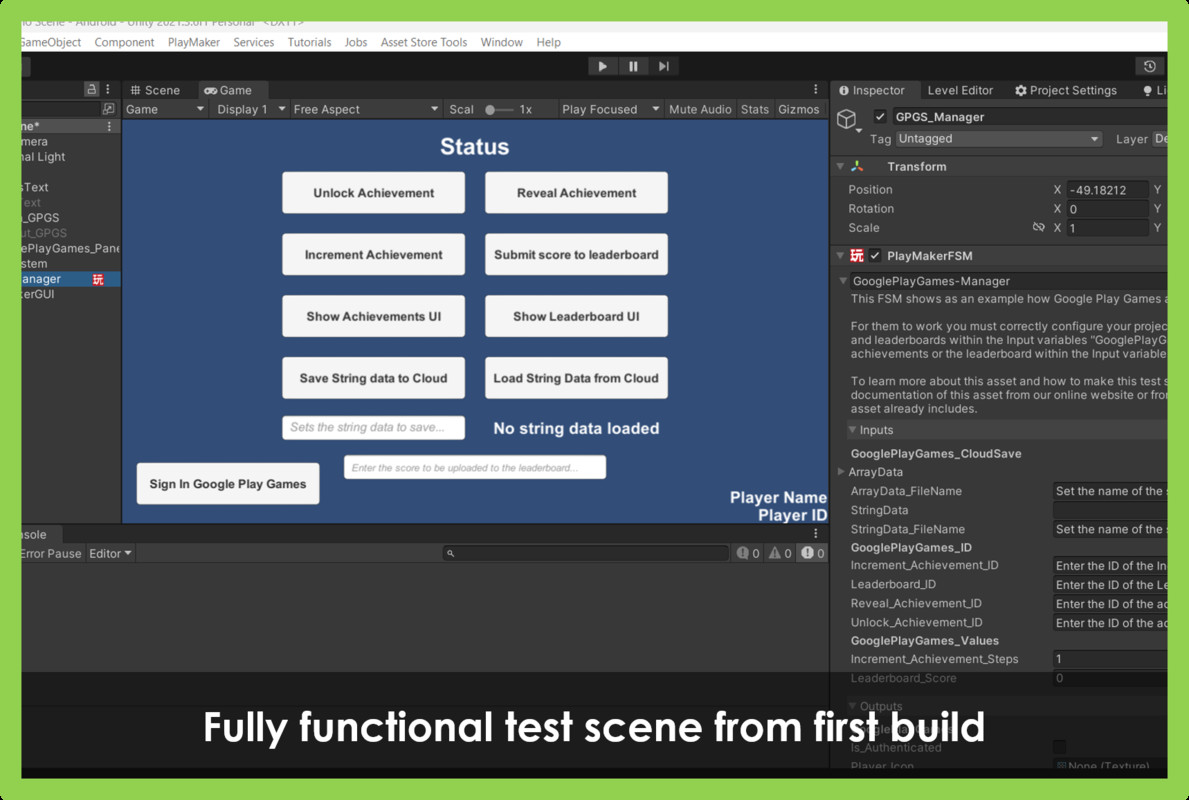
Scene with examples and documentation 😏👌
The package includes a scenario with example buttons to see how the Asset works and a PDF with complete documentation of the asset for its installation and correct use. You can also see the complete and most updated documentation of the asset on our website.
Full source code included 😯❗
If you like it, please remind others to buy the plugin. Don't just copy and paste it everywhere. Thank you. 😄
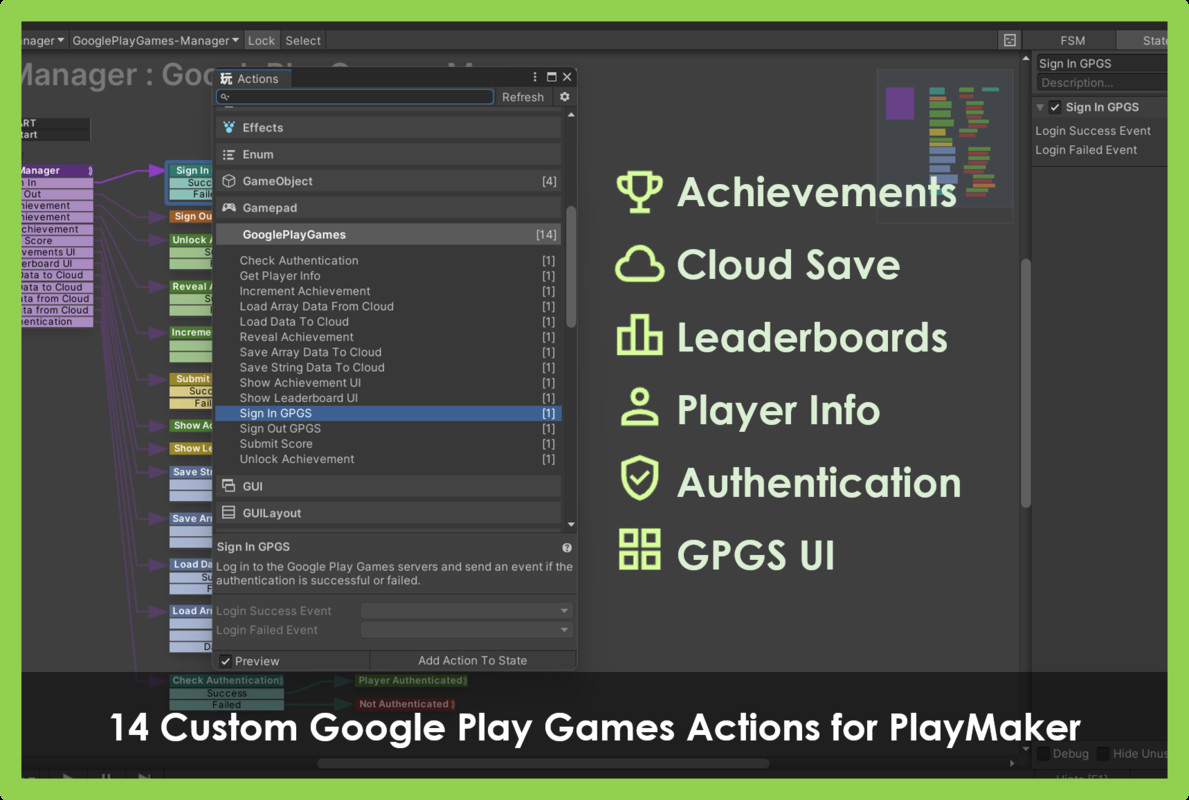
This asset includes 13 custom Google Play Games actions that allow you to:
- Unlock achievement: This action allows you to unlock a specific Google Play Games achievement, indicating its ID.
- Reveal achievement: This action allows you to reveal a hidden Google Play Games achievement, indicating its ID.
- Increase achievement: This action allows you to increase the progress of an incremental Google Play Games achievement, indicating its ID and the number of steps you want to add.
- Upload score to leaderboard: This action allows you to upload the user's score to a specific Google Play Games leaderboard, indicating their ID and the score value.
- Show Achievements UI: This action allows you to display the native Google Play Games UI with the game's achievements list.
- Show Leaderboard UI: This action allows you to display the native Google Play Games UI with the game's leaderboard.
- Show user information: This action allows you to obtain and display the information of the user who is logged in to Google Play Games, such as their name, ID, and profile photo.
- Sign in: This action allows you to sign in to Google Play Games.
- Verify User Authentication: This action allows you to verify whether the user is authenticated in Google Play Games or not, returning a boolean value indicating the status of the authentication and sending an event based on the result.
- Save String or array data in the cloud: This action allows you to save String or array data in the Google Play Games cloud, indicating its key and value. The data will be saved associated with the user's profile and will be automatically synchronized between their devices.
- Load String or array type data to the cloud: This action allows you to load String or array type data from the Google Play Games cloud, indicating its password. The data will be obtained from the user's profile and automatically updated between their devices.
These actions are being developed to be compatible with version v2.0.0 of the Google Play Games SDK plugin for Unity and are very easy to use. Just drag them into your PlayMaker states and configure their parameters. In addition, this asset includes complete documentation with the description and use of each action, and several practical examples that show you how to implement the most common functionalities.
This asset was designed from scratch for the development of our game Too late! Download it now and test its functionality live! Download here
If you want to use Google Play Games in your Unity games with Playmaker, this is the resource you need. You can see more information and documentation on our website: www.zadkielstudios.com
Complete documentation of the asset:
Zadkiel Studios© - GPGS + PlayMaker - Documentation
⚠️ Please read the technical details below ⚠️
From the publisher's Asset Store listing.
Technical details
- You need to have PlayMaker to use this asset.
- It is necessary to have the Google Play Games Services Plugin for Unity SDK installed in version v2.0.0. Not compatible with older SDK versions.
- You must have previously configured your project with Google Play Games services, licenses and certificates for its correct functioning.
WARNING: Make a backup before importing or updating the package to a new version.
Complete documentation of the asset:
Compatibility
| Unity version | Built-in | URP | HDRP |
|---|---|---|---|
| 6000.0.43f1 | Compatible | Compatible | Compatible |
As listed on the Asset Store.