
 View on Asset Store (opens in new tab)
Package details
- Latest version
- 1.5.5
- Last updated
- First released
- Unity version
- 2020.3.48 or later
- Package size
- 1.7 MB
- Files
- 208
- Favorites
- 129
- Views in the past week
- 14
Price tracking
- Last checked
- Tracked since
- Lowest recorded
- $13.75 on
Keywords

Smooth Shake Pro
- Price drop
Make any camera, object, rigidbody, light, material property or even a controller, shake any way you want within minutes! Includes a preview window, custom timeline track and over 50 presets.
Affiliate link · Purchases support this site
Price history
Last 6 months
USDAsset preview
1 / 13

Smooth Shake Pro screenshot 1




About this asset
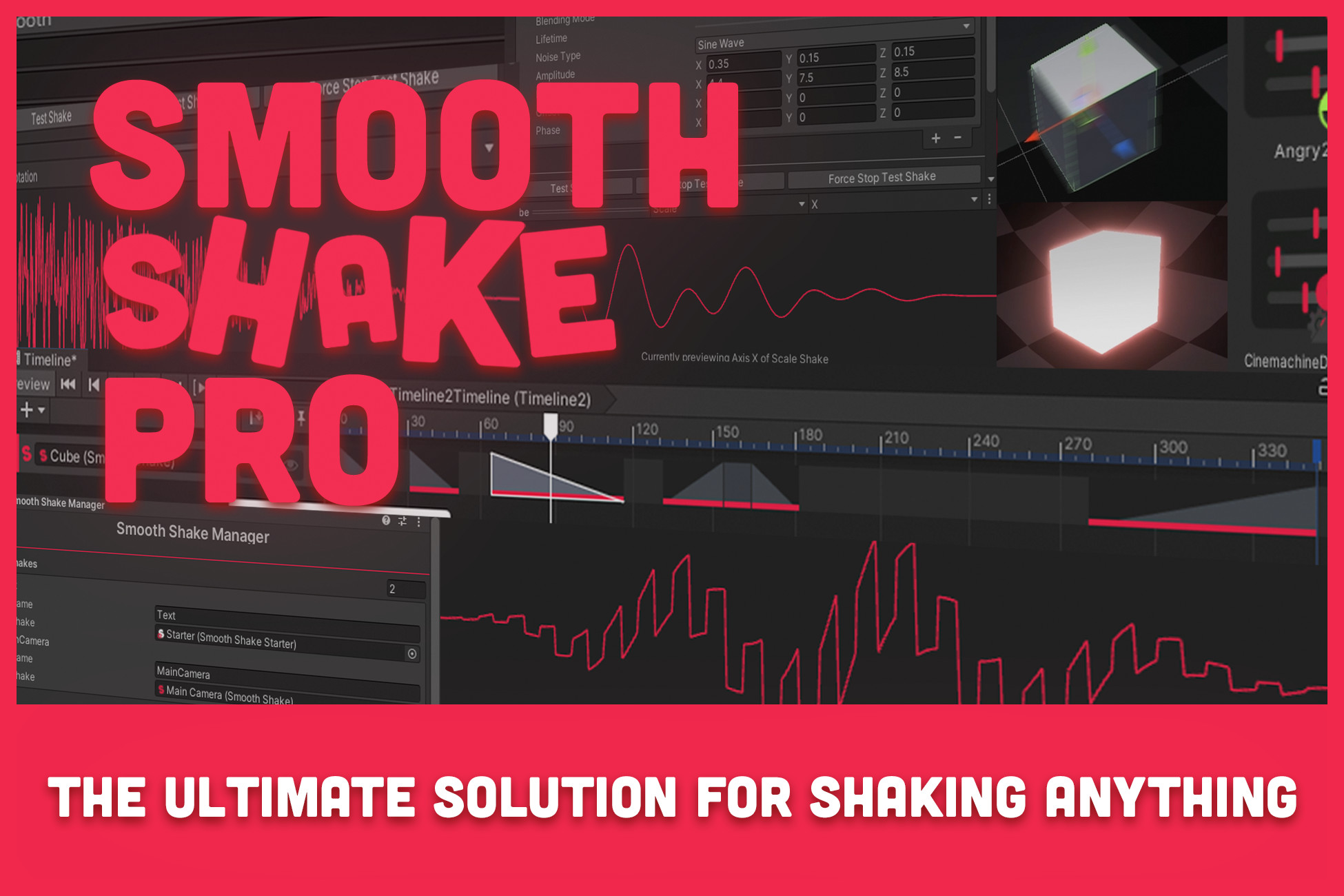
Smooth Shake Pro is the ultimate solution for making anything shake.
You can shake position, rotation, scale, camera's FOV, rigidbodies with force and torque, material vector and float properties, cinemachine camera's, UI elements and in all dimensions (2D or 3D).
And after recent updates, you can now shake light intensity and range, audio source volume, pan & pitch and even gamepads.
Smooth Shake Pro gives you full artistic freedom over shakes.
You can customize and save presets with a single click and preview your shake within a preview window.
Presets can be used to control multiple shakes at once and tweak and test shakes in runtime without losing changes.
If you don't want to spend too much time customizing, you can start with any of the over 50 included presets.
If you want more control over timing or make it shake inside cutscenes or sequences, Smooth Shake Pro includes a custom timeline track that allows you to tweak and blend shakes right inside the timeline. Add and control them just like you would any other timeline elements!
Smooth Shake Pro works with a flexible list of shakers that allow you to blend multiple shakers with various noise types and blending modes.
Noise types:
Sine Wave, White Noise, Brownian Noise, Perlin Noise, Gaussian Noise, Square Wave, Sawtooth, Triangle Wave, Constant, Custom curve
Blending modes:
Add, Multiply, Subtract, Average, Max, Min, Magnitude Blend
All shakers have individual lifetime, amplitude, offset, frequency, phase (and other noise specific settings) that allow for the creation of any possible shake you want that fits with your desired style and feel.
To use shakes in game, Smooth Shake Pro offers various helper scripts, such as the Manager that allows you to store references and name shakes to simply start any shake from there, or the Starter that allows you to group shakes to test and tweak them as one.
Check out the full showcase / tutorial if you want a more in depth overview.
Or read the documentation online here.
Smooth Shake Pro has been tested & confirmed to be working from version 2020 onwards.
From the publisher's Asset Store listing.
Technical details
- Position, Rotation & Scale shake
- Camera FOV shake
- Cinemachine compatibility
- Rigidbody compatibility (Force & Torque)
- Material property compatibility (Vectors & Floats)
- Light compatibility (Intensity & Range)
- Audio Source compatibility (Volume, Stereo Pan & Pitch)
- Gamepad compatibility (Low frequency & High frequency motor) (requires input system)
- (EXPERIMENTAL) XR Controller compatibility (Light and left controller) (requires XR interaction toolkit)
- Preview window
- Custom fade in, hold duration and fade out settings
- Infinite shake option
- Loop option
- Timescale settings
- Ability to layer and blend shakes with 8 noise types and 7 blending modes
- Custom timeline track that simulates shakes and allows for custom blending and timing (works like any other timeline track)
- Manager script to store scene references and organize them. Can be used to call any shake from there
- Starter script to group, test and tweak multiple shakes as one or incrementally add values
- Randomizer to randomize frequency and / or phase values of multiple shakes for quick organic variety
- Hover Shake
- Custom preset system with a button to save current settings as a new preset
- Presets as scriptableobjects that can be tweaked in runtime without losing changes, and can be used by any number of shakes to control all their settings at once
- Over 50 presets already included
Compatibility
| Unity version | Built-in | URP | HDRP | Custom |
|---|---|---|---|---|
| 6000.0.25f1 | Compatible | Compatible | Compatible | Compatible |
| 2023.2.20f1 | Compatible | Compatible | Compatible | Compatible |
| 2022.3.62f2 | Compatible | Compatible | Compatible | Compatible |
| 2021.3.43f1 | Compatible | Compatible | Compatible | Compatible |
| 2020.3.48f1 | Compatible | Compatible | Compatible | Compatible |
Smooth Shake is compatible and tested with all render pipelines. Confirmed to be working in 2020, 2021, 2022, 2023 & 6 versions (contact me if you want it tested in other versions.)
Includes 3 demo scenes, a basic one for built-in and the 3D & 2D shaking text demo (from the trailer) which were made with URP.
As listed on the Asset Store.