
 View on Asset Store (opens in new tab)
Package details
- Latest version
- 1.0
- Last updated
- First released
- Unity version
- 2021.3.27 or later
- Package size
- 4.1 MB
- Files
- 303
- Views in the past week
- 7
Price tracking
- Last checked
- Tracked since
- Lowest recorded
- $24.99 on
Keywords

Essential Attributes
A powerful collection of custom attributes to enhance your Unity Inspector — improve readability, prevent human error, and streamline workflows.
Affiliate link · Purchases support this site
Price history
Last 6 months
USDAsset preview
1 / 7
Essential Attributes screenshot 1
About this asset
Essential Attributes is a lightweight yet powerful toolkit of Inspector-level attributes designed to make your Unity workflow faster, clearer, and safer — without writing any custom editor code.
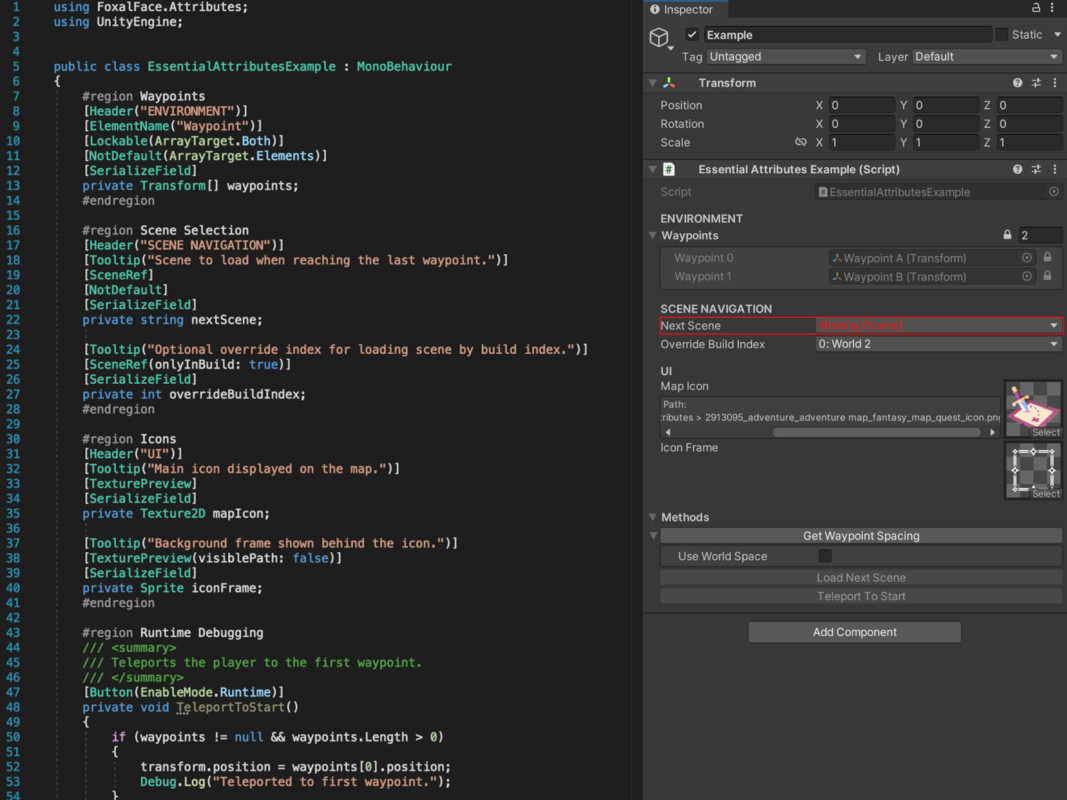
Each attribute focuses on solving common everyday needs: running methods from the editor, catching default values, previewing textures, locking sensitive fields, or selecting scenes from dropdowns. Everything is tightly integrated into Unity’s native look & feel and supports advanced usage with arrays, nested types, and serialized objects.
Ideal for developers, designers, and technical artists working on tools, UI, gameplay logic, or prefab-heavy systems.
⚙️ Included Attributes
- 🧩 [Button]
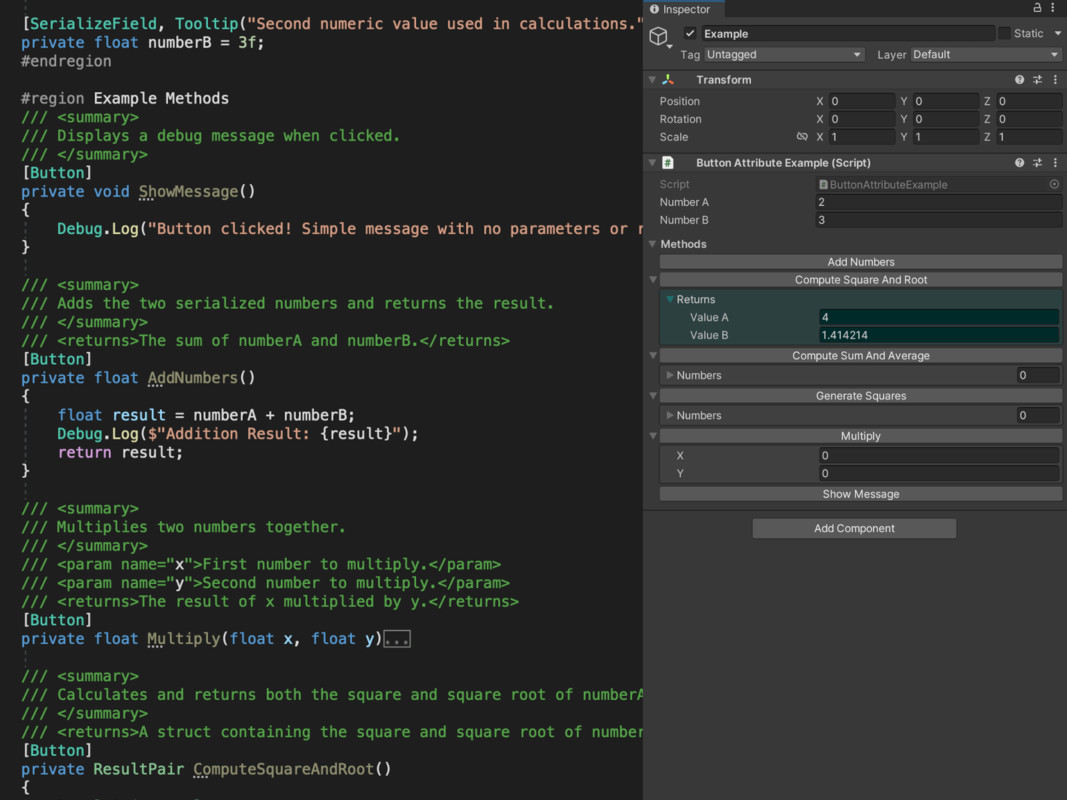
Draws buttons in the Inspector to invoke methods — supports parameters, return values, tooltips from XML docs, and persistent parameter memory.
Grouped neatly under a foldout and toggleable for Editor/Runtime. - 🔒 [Lockable]
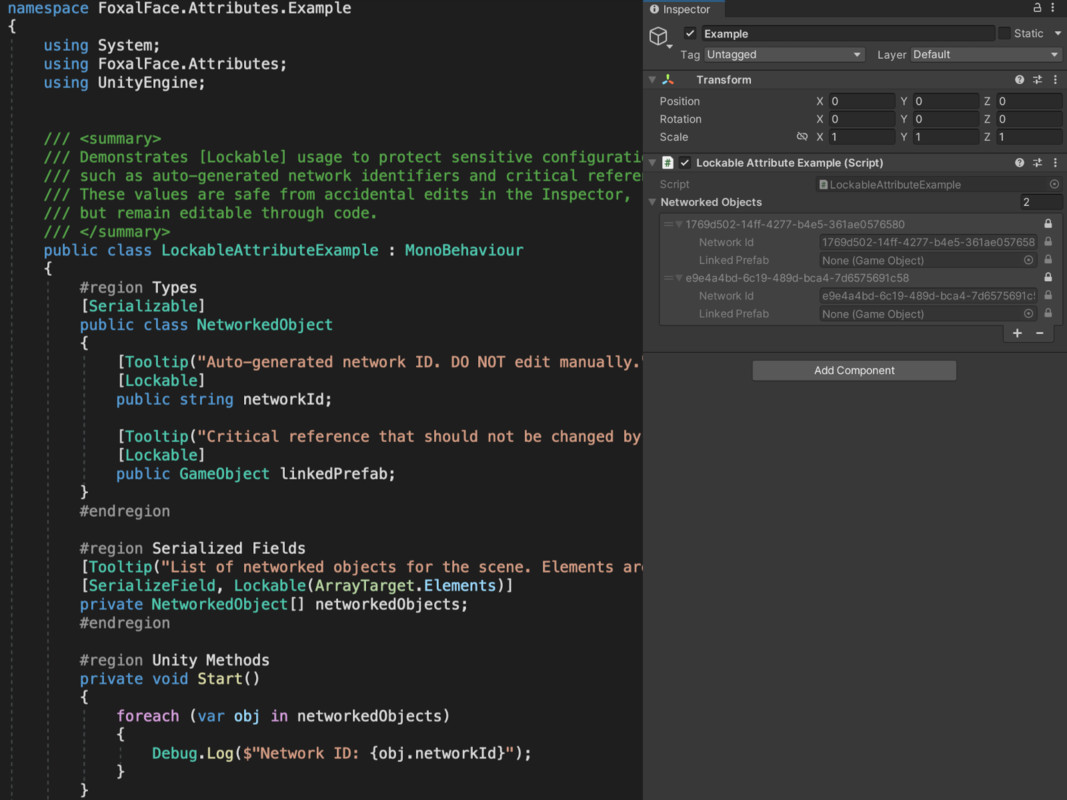
Adds a padlock to serialized fields, making them read-only in the Inspector.
Supports arrays/lists and gives you control over locking elements, header, or both. - 🚫 [NotDefault]
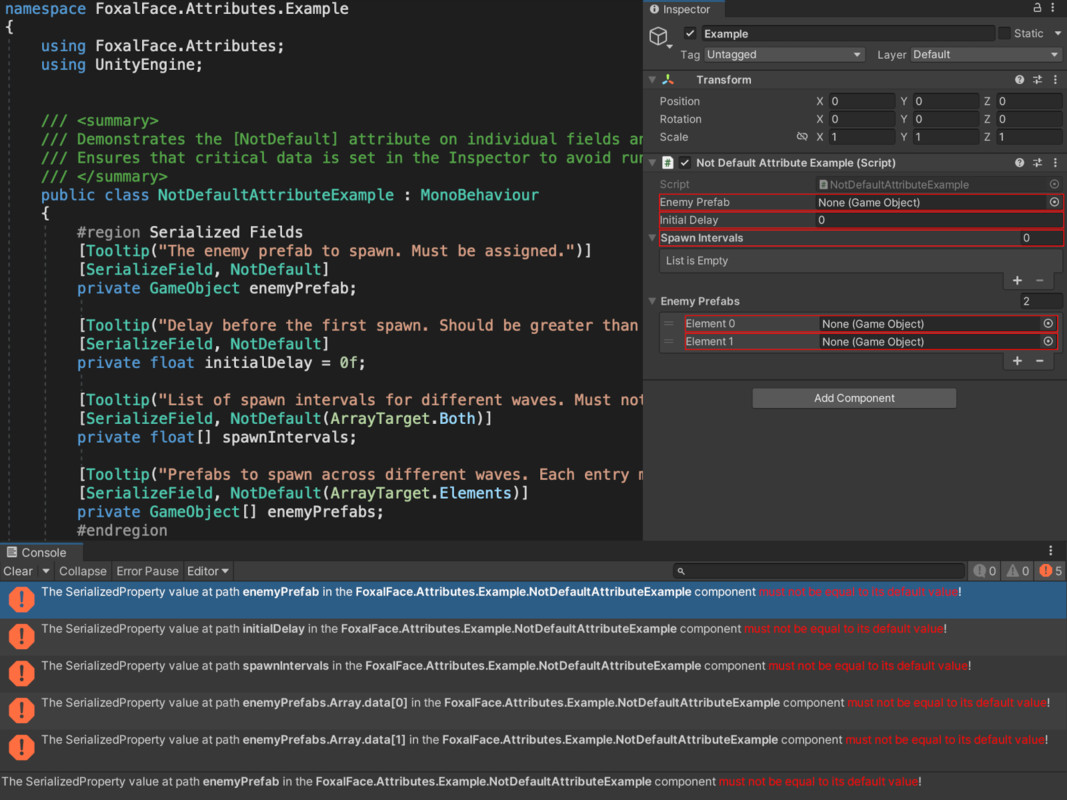
Highlights fields that remain at their default value with a red outline and logs an error in the Console.
Recursive support for nested structs/classes and arrays, with manual or auto-check options. - 🎯 [SceneRef]
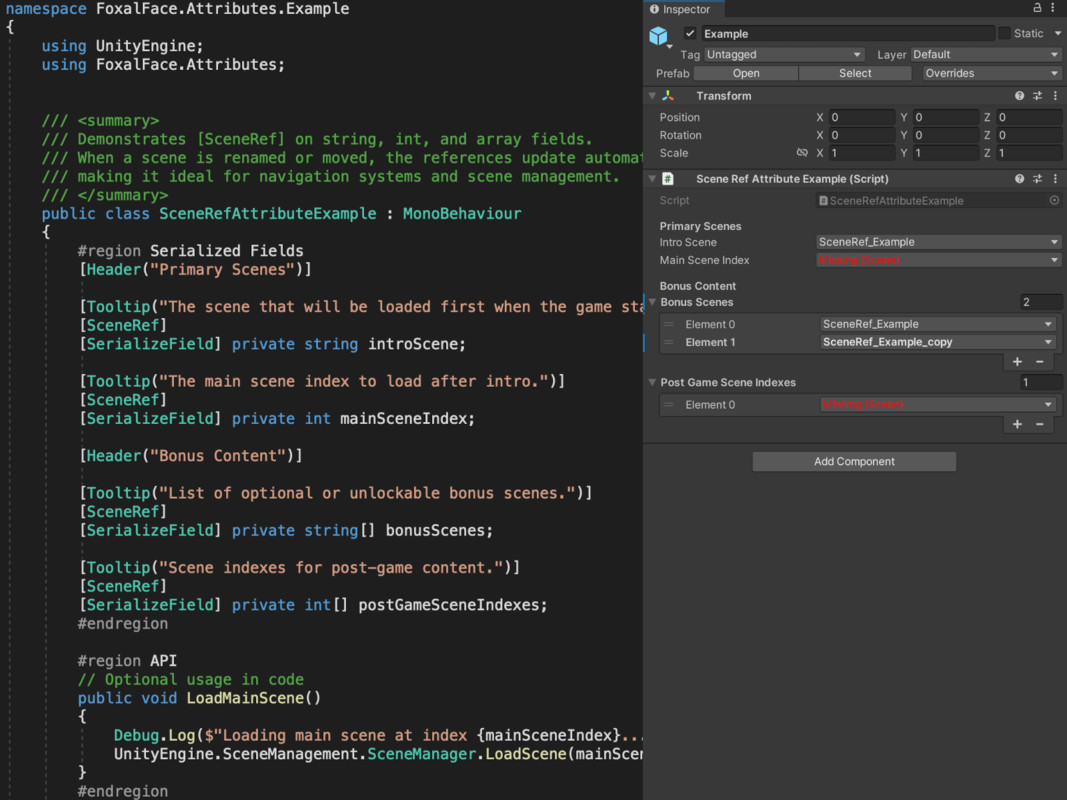
Replaces string or int fields with scene pickers.
Automatically keeps paths in sync across prefabs/scenes with a smart broadcasting system. - 🖼️ [TexturePreview]
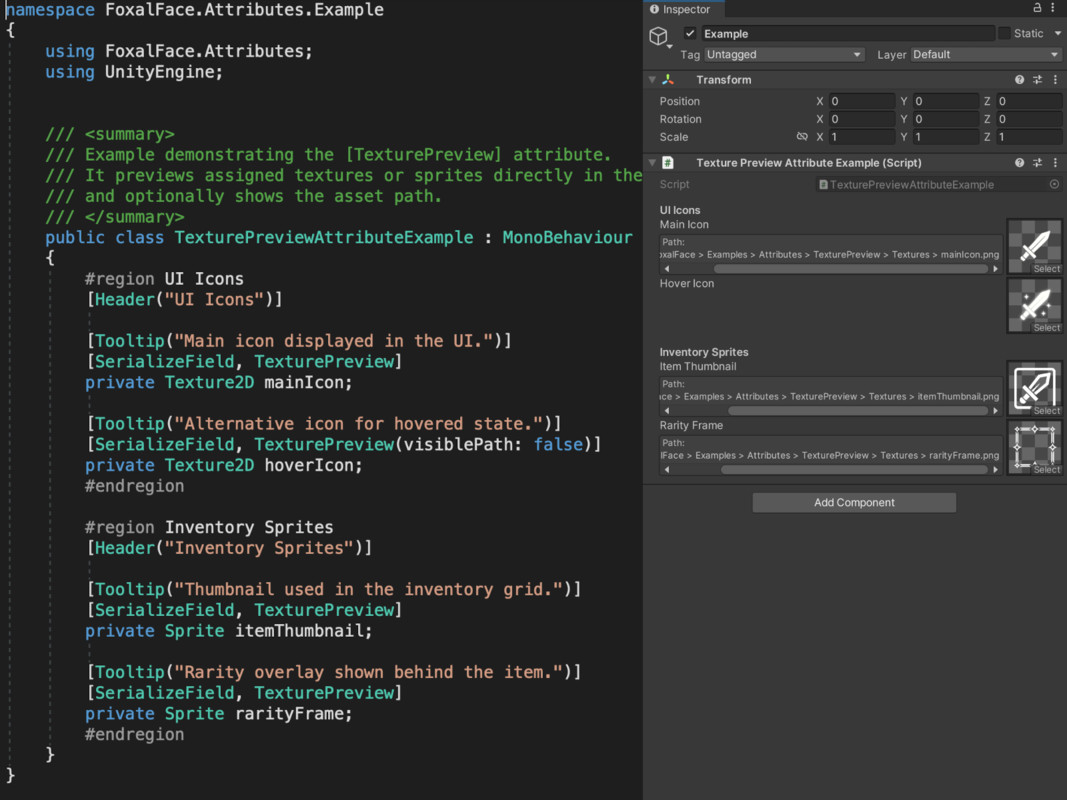
Renders a visual preview of any assigned Texture2D or Sprite, optionally showing the asset path. - 🏷️ [ElementName]
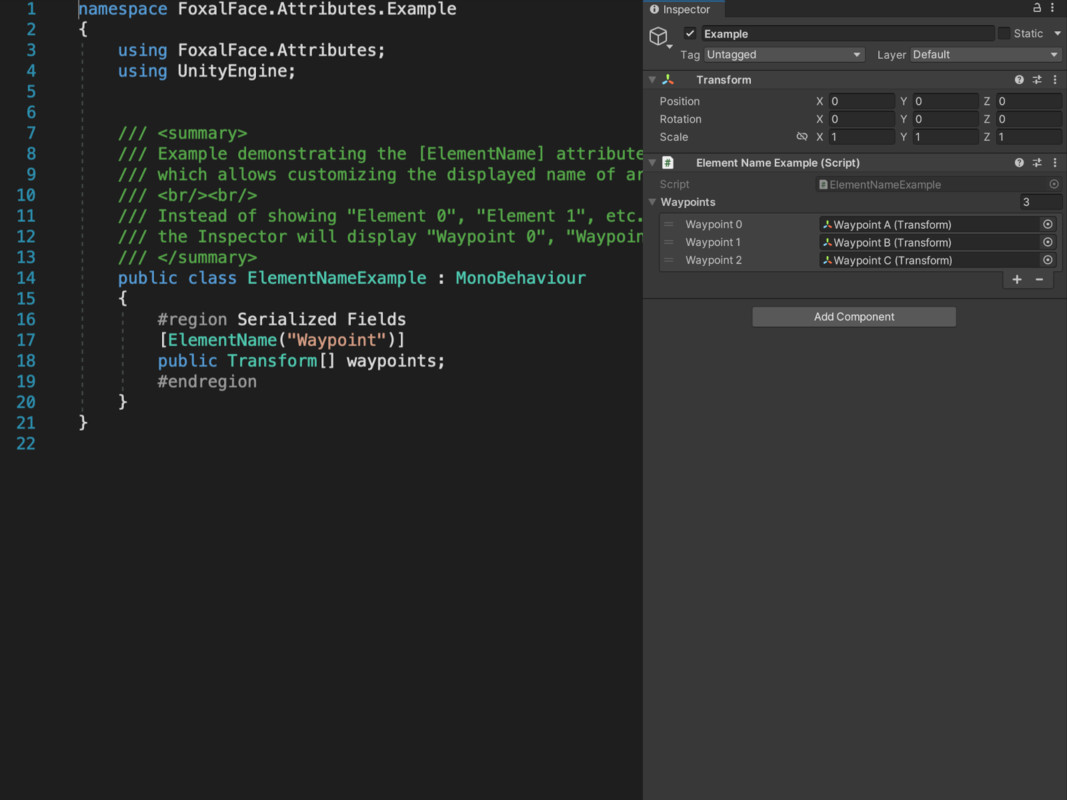
Customize how Unity labels array/list elements in the Inspector (Element 0 → Waypoint 0).
💡 Try Before You Buy
Two attributes — [ElementName] and [TexturePreview] — are available for free on the Unity Asset Store.
Each other attribute is also available as a standalone package if you only need one specific tool.
From the publisher's Asset Store listing.
Technical details
- 6 purpose-built attributes to enhance Inspector workflow:
・[Button] — Invoke methods from Inspector (parameters, return values, XML tooltips)
・[Lockable] — Lock fields and arrays to prevent accidental edits
・[NotDefault] — Detect and highlight default values with visual and console warnings
・[SceneRef] — Scene dropdowns for string or int fields (auto-sync system)
・[TexturePreview] — In-Inspector preview for Texture2D and Sprite
・[ElementName] — Rename array/list elements in the Inspector - Full support for arrays, lists, structs, and nested serialized types
- Designed to match Unity’s native Inspector UI
- Modular system — use only the attributes you need
- Custom Editor for UnityEngine.Object included
- Integrated Tools menu for feature toggles and scans
- Zero runtime impact — Editor-only utilities
⚠️ Internal Usage
- Reflection
- CustomEditor (UnityEngine.Object)
- OdinSerializer (Open-Source Serializer) — used by [Button] only
Compatibility
| Unity version | Built-in | URP | HDRP | Custom |
|---|---|---|---|---|
| 2021.3.27f1 | Compatible | Compatible | Compatible | Compatible |
As listed on the Asset Store.