
 View on Asset Store (opens in new tab)
Package details
- Latest version
- 1.0.1
- Last updated
- First released
- Unity version
- 6000.4.12 or later
- Package size
- 3.0 MB
- Files
- 516
- Favorites
- 22
- Views in the past week
- 33
Price tracking
- Last checked
- Tracked since
- Lowest recorded
- $7.99 on
Keywords

Narramancer: Node Graphs with Built-In Save/Load
Node graphs for story, dialogue and game logic that can be saved at any moment, even mid-action, and resumed exactly where they stopped. Unity 6.
Affiliate link · Purchases support this site
Price history
Last 6 months
USDAsset preview
1 / 8
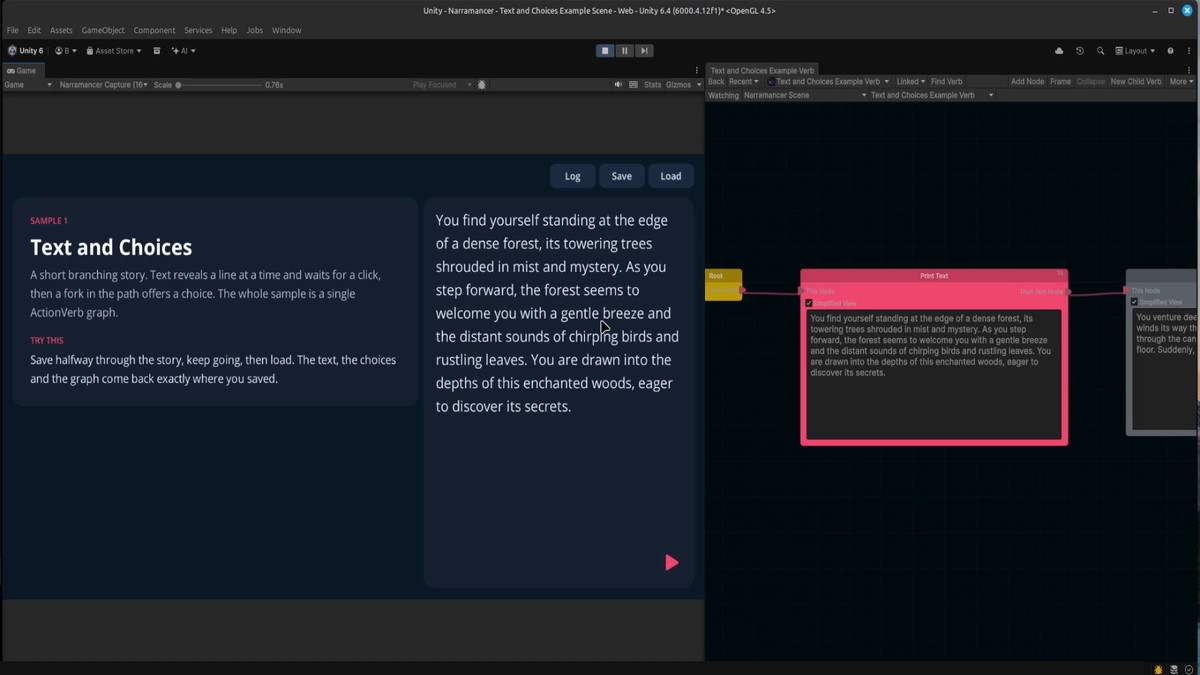
Narramancer: Node Graphs with Built-In Save/Load screenshot 1



About this asset
Save anywhere. Even mid-scene.
Your player saves halfway through a conversation. A character is mid-walk, a timer is counting down, and the game is waiting on a choice. Most scripting tools can't save that moment: Unity Visual Scripting and Fungus don't record which step is running, so saving mid-sequence is something you build yourself, or forbid.
In Narramancer, saving is part of how graphs run. Save at any moment, quit, relaunch and load, and every graph picks up on the exact node it was on, still waiting for the same click. The video above shows it with the editor quit completely in between.
WHAT GETS SAVED
• Every running graph, including what it is waiting on: a click, a choice, a timer, a character halfway through a walk
• Every noun (your characters, items and places) with its properties, stats and relationships
• Every variable, global or scene
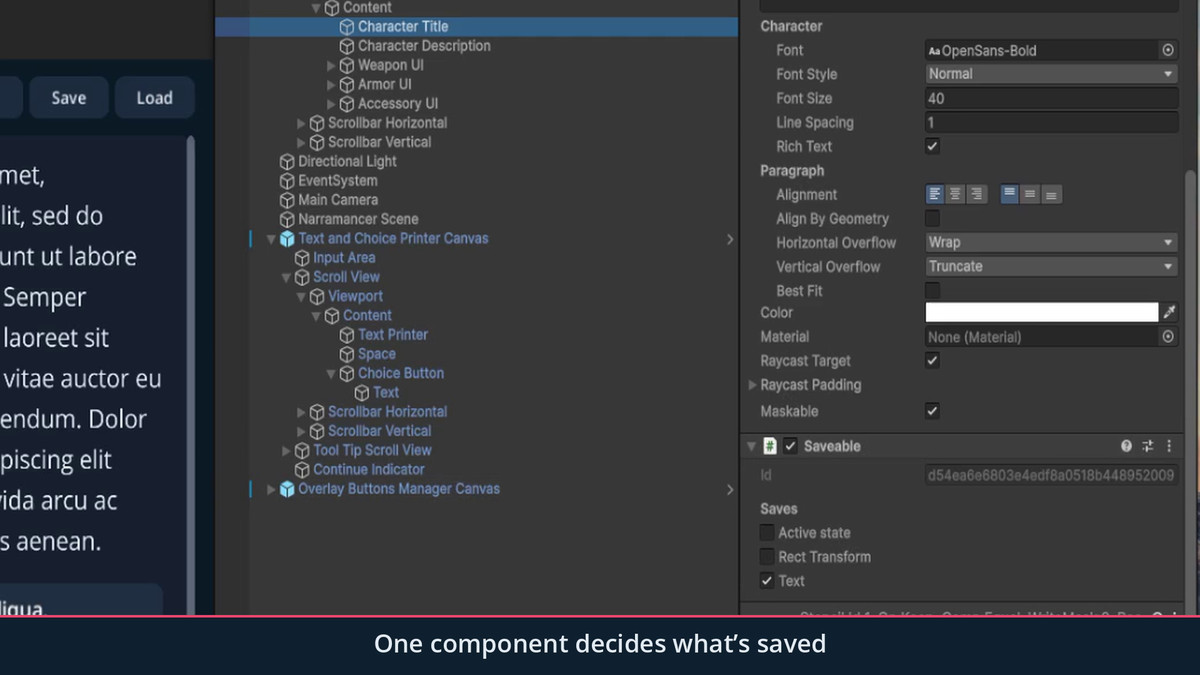
• Scene objects you mark with one Saveable component: transforms, sprites, images, text, audio, animation, NavMesh agents and active state
• Fields of your own scripts: mark them [Save] and they come back after a load, with no other code
BUILD WITH GRAPHS
• Over 150 node types for text, choices, variables, lists, timers, movement, animation and scene objects
• ActionVerbs run over time and can wait; ValueVerbs answer a question instantly
• A built-in table of the things in your game, with properties, stats and relationships
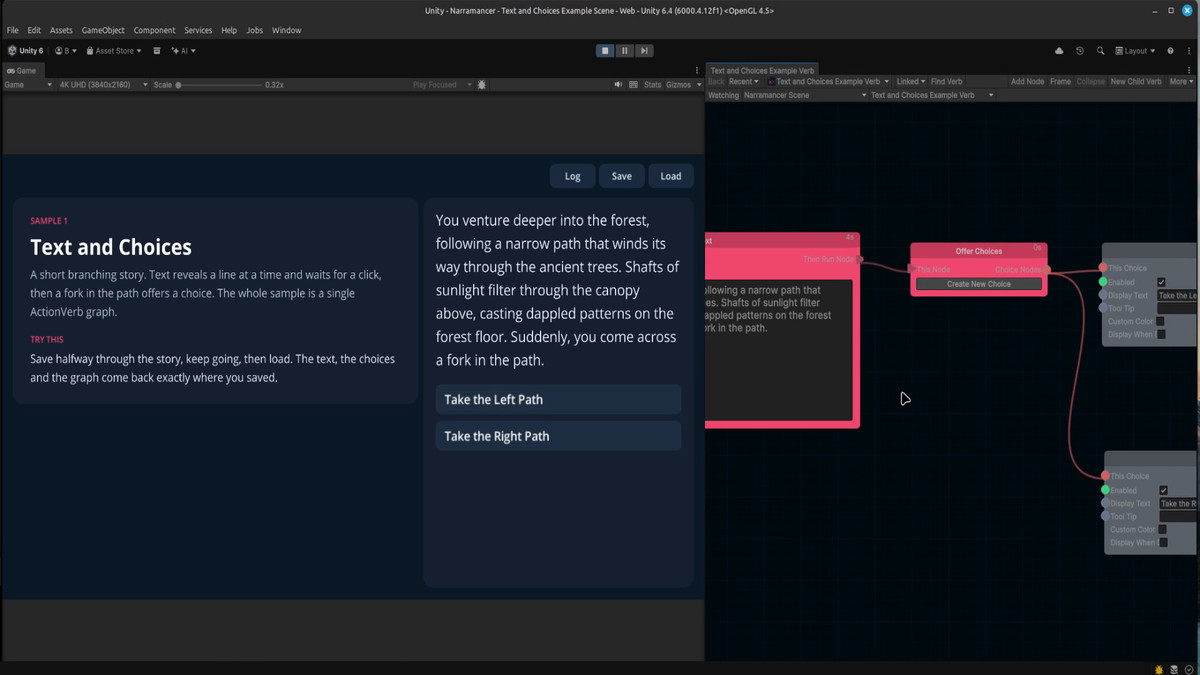
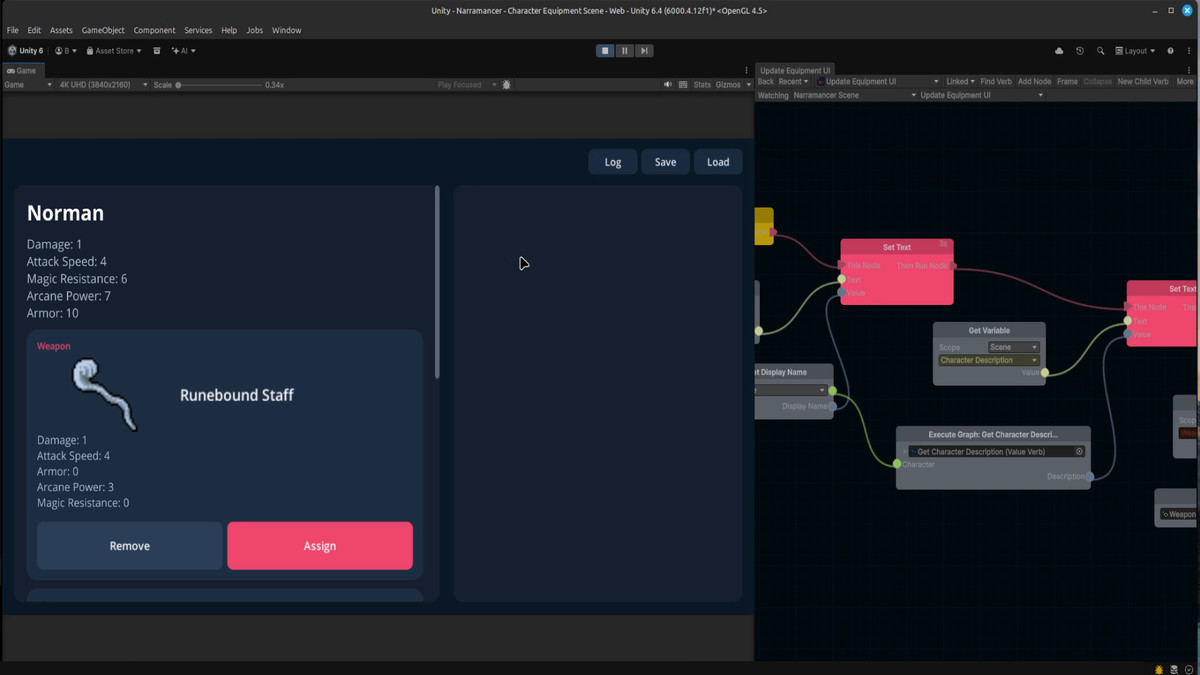
• Edit graphs in Play Mode, and watch the running node light up as the game plays
BUILT TO BE TRUSTED WITH SAVES
• Saves point at objects by permanent ids, so renaming, reparenting or reordering objects doesn't break existing saves
• Saves are readable JSON
• Save, quit, relaunch and load has been verified in IL2CPP (WebGL) player builds
• Full C# source included
• No dependencies, no Odin, no Player Settings changes
INCLUDED
• Five sample scenes: a launcher, branching text and choices, creating nouns at runtime, properties, and a character equipment screen
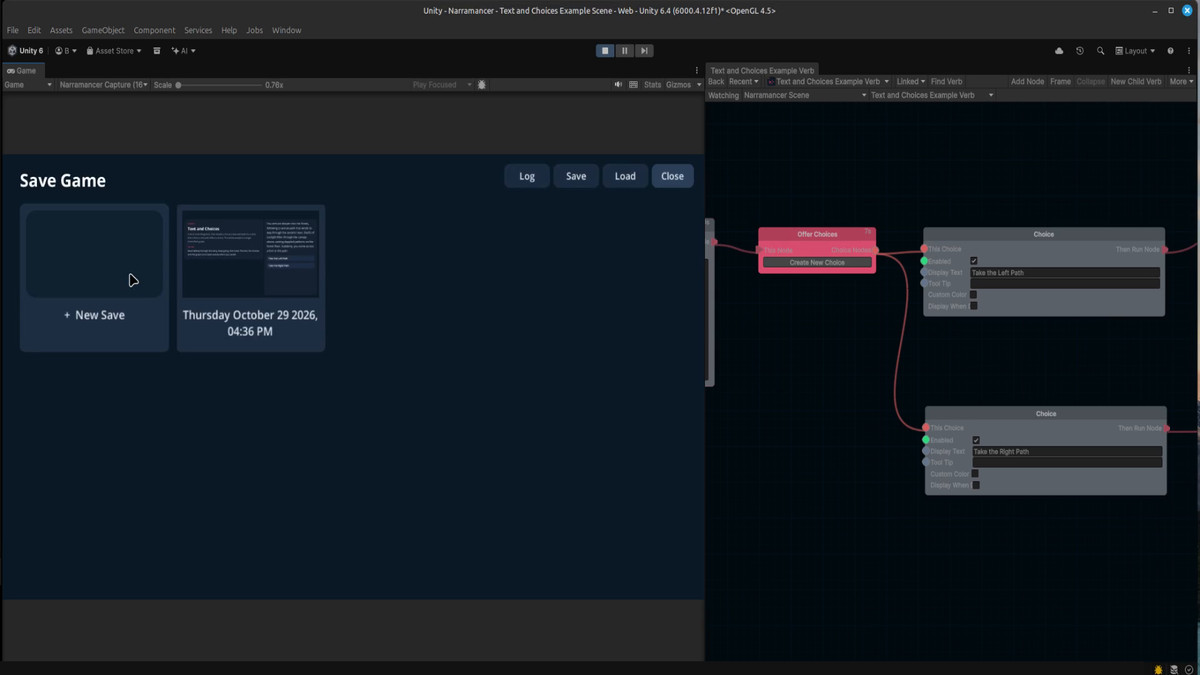
• Drop-in UI prefabs: text and choice printers, a save/load menu with thumbnail slots, and a history log
• A Getting Started guide (PDF), plus full documentation at narramancer.com
GOOD FOR
Visual novels and branching dialogue, quest and story flow, NPC behaviour, and the overall loop of your game.
Upgrading from 0.5? Version 1.0 changes the save format. See the release notes and chapter 7 of the Getting Started guide.
Narramancer uses xNode and Unity-SerializableDictionary under the MIT license, and Open Sans under the SIL Open Font License; see the Third-Party Notices.txt file in the package for details.
From the publisher's Asset Store listing.
Technical details
• Unity 6 (6000.x). Built and tested on 6000.4.12f1.
• Render pipeline independent: the runtime has no shaders or materials, and the UI uses Unity UI (uGUI).
• Pure C#, no native plugins. Save/load verified in IL2CPP (WebGL) player builds.
• No package dependencies beyond Unity UI. NavMesh nodes use the built-in AI module and are left out cleanly without it.
• Saves are JSON: Assets/Saves in the editor, Application.persistentDataPath/Saves in a build, and IndexedDB on WebGL (survives a page reload).
• Built-in serializer. Assets are saved by permanent id, through an asset manifest rebuilt before every build. Scene objects are saved by a Saveable's id, never by name or hierarchy path.
• Over 150 node types. Graph editor built on xNode (included).
• Full C# source. Runtime and editor code are in separate assemblies, under the Narramancer namespace.
• Documentation: Getting Started PDF in the package; full docs at narramancer.com.
• Not compatible with 0.5 saves. Upgrade steps are in Getting Started, chapter 7.
Compatibility
| Unity version | Built-in | URP | HDRP | Custom |
|---|---|---|---|---|
| 6000.4.12f1 | Compatible | Compatible | Compatible | Compatible |
As listed on the Asset Store.