
 View on Asset Store (opens in new tab)
Package details
- Latest version
- 1.0
- Last updated
- First released
- Unity version
- 2022.3.11 or later
- Package size
- 3.7 MB
- Files
- 10
- Favorites
- 2
- Views in the past week
- 5
Price tracking
- Last checked
- Tracked since
- Lowest recorded
- $10.50 on
Keywords

WebGL Reads Device Max Images - 2023
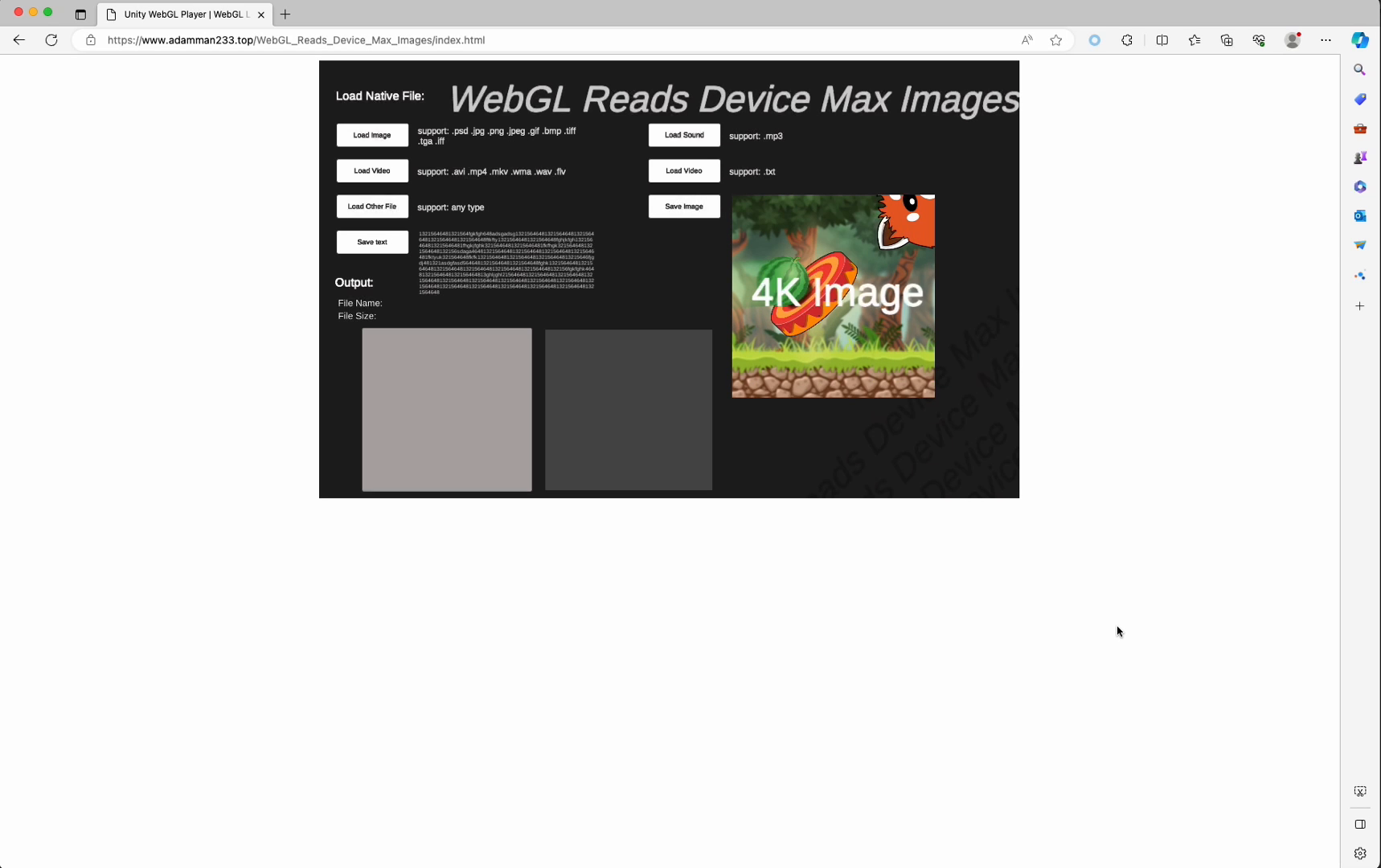
In the webGL multi-platform, support 4K native picture file reading and saving tools come.
Affiliate link · Purchases support this site
Price history
Last 6 months
USDAsset preview
1 / 2

WebGL Reads Device Max Images - 2023 screenshot 1
About this asset
What does this tool do?
1. In the web including Chrome, firefox, apple browser, android browser and other devices, whether it is a mobile phone, laptop, desktop, or even ChromeBook. You can directly access the local picture, text, video, audio, and even any suffix format files through Webgl on the web side.
2. Image parsing supports 4K, that is, 4096x4096 maximum size.
Demo:https://www.adamman233.top/WebGL_Reads_Device_Max_Images/index.html
Note:
This plug-in must be on the server to function properly.
So, you need to switch the build platform to WebGL and then build. And put the Building files on your remote server, using the native directly to open the html will not work.
Download and get the plugin, then import it into Unity. You will get the WebGL Reads Device Max Images folder.
Put the WebGLTemplates folder in the Assets root directory. Then select the WebGL template in the Project Settings.
Put your built file on your server, and then access the html file on your server via a web page.
Interfaces provided:
- LoadImage(): reads the image of the machine. Support for many formats
- LoadVideo() : reads video files on the host. Support for many formats
- LoadOtherFils () : Read a file with any other suffix, and you'll get the file name, path, and byts array.
- LoadSound () : Reads the audio file. Support.mp3
- LoadTxt(): reads a text file.
- SaveText () : Includes strings inside the unity runtime to a local file.
- SaveImage () : Save images inside the unity runtime to the machine. Remember that read and write permissions are required.
NO AI
From the publisher's Asset Store listing.
Technical details
- Includes good PDF instruction documentation.
- Contains 1 Demo scenario, note that it needs to be Buiding on the server to run.
- Includes 2 cs files and an html template file, as well as js native files.
- Includes all source code.
- Includes good namespaces.
- Maximum texture size: 4096x4096
Compatibility
| Unity version | Built-in | URP | HDRP | Custom |
|---|---|---|---|---|
| 2022.3.11f1 | Compatible | Compatible | Compatible | Compatible |
As listed on the Asset Store.