
 View on Asset Store (opens in new tab)
Package details
- Latest version
- 1.0
- Last updated
- First released
- Unity version
- 2021.3.30 or later
- Package size
- 486.0 MB
- Files
- 247
- Favorites
- 38
- Views in the past week
- 21
Price tracking
- Last checked
- Tracked since
- Lowest recorded
- $19.50 on
Keywords
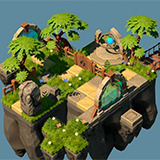
Isometric World 3D Vol1
This is a simple constructor for creating beautiful 3D worlds, which consists of LowPoly optimized objects.
Affiliate link · Purchases support this site
Price history
Last 6 months
USDAsset preview
1 / 12

Isometric World 3D Vol1 screenshot 1


About this asset
This is URP Project!
Textures are also suitable for BuiltIn rendering, but I do not recommend doing this, because URP is better.
Package includes:
- AAA quality
- all models contain a small number of polygons (Mostly from 30 to 100.), you do not have to use LOD
- 2 levels (demo level and assets level)
- platforms for placing blocks
- blocks
- various stones
- many plants and grass
- ready-made objects for placement (bridge, barrel, portal, chest, gold, door, fence, etc.)
- many parts from which you can assemble your own unique object
- animated objects (magic object, chest)
128 unique meshes will help you create a variety of virtual worlds.
I tried to detail this asset in such a way that you can use it not only in isometry.
To display the portal correctly, you must check the "Opaque Texture" checkbox in the URP rendering settings.
ShaderGraph was used to create the portal effect.
From the publisher's Asset Store listing.
Technical details
URP Textures:
- AlbedoTransparency
- AO
- MetallicSmoothness
- NormalMap
(Emission)
HDRP Textures:
- BaseMap
- MaskMap
- Normal
(Emission)
Number of Unique Meshes: 128
Vertex Count: from 35 to 964 (Mostly from 35 to 100.)
Number of Materials: 5 Materials
Number of Textures: 21
Lods: No
Texture Resolutions: 512*512, 4096*4096
Compatibility
| Unity version | Built-in | URP | HDRP |
|---|---|---|---|
| 2021.3.30f1 | Not listed | Compatible | Compatible |
To display the portal correctly, you must check the "Opaque Texture" checkbox in the URP rendering settings.
As listed on the Asset Store.