
 View on Asset Store (opens in new tab)
Package details
- Latest version
- 1.0
- Last updated
- First released
- Unity version
- 2021.3.5 or later
- Package size
- 1.8 MB
- Files
- 6
- Favorites
- 8
- Views in the past week
- 3
Price tracking
- Last checked
- Tracked since
- Lowest recorded
- Free on
Keywords
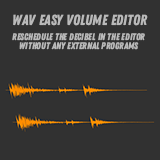
WAV Easy Volume Editor
Adjusts the decibels of each WAV file with a different volume to the specified value.
Affiliate link · Purchases support this site
Price history
Last 6 months
USDAsset preview
1 / 2

WAV Easy Volume Editor screenshot 1

About this asset
Unity Editor extension designed for developers working with WAV files. It provides a user-friendly interface to adjust the decibel (dB) levels of WAV audio clips.
This feature allows you to adjust the decibel without a program such as Adobe Audition.
[Usage]
1. Open the Unity Editor.
2. Go to the "Tools" menu and select "Bonnate" > "WAV Easy Volume Editor."
3. In the editor window:
- Choose a WAV audio clip from the Unity Project window (Only .wav files are selectable).
- Set the target decibel (dB) level you want to achieve.
- Click the "Process and Replace" button to adjust the audio clip in place, creating a backup of the original.
- Click the "Process and Export" button to adjust and save the processed audio clip to a new file.
- Use the "Listen" button to preview audio at the specified dB level.
4. The script will display audio clip details, including maximum dB, sample rate, channels, and length.
From the publisher's Asset Store listing.
Technical details
Provides the following capabilities.
- Selecting a WAV audio clip from the Unity Project window.
- Setting a target decibel (dB) value to achieve.
- Listening to audio at the specified target dB or processing the audio clip to match the target dB.
- Creating backups of the original audio clips for easy restoration.
- Exporting processed audio clips in WAV format.
- Displaying audio clip details such as maximum dB, sample rate, channels, and length.
Compatibility
| Unity version | Built-in | URP | HDRP | Custom |
|---|---|---|---|---|
| 2021.3.5f1 | Compatible | Compatible | Compatible | Compatible |
This set with a simple function has no dependency at all.
As listed on the Asset Store.