
 View on Asset Store (opens in new tab)
Package details
- Latest version
- 1.1
- Last updated
- First released
- Unity version
- 2021.3.23 or later
- Package size
- 13.1 MB
- Files
- 31
- Favorites
- 21
- Views in the past week
- 6
Price tracking
- Last checked
- Tracked since
- Lowest recorded
- $9.99 on
Keywords
Supersampling Antialiasing
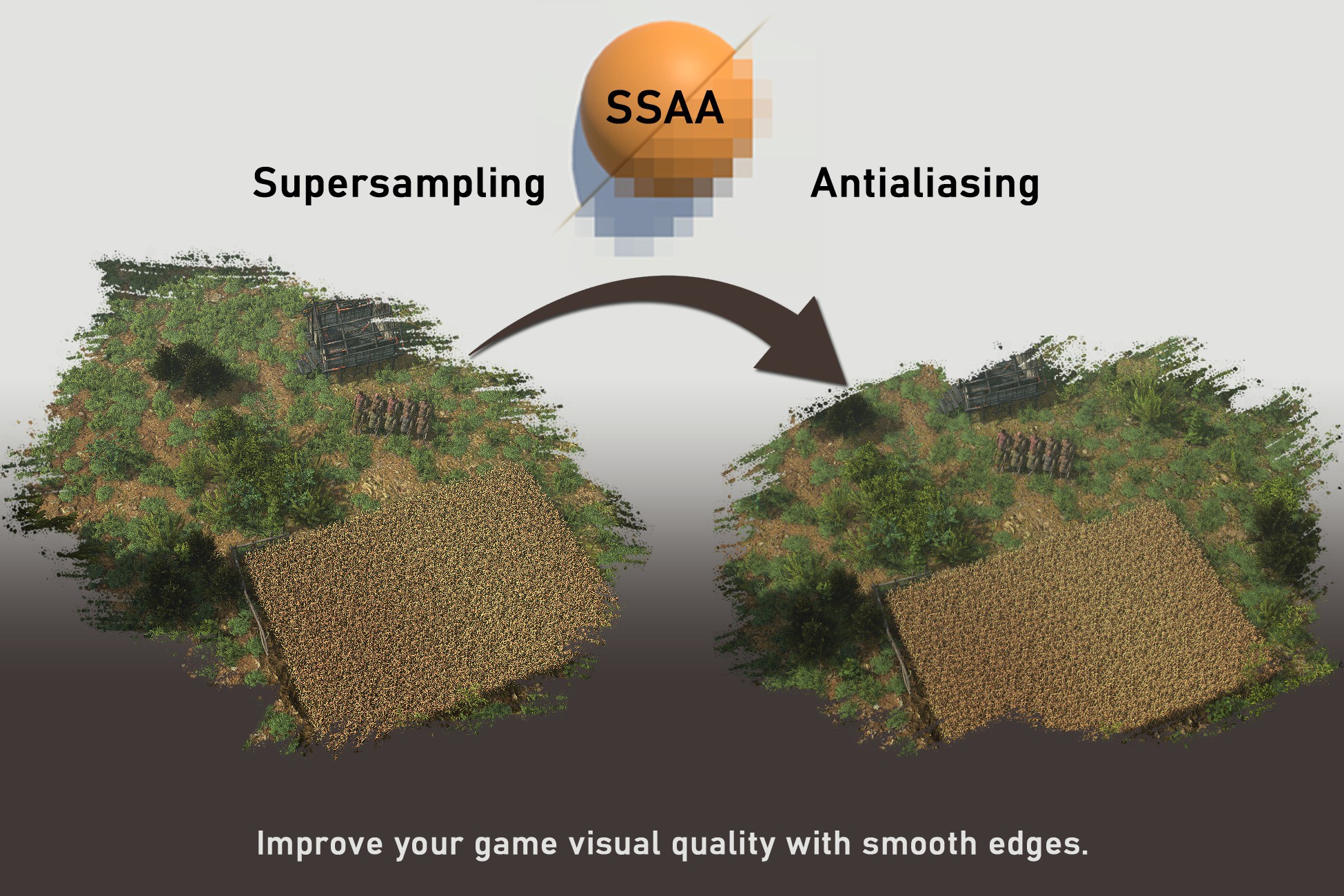
Supersampling antialiasing will help you get rid of sharp edges and pixel flickering. As well will help vegetation and other cutout materials to look correctly dense and smooth.
Affiliate link · Purchases support this site
Price history
Last 6 months
USDAsset preview
1 / 7

Supersampling Antialiasing screenshot 1


About this asset
This package contains:
Antialiasing manager through which, you can manage quality/performance of antialiasing for different quality levels.
Supersampling antialiasing with predefined options 2x, 3x, 4x with corresponding shaders to be properly shrinked back, to your display resolution. Supersampling is high quality/high performance cost option among antialiasing methods. On the other hand if your game is not AAA game on 4k monitor, even older modest PCs are more than capable of Supersampling. I made it for my indie game under development and was amazed, that performance cost is not so bad for how it moved the visual quality forward. And as there was no SSAA on asset store available. I decided to share it with you.
I also added FXAA for low quality option and/or for comparison with SSAA. FXAA is a great option and as you can see in screenshots it can do sometimes better job, than default MSAA. If you are interested in only FXAA, you can find it for free for example here.
This packages work in unity 2021/2022/2023 (and could work as well on older versions if needed)
SSAA converts scene camera into UI canvas. And then you might run into "No camera is rendering" warning, which is correct by design and you can turn off this warning by right-clicking game window tab in unity, and there is option to display/hide this warning.
If you want to explore more. You can download the demo scene and experience it yourself:
From the publisher's Asset Store listing.
Technical details
- Super sampling antialiasing (2x, 3x, 4x) with proper shaders.
- Antialiasing manager. Which can switch between AA methods and settings (None, FXAA, SMAA, SSAA)
Compatibility
| Unity version | Built-in | URP | HDRP |
|---|---|---|---|
| 2021.3.23f1 | Compatible | Compatible | Compatible |
As listed on the Asset Store.