
 View on Asset Store (opens in new tab)
Package details
- Latest version
- 1.0
- Last updated
- First released
- Unity version
- 2021.3.3 or later
- Package size
- 5.2 GB
- Files
- 1,506
- Favorites
- 270
- Views in the past week
- 81
Price tracking
- Last checked
- Tracked since
- Lowest recorded
- Free on
Keywords
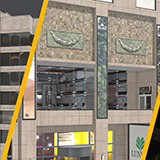
vrbn Studios Free Buildings HDRP Bundle 001
Our Swiss Made buildings provide simple, drag-and-drop, high-quality architectural models for use in urban environments. Our buildings are made to be consistent and compatible across all our content.
Affiliate link · Purchases support this site
Price history
Last 6 months
USDAsset preview
1 / 9

vrbn Studios Free Buildings HDRP Bundle 001 screenshot 1


About this asset
> Consistent and detailed realism
> Full PBR
> Parallax occlusion interiors
> Our buildings are made for direct use in games, XR, VFX, Simulation
From the publisher's Asset Store listing.
Technical details
MATERIAL & TEXTURE SPECIFICATION
> Textures: PBR: metal / roughness; up to 8k/atlases; optimized
> Textures: Merged grayscale textures into RGBA TGA.
> Channels: albedo, emission, metal, roughness, normal, opacity, alpha, geometry-AO, material-AO, dirt
> Texel density: ~200 tx/m
> Normals: Tangent space, left handed (DirectX)
> File format: TGA, 8bit, RGB, RGBA
> Interpreted color space: sRGB: albedo/emission. Linear: metal, roughness, normal, opacity, alpha, geometry-AO, material-AO
> vrbn studios based naming convention
QUALITY
> All our 3D content is manually tested. If you find anything out of order or you have questions, please contact us:
[email protected] (24 hours reaction time, Mo-Fr)
UNITY 3D SPECIFICATION
> Supported render pipeline: HDRP
> Supported rendering paths: Deferred and Forward
> Ray tracing is currently not supported. We’re working on it.
> Each building consists of 4 optimized LOD meshes, incl. setup.
> The buildings ship with a collision mesh. > Draw call optimized by using texture atlases.
> Building Prefab location: Assets/vrbn_studios/..productionID../..countryID../buildings/prefabs
> Dirt intensity: There is a dirt slider on the building’s prefab that allows you to alter the dirt intensity in real-time. At runtime each building instance will have its own dirt slider, meaning you can adjust each building with different dirt values.
> Emission intensity: On buildings’s prefab there is an emission intensity float that allows you to alter the emission intensity in real-time. At runtime each building instance will have its own emission intensity float, meaning you can adjust each building with different emission values.
> Interior mapping: If you bought the interior mapping option for your build-ings then there is an interior mapping toggle on the building’s prefab with which you can enable/disable the parallax occlusion effect in real-time. At runtime each building instance will have its own interior mapping toggle, meaning you can have this feature in some buildings but not in others.
> In deferred rendering the glass normals might have small compression artefacts. See info here:
https://docs.unity3d.com/Packages/[email protected]/manual/rendering/deferred-rendering-path.html#accurate-g-buffer-normals
https://docs.unity3d.com/Packages/[email protected]/manual/rendering/deferred-rendering-path.html#accurate-g-buffer-normals
CONTACT & FEEDBACK
[email protected] (24 hours reaction time, Mo-Fr
Compatibility
| Unity version | Built-in | URP | HDRP |
|---|---|---|---|
| 2021.3.3f1 | Not listed | Not listed | Compatible |
As listed on the Asset Store.