
 View on Asset Store (opens in new tab)
Package details
- Latest version
- 1.0
- Last updated
- First released
- Unity version
- 2021.3.29 or later
- Package size
- 171 KB
- Files
- 4
- Favorites
- 32
- Views in the past week
- 10
Price tracking
- Last checked
- Tracked since
- Lowest recorded
- Free on
Keywords
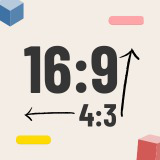
Easy Aspect Ratio Control
Ensure perfect aspect ratios effortlessly in your project with Easy Aspect Ratio Control. Seamless visuals made simple!
Affiliate link · Purchases support this site
Price history
Last 6 months
USDAsset preview
1 / 4

Easy Aspect Ratio Control screenshot 1


About this asset
Elevate your game's visuals effortlessly with Easy Aspect Ratio Control. Ensure consistent screen ratios from 5:4 to 16:9 and beyond. Let the asset handle the math, guaranteeing an optimal camera display without manual adjustments. Focus on presenting captivating scenes worry-free, without rescaling UI, repositioning assets, or concerns of GameObjects going off-screen.
A Demo scene shows you how this package works.
Clean and documented code, as well as a README user guide.
Easy to use with only few steps:
- Attach AspectRationControl to your main camera;
- Set the desired aspect ratio;
- Hit play, and watch the magic unfold!
From the publisher's Asset Store listing.
Technical details
- Effortless Aspect Ratio Management: Set your desired aspect ratio, and let the asset handle the rest. Whether it's widescreen, standard, or custom aspect ratios, your game's visuals will remain consistent across all platforms.
- Automatic Resolution Adjustment: Say goodbye to stretched or squished visuals. The asset dynamically adjusts the resolution to fit the chosen aspect ratio, ensuring your game looks stunning on every screen.
- Letterboxing and Pillarboxing: Embrace cinematic appeal by seamlessly incorporating letterbox or pillarbox effects. These black bars maintain the chosen aspect ratio, enhancing the overall aesthetics of your game.
Features:
- Force a desired aspect ratio
- Very easy to use
- Works perfectly with 3D, 2D and UI
- Demo scene included
- User Guide documentation included
Compatibility
| Unity version | Built-in | URP | HDRP |
|---|---|---|---|
| 2021.3.29f1 | Compatible | Compatible | Compatible |
As listed on the Asset Store.