
 View on Asset Store (opens in new tab)
Package details
- Latest version
- 1.0
- Last updated
- First released
- Unity version
- 2022.3.10 or later
- Package size
- 170 KB
- Files
- 6
- Views in the past week
- 6
Price tracking
- Last checked
- Tracked since
- Lowest recorded
- $7.99 on
Keywords
- Search for particle scale
- Search for vfx scale
- Search for particle delay
- Search for vfx change color
- Search for particle system
- Search for Particle Discoloration
- Search for Particle Change Color
- Search for VFX Delay
- Search for Particle Tools
- Search for VFX Discoloration
- Search for VFX
- Search for vfx time delay

VFX Delay Scale Discoloration Tools 2023
To efficiently batch resize, recolor, and delay particle systems, use an automation tool.
Affiliate link · Purchases support this site
Price history
Last 6 months
USDAsset preview
1 / 4

VFX Delay Scale Discoloration Tools 2023 screenshot 1


About this asset
What is provided?
Color change (Discoloration) :
At the same time, you can adjust the color scale and change the color of the particle effects in batches. You no longer need to repeatedly modify the parameters to achieve a perfect effect. And it supports real-time preview.
1. Change the H parameter of HSV, and adjust the color parameters of all particle effects in batches.
2. Support changing the color of the shader and maintain consistency with the particle system. Support color change for "_Color" and "_TintColor" parameters. Full customization will be available in the future.
3. Real-time preview, even in the editor, you can preview directly, which is very convenient.
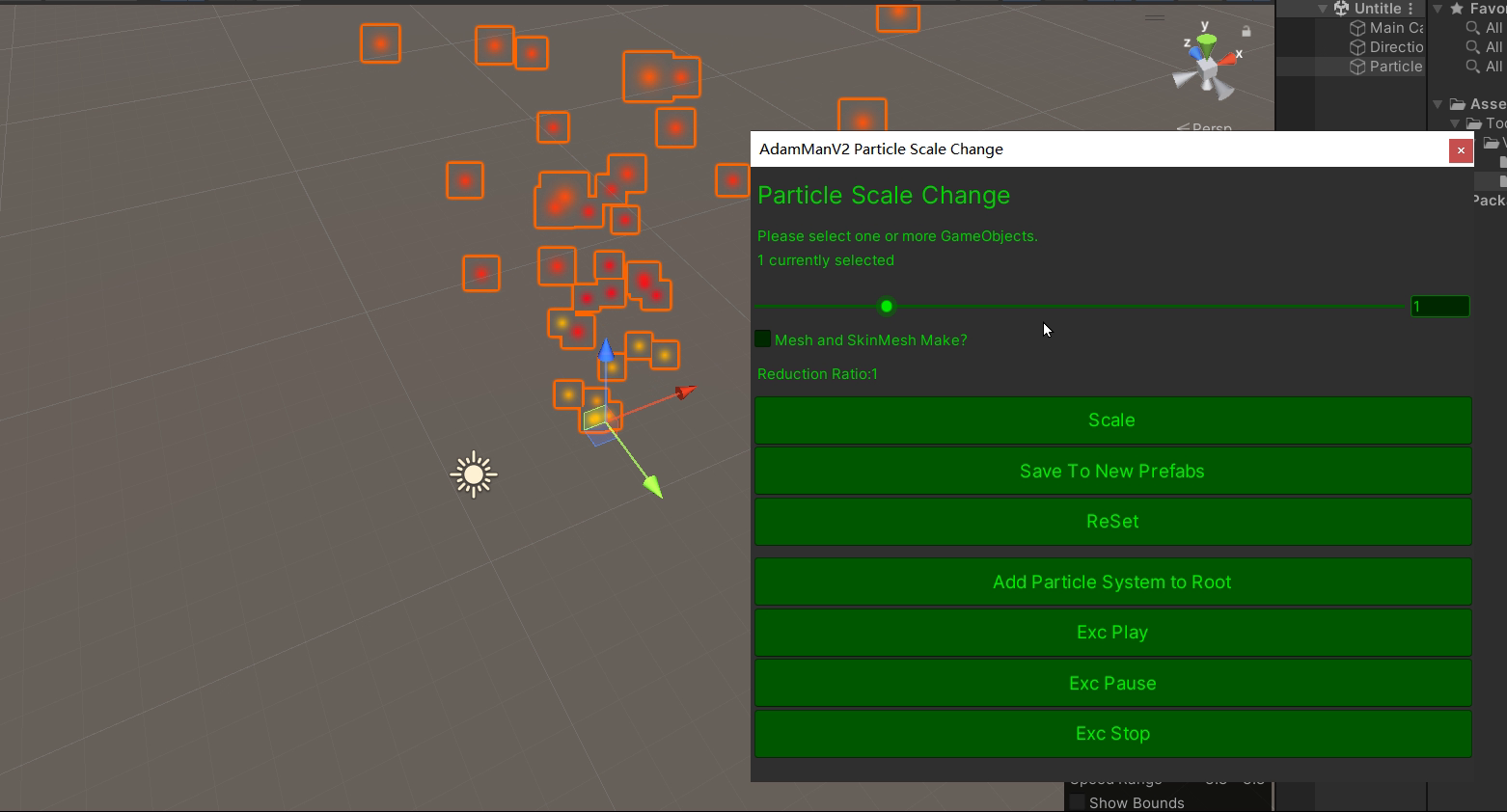
Zoom:
1. Batch scaling of the particle system, which is the most basic.
2. Support scaling of mesh and skinmesh.
3. Support selecting multiple GameObjects for scaling
4. The scaling tool supports saving as a new Prefab
5. Support one-click to add an empty particle system for the root node, without wasting performance
6. Support real-time preview, play, pause, stop.
7. Zoom tool supports reset operation
Delay:
1. Provide a batch delay operation for particle effects without destroying the playing time of each particle effect.
2. Replace the function of removing the minimum delay. If you no longer need the delay and want to start playing from 0, and keep part of the delay of the child particle system, it is very useful.
"Delay" works great for copied VFX. Sometimes you need to delay some of the same effects. For example, a bullet is fired every delay of 1s. It works.
Future plan:
1. Add a function valid for all shaders for color change
2. Add the function of decolorizing the picture.
Support:
1. Good UI page and error prompt, very friendly
2. Good usage documentation, very brief
3. Contains source code, including detailed notes. Very easy to modify.
If you need my help, please contact my email: [email protected]
From the publisher's Asset Store listing.
Technical details
Technology:
1. Contains 3 editor scripts with detailed notes.
2. A demo is provided, but because it is used in the editor window, the effect of the demo is very small
3. A detailed PDF document is provided, which is very detailed.
Compatibility
| Unity version | Built-in | URP | HDRP | Custom |
|---|---|---|---|---|
| 2022.3.10f1 | Compatible | Compatible | Compatible | Compatible |
As listed on the Asset Store.