
 View on Asset Store (opens in new tab)
Package details
- Latest version
- 3.2.0
- Last updated
- First released
- Unity version
- 2021.3.0 or later
- Package size
- 490 KB
- Files
- 13
- Favorites
- 14
- Views in the past week
- 6
Price tracking
- Last checked
- Tracked since
- Lowest recorded
- $4.99 on
Keywords
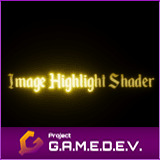
Image Highlight Shader (Legacy)
A URP unlit shader for highlighting images by gradually moving an emissive wave along their surface.
Affiliate link · Purchases support this site
Price history
Last 6 months
USDAsset preview
1 / 5

Image Highlight Shader (Legacy) screenshot 1


About this asset
PLEASE NOTE! This is our legacy highlight shader for versions below Unity 6.0. For Unity 6.0 and above, please see our improved UI Highlight Shader.
IMPORTANT! This asset requires the Shader Graph package for the shaders to work.
The Shader Graph package already comes bundled with most Unity versions and rendering pipelines, but it can also be imported into your project from the Package Manager window inside the Unity Editor.
NOTE: This asset is also part of the Essential 2D Shaders Bundle – https://assetstore.unity.com/packages/slug/201882
This shader allows you to highlight images (originally intended for text that is written outside of Unity and then exported as an image) by gradually moving an emissive wave along their surface. The wave's emission, sharpness (strength), thickness and speed are fully customizable. Use this shader to highlight any elements in the Canvas, as well as to add emission to your UI elements.
Shader options:
- Albedo
- Albedo Color
- Alpha Cutoff
- Emission Color
- Emission Strength
- Wave Controller
- Wave Thickness
- Wave Strength
For further information, visit the asset's page on our website: https://www.project-gamedev.com/image-highlight-shader.html
For further technical details, visit the asset's documentation page: https://docs.project-gamedev.com/image-highlight-shader/image-highlight-shader.html
NOTE: In case you are using the Built-In Renderer, use folder "Built-In Renderer". In case you are using URP, use folder "Universal Renderer".
From the publisher's Asset Store listing.
Technical details
- 1 Shader Graph asset
- C# controller script
- An example text image and a material for the shader
- 1 PDF explaining the shader's setup, as well as its options.
Compatibility
| Unity version | Built-in | URP | HDRP | Custom |
|---|---|---|---|---|
| 2023.1.0f1 | Compatible | Compatible | Not listed | Compatible |
| 2021.3.0f1 | Compatible | Compatible | Not listed | Compatible |
In case you are using the Built-In Renderer, use folder "Built-In Renderer". In case you are using URP, use folder "Universal Renderer".
As listed on the Asset Store.