
 View on Asset Store (opens in new tab)
Package details
- Latest version
- 1.0.0
- Last updated
- First released
- Unity version
- 2022.3.1 or later
- Package size
- 71 KB
- Files
- 35
- Favorites
- 46
- Views in the past week
- 10
Price tracking
- Last checked
- Tracked since
- Lowest recorded
- Free on
Keywords
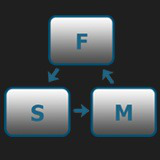
Finite State Machine Creator
Organise your logic with easy to use state machines.
Price Free
Get it free on Asset Store (opens in new tab)
Affiliate link · Purchases support this site
Price history
Last 6 months
USDAsset preview
1 / 5

Finite State Machine Creator screenshot 1


About this asset
Important notes:
- This tool doesn't work on versions older than Unity 2022 due to a bug in UITK.
- After importing a package it is required to restart your editor, for it to properly register Script Templates
Features:
- Graph editor made to resemble built-in Animator.
- Composition oriented logic.
- Supports Copy & Paste, Duplicate, Undo & Redo for pleasant workflow.
- Variety of usages, for AI, Level Logic, Player Controller etc.
- Creating a Runtime Controller, to not interfere with your State Machine asset.
- Optimized for fast responding GUI and lightweight data.
Usage:
- Create a controller asset by clicking Create>FSMC>Controller.
- Open the editor, add parameters, create states and transitions by opening context menu with right click.
- Create a script for your custom behaviour by opening template in Create>FSMC>Behaviour. After that you can add it to your states.
- Add FSMC_Executer component to your game object and attach your controller asset to it.
- You are ready to go! Manipulate your parameters using getters and setters just like you would do with an Animator.
For more information and details check out Documentation.
From the publisher's Asset Store listing.
Technical details
Features:
- Graph editor made to resemble built-in Animator.
- Composition oriented logic.
- Supports Copy & Paste, Duplicate, Undo & Redo for pleasant workflow.
- Variety of usages, for AI, Level Logic, Player Controller etc.
- Creating a Runtime Controller, to not interfere with your State Machine asset.
- Optimized for fast responding GUI and lightweight data.
Compatibility
| Unity version | Built-in | URP | HDRP | Custom |
|---|---|---|---|---|
| 2022.3.1f1 | Compatible | Compatible | Compatible | Compatible |
Unity 2022 and newer only.
As listed on the Asset Store.