
 View on Asset Store (opens in new tab)
Package details
- Latest version
- 1.0.1
- Last updated
- First released
- Unity version
- 2020.3.48 or later
- Package size
- 144 KB
- Files
- 15
- Favorites
- 121
- Views in the past week
- 14
Price tracking
- Last checked
- Tracked since
- Lowest recorded
- Free on
Keywords
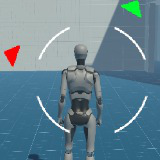
On Screen Pointer/Indicator for Game Objects
Simple yet powerful on-screen direction indicator for big environments.
Price Free
Get it free on Asset Store (opens in new tab)
Affiliate link · Purchases support this site
Price history
Last 6 months
USDAsset preview
1 / 2

On Screen Pointer/Indicator for Game Objects video 1 (plays on the Asset Store)

About this asset
The purpose is to simplify the on-screen direction indicator common in 3D games where an arrowhead points toward a game object, the next waypoint, an enemy or an objective.
Contact
The minified demo is included in the package to save size.
From the publisher's Asset Store listing.
Technical details
Setting up this system is pretty straightforward.
- There are a total of two scripts OnScreenPointerController and OnScreenPointerObject.
- OnScreenPointerController is a singleton. This script mainly contains the environment info needed for this plugin.
- OnScreenPointerControllerneeds two references. Camera related to player and ui RectTransform .
- RectTransform will contain all the pointers. The purpose is to have one place for managing all pointers.
- OnScreenPointerController has a Camera reference. If its null, the plugin will try to find the Main Camera.
- uiImagePrefab: Prefab configured for inScreenSprite/outScreenSprite. Can be a complex assembly of views chained together. However, the current implementation assumes that parent Prefab will have an Image component.OnScreenPointerObjectis attached is to target a game object whose position we intend to track in real-time during our gameplay session. offset_local is the normalized screen size in x and y-direction. During the final result calculation, offset_local.x is multiplied with screenWidthand result is the padding from screen edges. (the same process repeats for yandscreenHeight). MoveInCicle places pointers at a fixed distance from the screen center. A smaller dimension is chosen from screen size and the pointer is placed along that angle. Distance from the center is controlled by circleSizeNormalized. Example: pointer is placed at a mid-way from screen center to screen edge when circleSizeNormalizedis 0.5 inScreenSprite: Pointer Image when the object is within screen area whether visible or not. outScreenSprite: Pointer Image when the object is not on screen. The object may be in front of the player but not in the periphery of the camera view. The object may be in the back of the player/camera.
Compatibility
| Unity version | Built-in | URP | HDRP | Custom |
|---|---|---|---|---|
| 6000.0.33f1 | Compatible | Compatible | Compatible | Compatible |
| 2022.3.22f1 | Compatible | Compatible | Compatible | Compatible |
| 2020.3.48f1 | Compatible | Compatible | Compatible | Compatible |
This package uses Unity 2020.3 LTS. No external dependencies. Neither on any asset store package nor on any Unity Package.
-v1.0.1 --> This verion has been updated to Unity 6 API.
As listed on the Asset Store.